Type text, add images, blackout confidential details, add comments, highlights and more.
02. Sign it in a few clicks
Draw your signature, type it, upload its image, or use your mobile device as a signature pad.
03. Share your form with others
Send petition for extraordinary writ via email, link, or fax. You can also download it, export it or print it out.
How to use or fill out court petition writ with our platform
Ease of Setup
DocHub User Ratings on G2
Ease of Use
DocHub User Ratings on G2
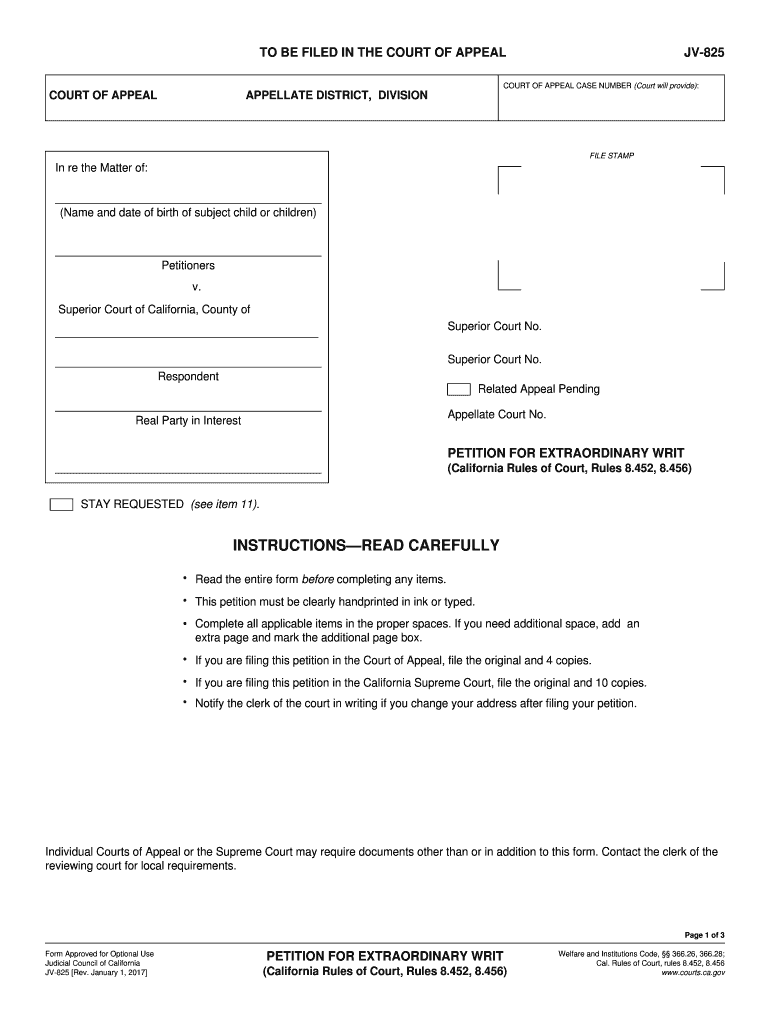
Click ‘Get Form’ to open the court petition writ in the editor.
Begin by filling in the case name and case number at the top of the form. Ensure accuracy as this information is crucial for identification.
In section 1, provide your name, address, phone number, and email. This identifies you as the petitioner.
Section 2 requires you to specify your relationship to the child. Choose from options like mother, father, guardian, or other.
For section 3, list each child involved in the petition along with their date of birth. If there are more children than space allows, attach additional pages.
In section 4, indicate what relief you are seeking from the court regarding parental rights or placement orders.
Complete sections 5 through 10 by detailing any errors in previous orders and attaching supporting documents as necessary.
Finally, review all entries for accuracy before signing and dating at the bottom of the form.
Start using our platform today to streamline your court petition process for free!
We've got more versions of the court petition writ form. Select the right court petition writ version from the list and start editing it straight away!
Petition for writ of certiorari formPetition for writ of certiorari PDFSample petition for WRIT of certiorariPetition for writ of certiorari Supreme CourtPetition for writ of mandatePetition for writ of mandate pdfWhat does writ mean in jailOPPOSITION to petition for writ of certiorari
Security and compliance
At DocHub, your data security is our priority. We follow HIPAA, SOC2, GDPR, and other standards, so you can work on your documents with confidence.
In a writ petition, while exercising power of judicial review the court is concerned with the decision making process and a writ court is not an appellate Read more
The petition for the writ should be directed to the appellate court to which an appeal of right might lie from a final judgment entered in the cause. N.C.R. APPRead more
Rule 21. Writs of Mandamus and Prohibition, and Other
(1) A party petitioning for a writ of mandamus or prohibition directed to a court must file the petition with the circuit clerk and serve it on all parties toRead more
Cookie consent notice
This site uses cookies to enhance site navigation and personalize your experience.
By using this site you agree to our use of cookies as described in our Privacy Notice.
You can modify your selections by visiting our Cookie and Advertising Notice.