




Here's how it works



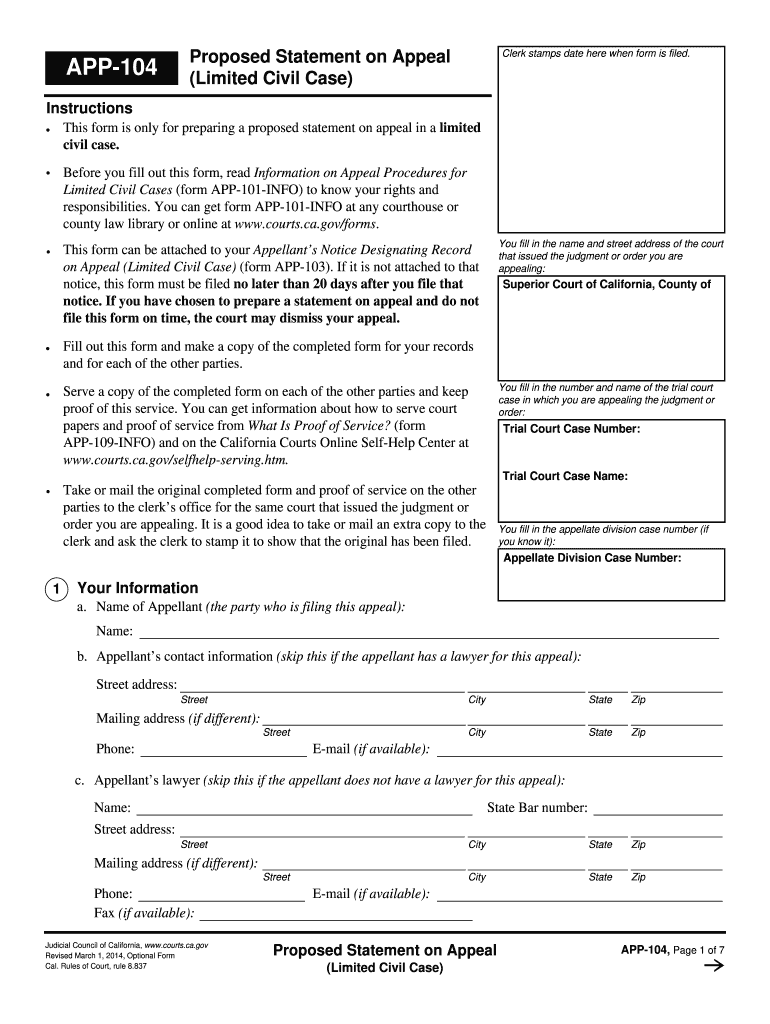
How to use or fill out APP-104 2014-01-01.ofm - California Courts - courts ca with our platform

- Click ‘Get Form’ to open the APP-104 form in the editor.
- Begin by entering the name and street address of the court that issued the judgment or order you are appealing. This is crucial for proper identification.
- Fill in the trial court case number and name, ensuring accuracy as this information links your appeal to the original case.
- Provide your information as the appellant, including your name, contact details, and if applicable, your lawyer's information. This section is vital for communication regarding your appeal.
- In section 4, outline the reasons for your appeal. Clearly describe any legal errors you believe occurred during the trial process.
- Complete sections about motions made in trial and summarize any relevant testimony or evidence presented. This helps establish context for your appeal.
- Finally, review all entries for accuracy before saving or printing your completed form. Use our platform’s features to ensure everything is correctly filled out.
Start using our platform today to streamline your document editing and make filling out forms like APP-104 easier than ever!
It's free
See more APP-104 2014-01-01.ofm - California Courts - courts ca versions
Got questions?
How do I sign my APP-104 2014-01-01.ofm - California Courts - courts ca online?
Log in to your DocHub account and import your APP-104 2014-01-01.ofm - California Courts - courts ca to our editor using one of its upload methods - from your device, cloud storage, protected URL, or your DocHub folders if you have already processed your form before. Open our editor, click the Sign key in the top toolbar, and decide on your signing method. You can use a picture of your handwritten signature, draw it, type in your name, or utilize a QR code instead.
How to fill out and sign APP-104 2014-01-01.ofm - California Courts - courts ca online?
You may easily complete, edit, and even eSign your APP-104 2014-01-01.ofm - California Courts - courts ca using DocHub. Create a new account and begin your free trial. After that, you can upload the document with the form and simply make all the needed edits. No need to print on paper or use a third-party application to sign it, as you can place your electronic signature on your document faster through DocHub.
Security and compliance
At DocHub, your data security is our priority. We follow HIPAA, SOC2, GDPR, and other standards, so you can work on your documents with confidence.
Learn more


