




Here's how it works



How to use or fill out 765 gp 2015 form with our platform

- Click ‘Get Form’ to open the 765 gp 2015 form in the editor.
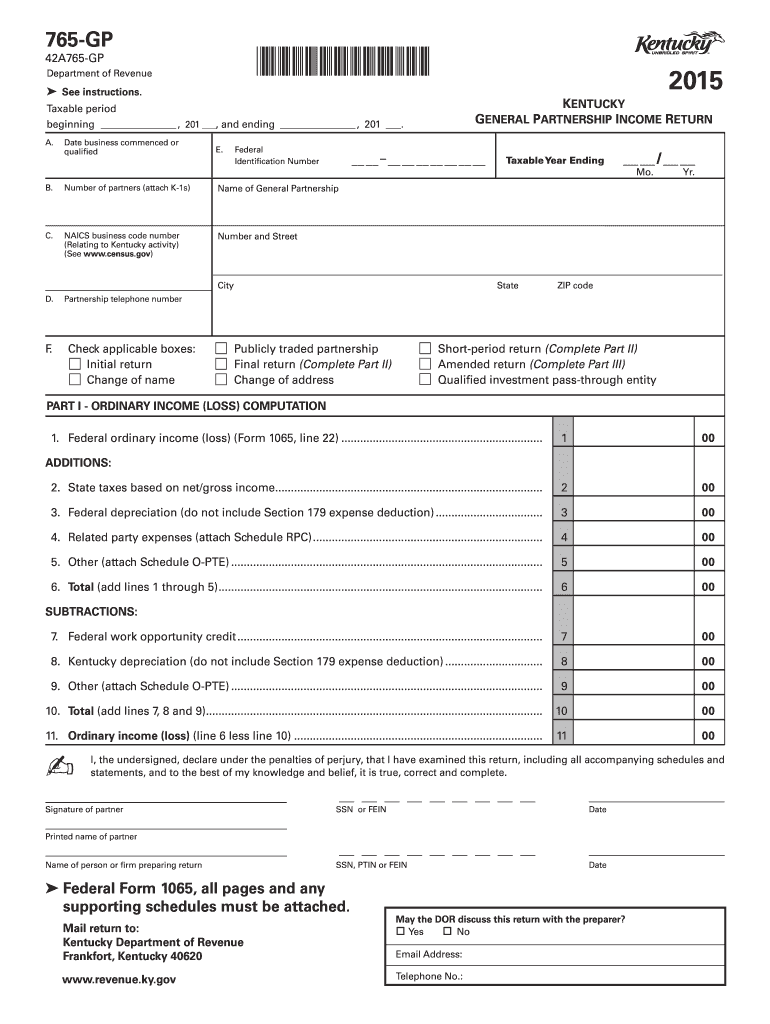
- Begin by filling in the taxable period at the top of the form, specifying the start and end dates.
- Provide your partnership's name, address, and federal identification number in the designated fields.
- Indicate the number of partners and check any applicable boxes regarding your partnership status (e.g., initial return, final return).
- In Part I, compute your ordinary income or loss by entering figures from your financial records into the appropriate lines.
- Complete Parts II and III if applicable, providing explanations for final or amended returns as required.
- Ensure all necessary schedules are attached before signing and dating the form at the bottom.
Start using our platform today to fill out your 765 gp 2015 form online for free!
It's free
See more 765 gp 2015 form versions
Got questions?
What is the optimum way to electronically sign my 765 gp 2015 form?
Many software solutions are available out there for document editing and signing. DocHub is one of the most in-demand online solutions that comply with all data protection and compliance standards and guarantees your electronically signed paperwork is legally enforceable. All you need to try it out is to register an account, add your 765 gp 2015 form, fill out the required information, and click Sign. Create your electronic signature by typing, drawing it, uploading its picture to your document, or scanning a unique QR code.
What browser do I need to edit 765 gp 2015 form online?
If you need to edit your 765 gp 2015 form online quickly, it does not matter what internet browser you use. DocHub’s straightforward editing instruments are accessible using any internet browser. Simply open the appropriate tab in the editor, add your file, and fill it out without stress.
Security and compliance
At DocHub, your data security is our priority. We follow HIPAA, SOC2, GDPR, and other standards, so you can work on your documents with confidence.
Learn more


