




Here's how it works



How to use or fill out application form iec with our platform

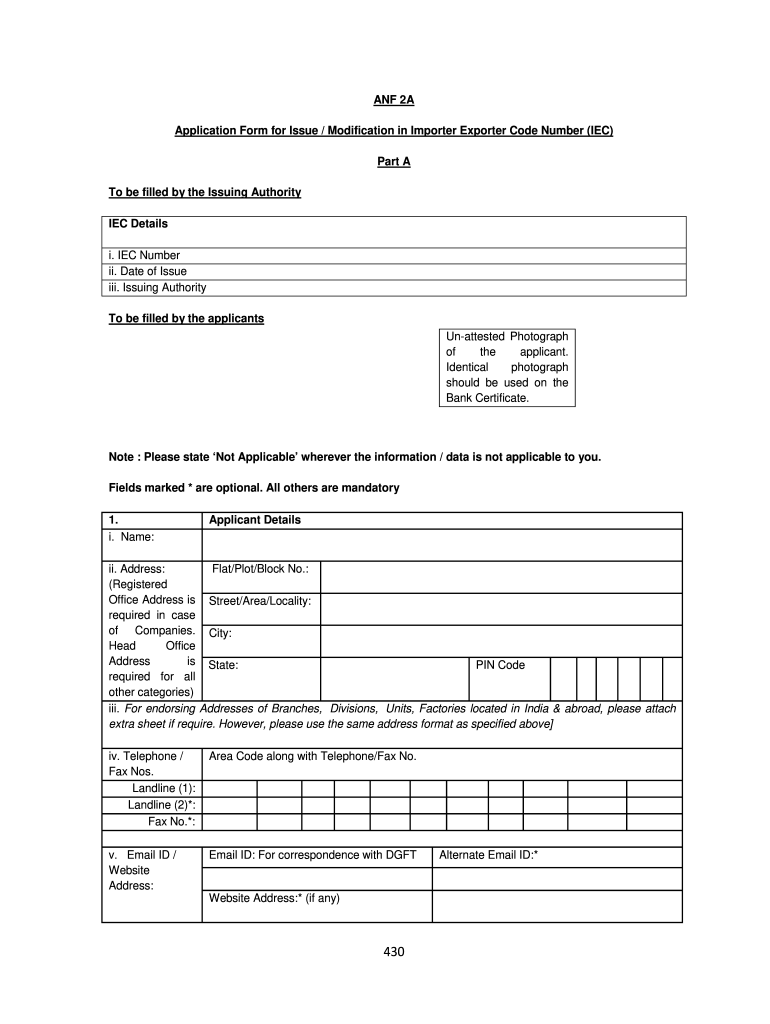
- Click ‘Get Form’ to open the application form iec in the editor.
- Begin by filling in your IEC details, including the IEC Number, Date of Issue, and Issuing Authority. Ensure accuracy as these are mandatory fields.
- Upload an un-attested photograph of yourself. This should match the one used on your Bank Certificate.
- In the Applicant Details section, provide your full name, registered office address, and contact information. Remember to follow the specified format for addresses.
- Complete the sections regarding Proprietor/Partners/Directors by providing their names and relevant details. If necessary, attach an extra sheet.
- Indicate the Nature of Concern and Type of Exporter by ticking the appropriate boxes.
- Fill in your Bank Account Details accurately, including bank name and account number.
- Finally, review all entries for completeness before submitting your application through our platform.
Start using our platform today to streamline your application process for free!
It's free
Got questions?
How do I sign my iec recruitment portal login 2024 on iOS?
With DocHub, you can rapidly approve your iec recruitment portal login 2024 or any other paperwork on iOS, even without setting up extra applications. You can access your DocHub account from any internet-connected browser and complete and sign your form in any way you like with just a few clicks.
Can I sign my iec recruitment portal while I edit it?
If you edit your iec recruitment portal with DocHub, you will not need to look for other software or solutions to eSign it. An electronic signature is a component of DocHub’s comprehensive editing toolset, which allows you to apply changes in your form without jumping between websites. Simply complete your form, double-check the correctness of the information and place your electronic signature at the end to make it submission-ready in minutes.
How much money do you need for IEC?
How much is the IEC?
Do I need biometrics for IEC?
Security and compliance
At DocHub, your data security is our priority. We follow HIPAA, SOC2, GDPR, and other standards, so you can work on your documents with confidence.
Learn more


