Type text, add images, blackout confidential details, add comments, highlights and more.
02. Sign it in a few clicks
Draw your signature, type it, upload its image, or use your mobile device as a signature pad.
03. Share your form with others
Send it via email, link, or fax. You can also download it, export it or print it out.
How to use or fill out Connecticut Department of Mental Health and Addiction Services DDaP 2010 Form
Ease of Setup
DocHub User Ratings on G2
Ease of Use
DocHub User Ratings on G2
Click ‘Get Form’ to open it in the editor.
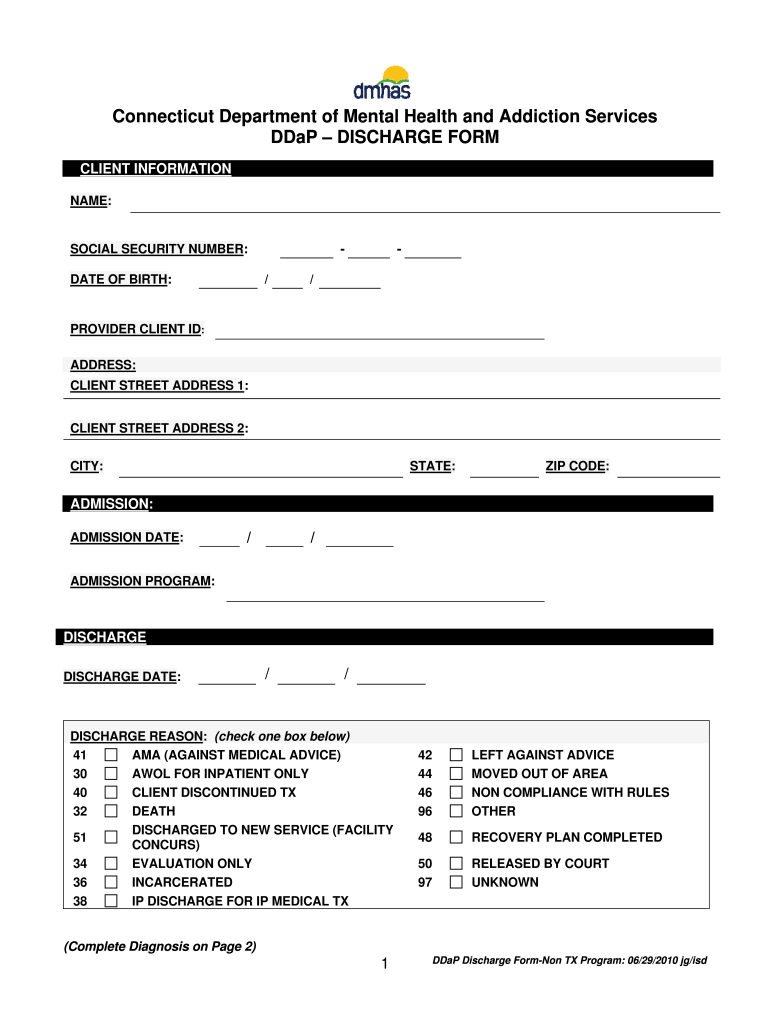
Begin by filling out the Client Information section. Enter the client's name, social security number, date of birth, provider client ID, and address details including street address, city, state, and zip code.
In the Admission section, input the admission date and program details. Ensure accuracy as this information is crucial for record-keeping.
Proceed to the Discharge section. Fill in the discharge date and select a reason from the provided options by checking the appropriate box.
On Page 2, enter clinical diagnoses under Axis I, II, and III. Provide detailed descriptions for each diagnosis listed.
For Axis IV, indicate any relevant psychosocial problems by selecting 'Yes' or 'No' for each item listed.
Finally, complete Axis V by entering a GAF score between 0 and 100 to assess overall functioning.
Start using our platform today to fill out your forms online for free!
Fill out connecticut department of mental health and addiction servicesddap 2010 form online It's free
See more connecticut department of mental health and addiction servicesddap 2010 form versions
We've got more versions of the connecticut department of mental health and addiction servicesddap 2010 form form. Select the right connecticut department of mental health and addiction servicesddap 2010 form version from the list and start editing it straight away!
CT peer formDepartment of Mental Health and Addiction Services Bridgeport, CTDDaP ctDMHAS EQMIPhysician emergency certificate CTDMHAS Middletown CTDMHAS CTState of Connecticut Department of Mental Health and Addiction Services Hartford
Security and compliance
At DocHub, your data security is our priority. We follow HIPAA, SOC2, GDPR, and other standards, so you can work on your documents with confidence.
Addendum 1 State of Connecticut Department of Mental
Jan 18, 2023 The Department of Mental Health and Addiction Services (DMHAS) promotes and administers comprehensive, recovery-oriented services in the areasRead more
Cookie consent notice
This site uses cookies to enhance site navigation and personalize your experience.
By using this site you agree to our use of cookies as described in our Privacy Notice.
You can modify your selections by visiting our Cookie and Advertising Notice.