Aiman assignment template 2026

Get Form
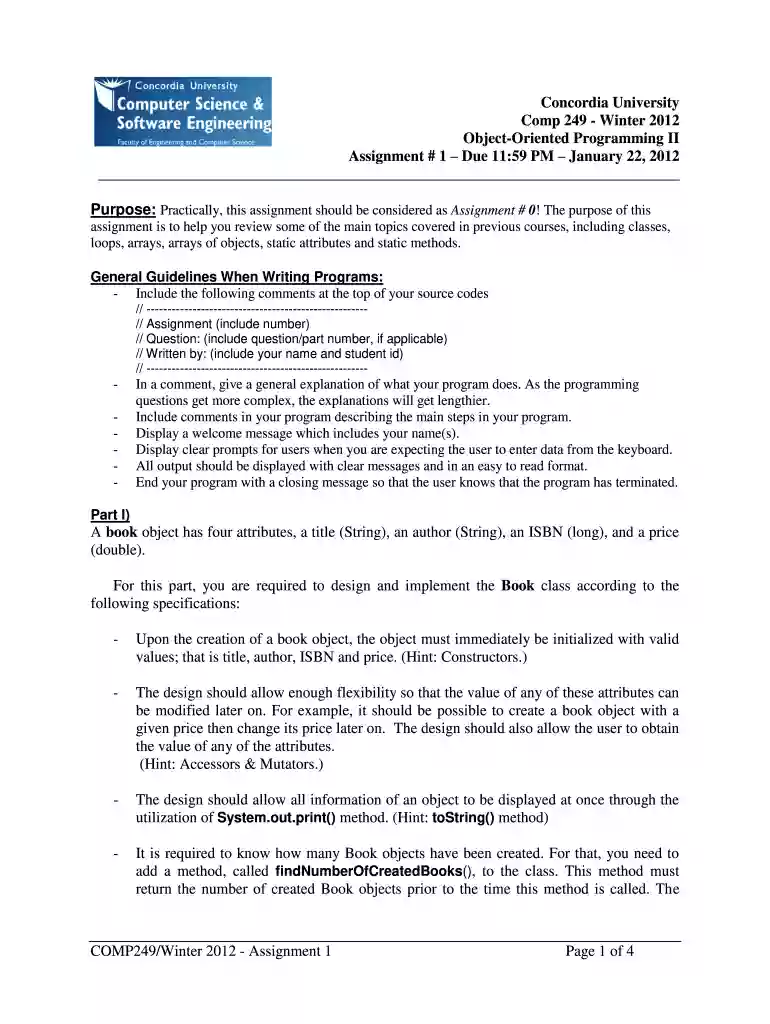
aiman hanna Preview on Page 1

Here's how it works

01. Edit your aiman hanna online
Type text, add images, blackout confidential details, add comments, highlights and more.

02. Sign it in a few clicks
Draw your signature, type it, upload its image, or use your mobile device as a signature pad.

03. Share your form with others
Send aiman signature via email, link, or fax. You can also download it, export it or print it out.

How to use or fill out aiman assignment template with our platform

Form edit decoration
9.5
Ease of Setup
DocHub User Ratings on G2
9.0
Ease of Use
DocHub User Ratings on G2
  1. Click ‘Get Form’ to open the aiman assignment template in the editor.
  2. Begin by filling in your name and student ID at the top of the document, as specified in the general guidelines.
  3. In the comments section, include a brief explanation of your program's functionality. This will help clarify your code's purpose.
  4. For Part I, create the Book class by defining its attributes: title, author, ISBN, and price. Ensure you implement constructors for initialization.
  5. Add accessor and mutator methods to allow modification of attributes after object creation. This flexibility is crucial for your program.
  6. Implement a method to count how many Book objects have been created. This will enhance your class functionality.
  7. For Part II, develop a driver program that includes a main method displaying a welcome message and prompting for user input regarding book management.

Start using our platform today to streamline your document editing and form completion process for free!

See more aiman assignment template versions

We've got more versions of the aiman assignment template form. Select the right aiman assignment template version from the list and start editing it straight away!
Versions Form popularity Fillable & printable
2012 4.8 Satisfied (53 Votes)
be ready to get more

Complete this form in 5 minutes or less

Get form

Got questions?

We have answers to the most popular questions from our customers. If you can't find an answer to your question, please contact us.
Contact us
A cover page of an assignment should include the title of the document, the name and details of the author, the date it was either created or submitted, relevant details of the course or company, and a brief summary of the contents.
On the Insert tab, in the Pages group, select Cover Page. Select a cover page layout from the gallery of options. After you insert a cover page, you can replace the sample text with your own text by clicking to select an area of the cover page, such as the title, and typing your text.
The student title page includes the paper title, author names (the byline), author affiliation, course number and name for which the paper is being submitted, instructor name, assignment due date, and page number, as shown in this example.
The information on an APA format cover page is mostly centered and written in the middle of the page. An MLA format cover page has most of the information in the upper-left cornerwith the exception of the title, which goes in the middle of the page.
7 steps for writing a report 1 Choose a topic based on the assignment. 2 Conduct research. 3 Write a thesis statement. 4 Prepare an outline. 5 Write a rough draft. 6 Revise and edit your report. 7 Proofread and check for mistakes.

Security and compliance

At DocHub, your data security is our priority. We follow HIPAA, SOC2, GDPR, and other standards, so you can work on your documents with confidence.

Learn more
ccpa2
pci-dss
gdpr-compliance
hipaa
soc-compliance
be ready to get more

Complete this form in 5 minutes or less

Get form