




Here's how it works



How to use or fill out Casual Hire Information Form - National GACC - gacc nifc with DocHub

- Click ‘Get Form’ to open it in the editor.
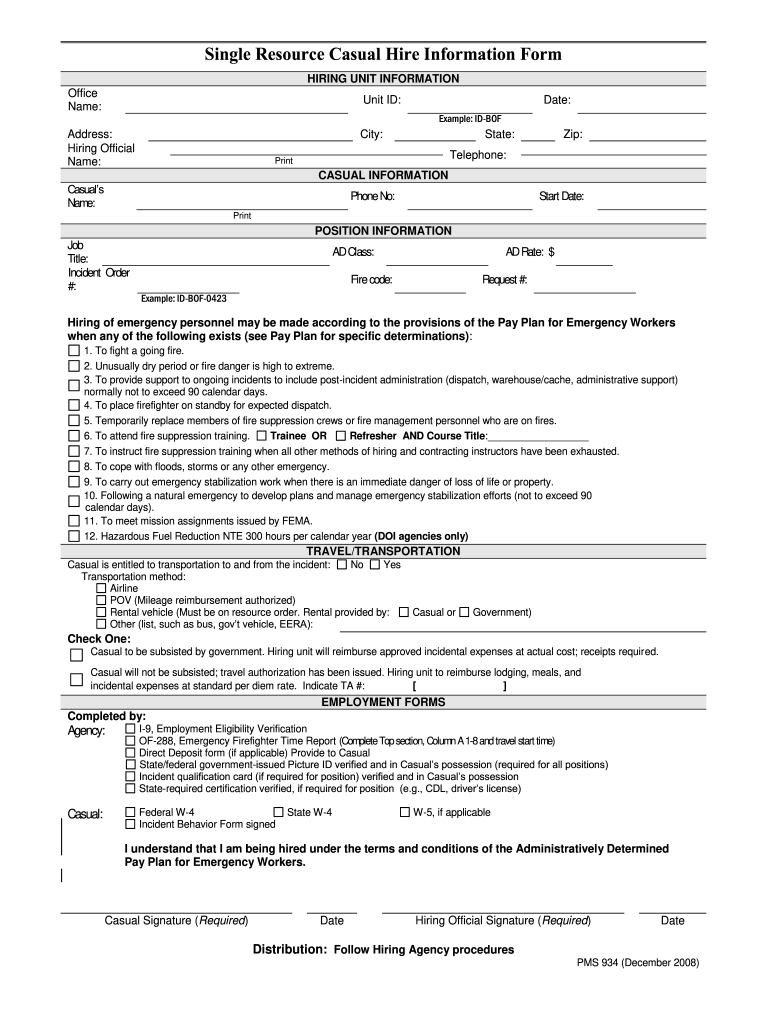
- Begin by filling out the 'Hiring Unit Information' section. Enter the Office Name, Unit ID, and Date. Ensure that you provide a complete address for the hiring official, including their name, city, state, zip code, and telephone number.
- Next, move to the 'Casual Information' section. Input the Casual’s Name, Phone Number, and Start Date accurately.
- In the 'Position Information' section, specify the Job Title, Incident Order Number, AD Class, AD Rate, Fire Code, and Request Number. Make sure all details are correct as they are crucial for processing.
- For 'Travel/Transportation', indicate whether transportation is required by selecting 'Yes' or 'No'. If applicable, detail the transportation method chosen.
- Complete the 'Employment Forms' section by ensuring all necessary forms are filled out and verified. This includes I-9 verification and any state-required certifications.
- Finally, ensure both Casual and Hiring Official signatures are provided along with dates before submitting your form.
Start using our platform today to fill out your Casual Hire Information Form quickly and efficiently!
It's free
See more Casual Hire Information Form - National GACC - gacc nifc versions
Got questions?
Can I type my eSignature on my Casual Hire Information Form - National GACC - gacc nifc?
Sure, a typed name is accepted as a legitimate electronic signature when you create it on your form utilizing a compliant solution like DocHub. Simply upload your Casual Hire Information Form - National GACC - gacc nifc to our editor, click Sign in the top tool pane → Create your signature → Type your name in the proper tab, and select how it will look on your document.
How do you get Casual Hire Information Form - National GACC - gacc nifc?
You can find the latest and most relevant version of the Casual Hire Information Form - National GACC - gacc nifc in our DocHub forms library. Browse it by categories or utilize the search field to get the exact template that fits your situation. You may open this form for editing after you find it.
Security and compliance
At DocHub, your data security is our priority. We follow HIPAA, SOC2, GDPR, and other standards, so you can work on your documents with confidence.
Learn more


