




Here's how it works



How to use or fill out help filling out haz 44 2011 form with DocHub

- Click ‘Get Form’ to open it in the editor.
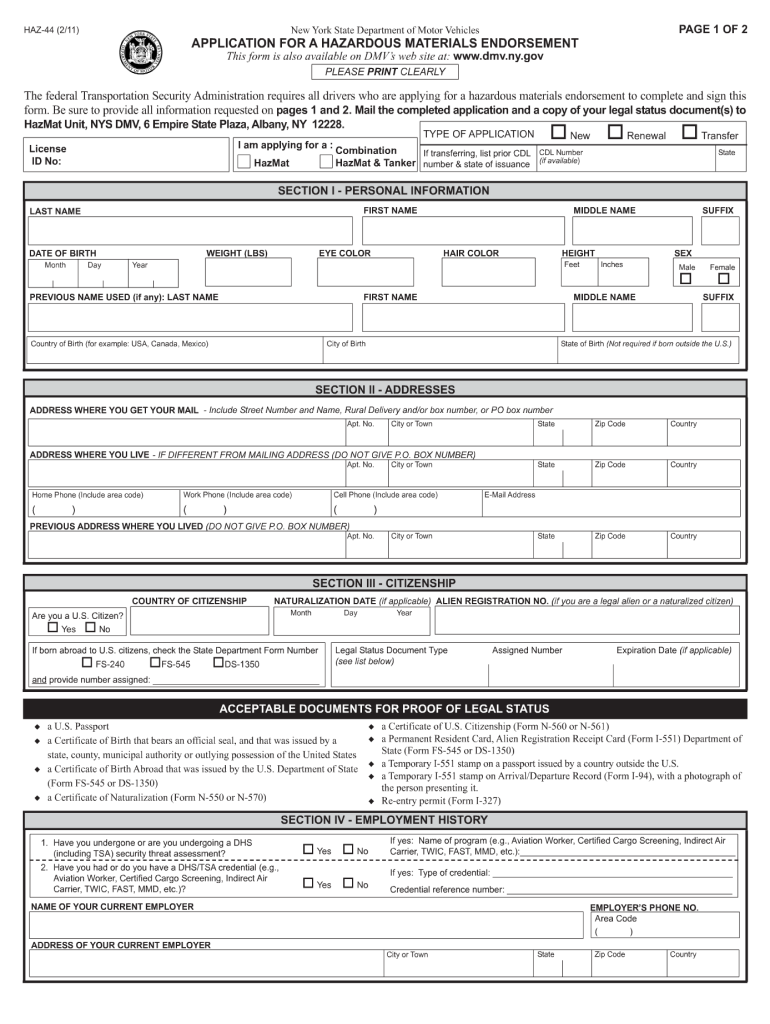
- Begin with SECTION I - PERSONAL INFORMATION. Fill in your last name, first name, and middle name. Ensure you provide your date of birth, CDL number, and physical attributes like height, weight, eye color, and hair color.
- In SECTION II - ADDRESSES, enter your mailing address and residential address if different. Include all relevant details such as apartment number and zip code.
- Proceed to SECTION III - CITIZENSHIP. Indicate whether you are a U.S. citizen and provide necessary documentation details if applicable.
- Complete SECTION IV - EMPLOYMENT HISTORY by providing information about your current employer and answering questions regarding security assessments.
- Finally, review all sections for accuracy before signing the certification at the end of the form.
Start using our platform today to fill out your HAZ-44 form online for free!
It's free
See more help filling out haz 44 2011 form versions
Got questions?
Can I sign my help filling out haz 44 2011 form with my mobile phone?
Of course, it is possible with DocHub. This trustworthy and compliant online service has a phone-based signing option. Once you log in to your DocHub account and add your help filling out haz 44 2011 form to our editor, fill out all empty areas and utilize the Sign feature on the upper barf. Click on Create your signature and choose Phone from the available options. Here, you scan a QR code with your smartphone and draw your signature on your phone display, as you usually do when signing hard copies. If you access DocHub right from your mobile device, you can electronically sign your form by drawing your electronic signature, adding its picture, or simply with a typed name.
How do you get help filling out haz 44 2011 form for my state?
If you are searching for a state-specific help filling out haz 44 2011 form sample, you will find it in our DocHub Forms & Templates catalog. Use the search field, enter your form’s name, and search through the results for your state. You can also filter out irrelevant results while exploring our catalog by groups.
Security and compliance
At DocHub, your data security is our priority. We follow HIPAA, SOC2, GDPR, and other standards, so you can work on your documents with confidence.
Learn more


