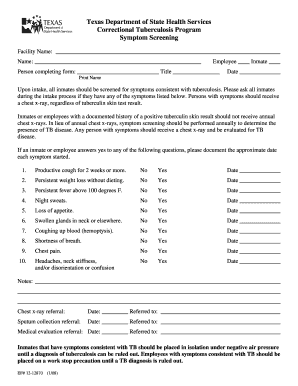
Form 4100 174-2026

Get Form
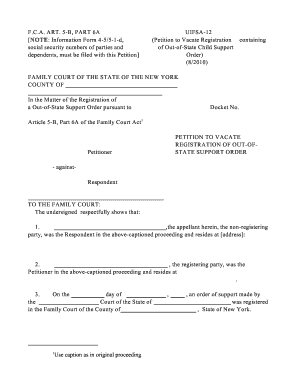
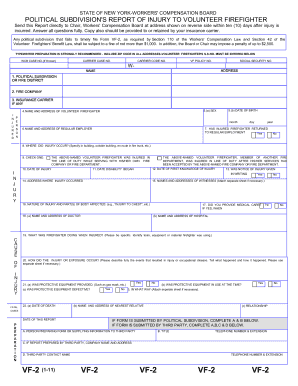
form 4100 174 Preview on Page 1

Here's how it works

01. Edit your form online
Type text, add images, blackout confidential details, add comments, highlights and more.
02. Sign it in a few clicks
Draw your signature, type it, upload its image, or use your mobile device as a signature pad.
03. Share your form with others
Send it via email, link, or fax. You can also download it, export it or print it out.

How to use or fill out form 4100 174 with our platform

Form edit decoration
9.5
Ease of Setup
DocHub User Ratings on G2
9.0
Ease of Use
DocHub User Ratings on G2
  1. Click ‘Get Form’ to open it in the editor.
  2. Begin by reviewing the header section of form 4100 174, which typically includes essential information such as your name and contact details. Fill in these fields accurately to ensure proper identification.
  3. Proceed to the main body of the form where you will find various sections that may require specific data inputs. Carefully read each prompt and enter the requested information in the designated fields.
  4. If there are checkboxes or multiple-choice options, select the appropriate responses by clicking on them directly within the editor for ease of use.
  5. Once all sections are completed, review your entries for accuracy. Utilize our platform’s editing tools to make any necessary adjustments before finalizing your submission.

Start using our platform today to fill out form 4100 174 online for free!

See more form 4100 174 versions

We've got more versions of the form 4100 174 form. Select the right form 4100 174 version from the list and start editing it straight away!
Versions Form popularity Fillable & printable
2018 4.8 Satisfied (174 Votes)
2004 4.4 Satisfied (451 Votes)
be ready to get more

Complete this form in 5 minutes or less

Get form

Got questions?

We have answers to the most popular questions from our customers. If you can't find an answer to your question, please contact us.
Contact us

You need to use only reliable software solutions with strong data protection compliance to sign your paperwork electronically. DocHub is just the type of service you need! It stores data on Amazon Web Servers and complies with all necessary security requirements and eSignature regulations, so it’s a reliable way to eSign your form 4100 174 or other forms using this tool.

When you edit your form 4100 174 with DocHub, you will not need to look for other software or solutions to eSign it. An electronic signature is part of DocHub’s comprehensive editing toolset, which allows you to apply changes in your form without switching between platforms. Just complete your form, double-check the correctness of your data and put your electronic signature at the end to make it submission-ready within a few minutes.

This is a very common question people have when considering a personal injury claim. Generally speaking (just to give you an idea) the simplest answer that will apply to most people is that you have three years from the date of your accident to make a personal injury claim.
To order a crash report online, the following information is required: The valid North Carolina driver license or ID card number of the Requestor. Social Security number, Individual Taxpayer Identification number or U.S. Visa number of the Requestor. Drivers license number of a driver involved in the crash.
For example, if you were in a car accident in South Carolina, you have up to 15 days from the date of the collision to file an incident report. This document is often critical evidence during the injury claims process.

Security and compliance

At DocHub, your data security is our priority. We follow HIPAA, SOC2, GDPR, and other standards, so you can work on your documents with confidence.

Learn more
ccpa2
pci-dss
gdpr-compliance
hipaa
soc-compliance
be ready to get more

Complete this form in 5 minutes or less

Get form

People also ask

Call the police. Even if you think the policeman has assigned fault to the wrong person, you should still present the police report to your insurance company and your lawyer. The accident report isnt admissible in court and is certainly not the end-all, be-all proof in a civil case.
You can request an accident report from the State if the accident occurred over 30 days ago. To request a report, you must complete and mail form MV-198C (Request for Copy of Accident Report) to the State.
You must file a written report with the Department of Motor Vehicles (DMV) showing proof of liability insurance when: The accident involves personal injury or death. There is more than $1,000 in property damage.
In California, failing to report an accident to the DMV within 10 days when required can result in a fine and potential license suspension. The violation appears on your driving record and can affect your insurance rates for years to come. These penalties apply regardless of who caused the accident.
There are five key details of accidents legally required: Full name, address and occupation of the injured person (a) Date and time of the accident (b) Location of the accident (c) Cause and nature of the injury (d) Name, address and occupation of the person giving the notice, if other than the injured person (e).

Related links