




Here's how it works



How to use or fill out hrd 315a dot competitive internal recruitment application 2011 form with our platform

- Click ‘Get Form’ to open the hrd 315a dot competitive internal recruitment application 2011 form in the editor.
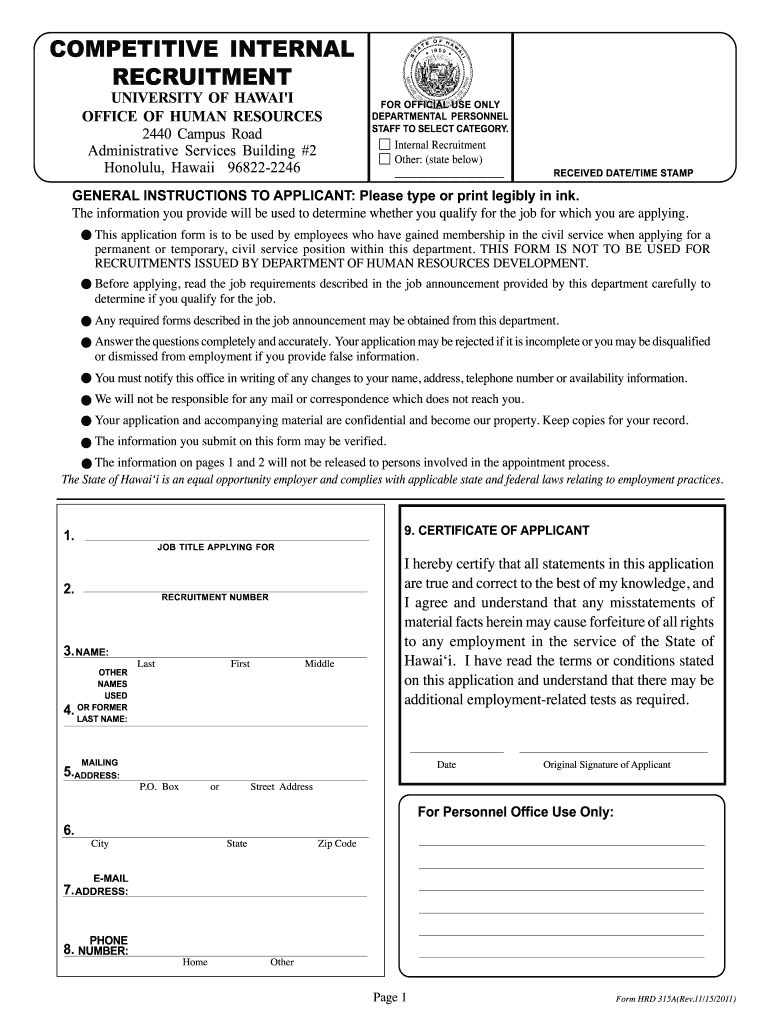
- Begin by filling out your personal information in Section 3, including your name and any other names used. Ensure accuracy as this is crucial for verification.
- In Section 5, provide your mailing address. Make sure to include all relevant details such as P.O. Box or street address, city, state, and zip code.
- Proceed to Section 9 where you will detail your education history. Include the name and location of schools attended and indicate if you graduated or received a GED.
- Complete Section 11 by detailing your work experience. List employers chronologically, describe duties, and include reasons for leaving each position.
- Review all sections for completeness and accuracy before submitting. Remember that incomplete applications may be rejected.
Start using our platform today to fill out your application easily and efficiently!
It's free
See more hrd 315a dot competitive internal recruitment application 2011 form versions
Got questions?
Can I fill out and sign my hrd 315a dot competitive internal recruitment application 2011 form online?
Yes, and it’s really straightforward! DocHub is an online PDF editor with advanced document processing features that allow you promptly modify your documents, complete empty fields and add new ones for others to fill out, and create electronic signatures in several ways. Import your hrd 315a dot competitive internal recruitment application 2011 form, provide information as required, and select how you want to eSign your document - by typing your name, drawing your signature, uploading its image, or using a QR code.
How to complete and sign hrd 315a dot competitive internal recruitment application 2011 form online?
You may easily complete, modify, and even eSign your hrd 315a dot competitive internal recruitment application 2011 form using DocHub. Create a new account and start your free trial. After that, you can add the file with the form and simply make all the needed edits. No need to print on paper or use a third-party application to sign it, as you can place your electronic signature on your document quicker through DocHub.
Security and compliance
At DocHub, your data security is our priority. We follow HIPAA, SOC2, GDPR, and other standards, so you can work on your documents with confidence.
Learn more


