Work Capacity Test Data Sheet 2017-2026

Get Form
work capacity test record Preview on Page 1

Here's how it works

01. Edit your work capacity test record online
Type text, add images, blackout confidential details, add comments, highlights and more.
02. Sign it in a few clicks
Draw your signature, type it, upload its image, or use your mobile device as a signature pad.
03. Share your form with others
Send it via email, link, or fax. You can also download it, export it or print it out.

How to use or fill out Work Capacity Test Data Sheet 2017 with our platform

Form edit decoration
9.5
Ease of Setup
DocHub User Ratings on G2
9.0
Ease of Use
DocHub User Ratings on G2
  1. Click ‘Get Form’ to open the Work Capacity Test Data Sheet 2017 in the editor.
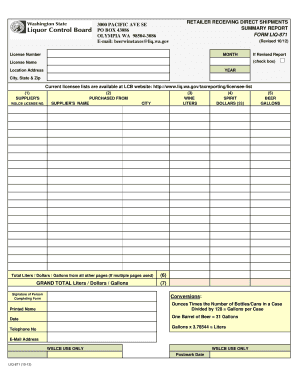
  2. Begin by entering the company name and contact person details at the top of the form. Ensure accuracy for effective communication.
  3. Fill in the WCFT Date and Start Time fields to document when the test is conducted. This information is crucial for record-keeping.
  4. Provide the WCFT Site Address where the test will take place, ensuring it is complete for logistical purposes.
  5. Enter the Test Administrator's name and, if applicable, have them sign in the designated area. This adds authenticity to your documentation.
  6. In the Participants section, list each participant’s name, ID number, position, and their respective test times. Use 'P', 'F', or 'W' to denote their test type.
  7. Document any remarks regarding test site conditions such as temperature and humidity in the remarks section for comprehensive reporting.

Start using our platform today to fill out your Work Capacity Test Data Sheet 2017 online for free!

See more Work Capacity Test Data Sheet 2017 versions

We've got more versions of the Work Capacity Test Data Sheet 2017 form. Select the right Work Capacity Test Data Sheet 2017 version from the list and start editing it straight away!
Versions Form popularity Fillable & printable
2017 4.6 Satisfied (33 Votes)
be ready to get more

Complete this form in 5 minutes or less

Get form

Got questions?

We have answers to the most popular questions from our customers. If you can't find an answer to your question, please contact us.
Contact us
Pack Test (Arduous Duty): Complete a 3-mile walk over level terrain in 45 minutes or less while carrying a 45-pound pack. Field Test (Moderate Duty): Complete a 2-mile walk over level terrain in 30 minutes or less while carrying a 25-pound pack.
Pack Test (Arduous Duty): Complete a 3-mile walk over level terrain in 45 minutes or less while carrying a 45-pound pack.
The Arduous Duty Work Capacity Test (WCT), commonly known as the Pack Test, is the highest fitness standard required for wildland firefighting positions. It evaluates an individuals ability to perform strenuous tasks under demanding conditions, ensuring they can meet the physical challenges of the fireline.
Jogging is quite literally against the rules in the pack test. One foot on the ground at all times.
The Work Capacity Test (WCT), known informally as the pack test, is a U.S. Forest Service physical test for wildland firefighters. The pack test is intentionally stressful as it tests the capacity of muscular strength and aerobic endurance of the firefighter. There are three tests known as arduous, moderate, and light.

People also ask

For the Pack Test, begin by hiking a 3-mile flat course without a pack. When you can cover the course in less than 45 minutes, add a pack with about 25 pounds. Increase the weight until you can hike 3 miles in 45 minutes while carrying 45 pounds. Also, hike hills with a pack to build leg strength and endurance.
Ankle-high hiking boots or athletic shoes are recommended for the pack and field tests.

Related links