




Here's how it works



How to use or fill out 318-603-6308 OFFICE 318-424-8184 FAX with our platform

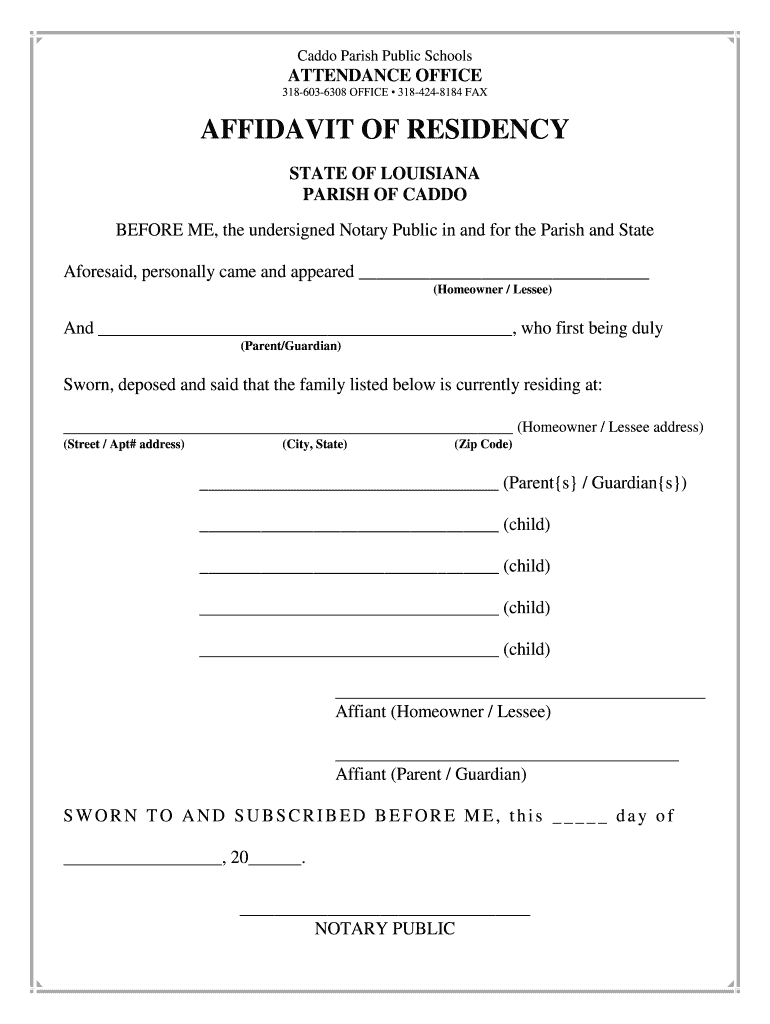
- Click ‘Get Form’ to open the affidavit in the editor.
- Begin by entering the name of the homeowner or lessee in the designated field. This is crucial for establishing residency.
- Next, input the name of the parent or guardian who will be affirming residency. Ensure this is accurate as it will be verified.
- Fill in the complete address where the family resides, including street, apartment number (if applicable), city, state, and zip code.
- List all children residing at that address in the provided fields. Make sure to include each child's full name for clarity.
- Both the homeowner/lessee and parent/guardian must sign in their respective fields to validate the affidavit.
- Finally, ensure that a notary public signs and dates the document to complete the process.
Start using our platform today to easily fill out your forms online for free!
It's free
See more 318-603-6308 OFFICE 318-424-8184 FAX versions
| Versions | Form popularity | Fillable & printable |
|---|---|---|
| 2015 | 4.5 Satisfied (43 Votes) |
Got questions?
How can I sign my gcbger on iOS?
With DocHub, you can easily sign your gcbger or any other document on iOS, even without installing additional applications. You can access your DocHub account from any internet-connected browser and complete and sign your form in any preferred method with just a couple of clicks.
How do you edit 318-603-6308 OFFICE 318-424-8184 FAX on Android?
Document editing with DocHub is equally convenient on desktop and mobile devices. You just need an internet browser to edit your 318-603-6308 OFFICE 318-424-8184 FAX on Android. Open our website and sign in to access the tools you need. Add your file and introduce your intended modifications. Next, you can keep your form in your file storage or send it out right away.
Security and compliance
At DocHub, your data security is our priority. We follow HIPAA, SOC2, GDPR, and other standards, so you can work on your documents with confidence.
Learn more


