




Here's how it works



How to use or fill out Landform Test with our platform

- Click ‘Get Form’ to open the Landform Test in the editor.
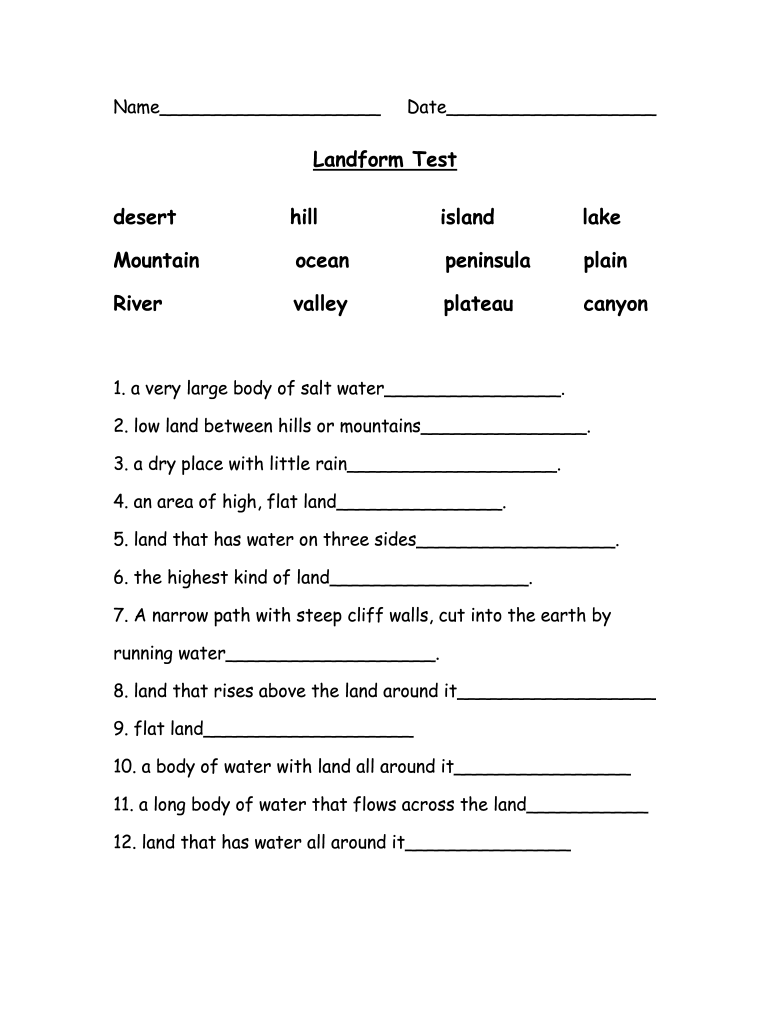
- Begin by entering your name and the date at the top of the form. This personalizes your submission and keeps track of when it was completed.
- In the first section, you will find a list of landforms. Fill in each blank with the appropriate term based on your knowledge or research.
- Proceed to the Landform Project section. Here, you will mold a continent using clay dough. Ensure you include all specified landforms and label them clearly.
- Answer the questions provided in this section thoughtfully, reflecting on your understanding of geography and landforms.
Start using our platform today for free to complete your Landform Test effortlessly!
It's free
See more Landform Test versions
| Versions | Form popularity | Fillable & printable |
|---|---|---|
| 2014 | 4.5 Satisfied (29 Votes) |
Got questions?
How can I sign my landforms quiz pdf without printing?
Electronic signatures are a great replacement for traditional signing, as they save time, effort, and money people spend on printing, scanning, and paper delivery. You can electronically sign your landforms quiz pdf utilizing a reliable and robust online document management tool like DocHub. It complies with primary eSignature standards (ESIGN and UETA), so all documents approved there are legally binding and have the same validity as manually signed ones.
Can I edit quiz on landforms for grade 3 on my phone?
As a comprehensive document modifying service, DocHub is accessible on mobile phones. Open DocHub in your choice of mobile internet browser and use our intelligent mobile-friendly toolset to fill out your quiz on landforms for grade 3.
How do landforms form for kids?
What are the 7 landforms called?
What are 5 important landforms?
Security and compliance
At DocHub, your data security is our priority. We follow HIPAA, SOC2, GDPR, and other standards, so you can work on your documents with confidence.
Learn more


