




01. Edit your grade check form online
Type text, add images, blackout confidential details, add comments, highlights and more.

Type text, add images, blackout confidential details, add comments, highlights and more.

Draw your signature, type it, upload its image, or use your mobile device as a signature pad.

Send weekly grade check template via email, link, or fax. You can also download it, export it or print it out.
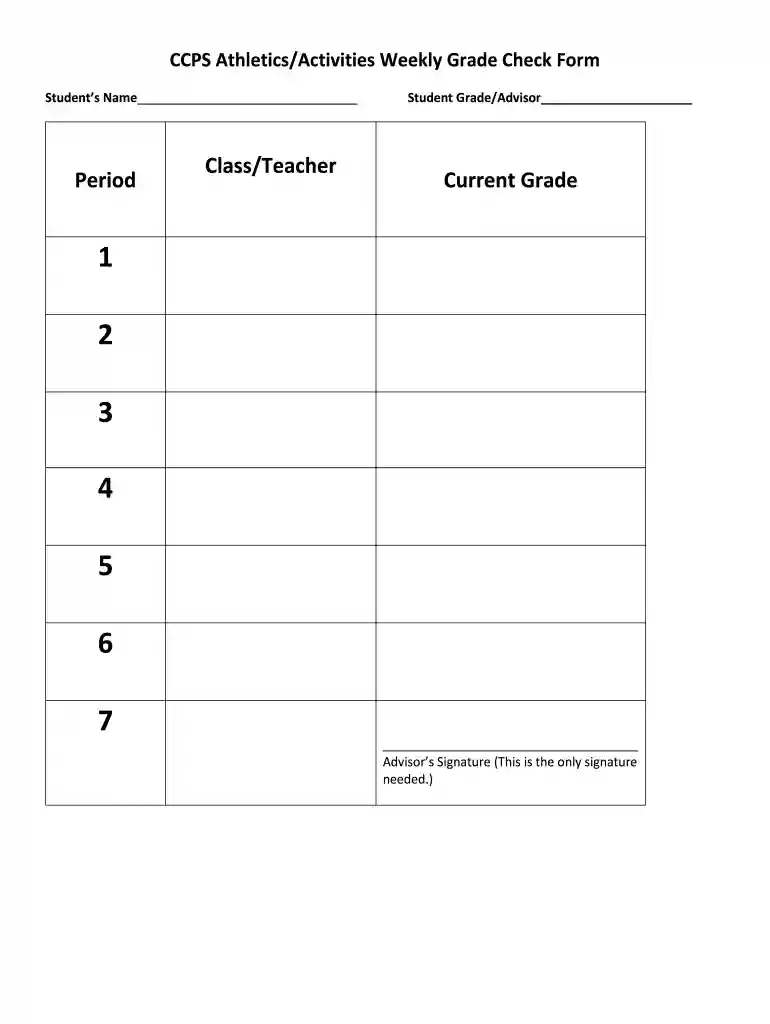
The weekly grade check form is a structured document designed primarily for educational institutions to monitor and assess student academic performance consistently over time. This form allows educators, advisors, and parents to keep track of student grades across various subjects on a weekly basis. It generally includes critical sections such as the student's name, class periods, current grades, and often requires an advisor's or teacher's signature for validation.
Consistently utilizing the weekly grade check form helps in identifying trends in a student's academic progress, which can inform interventions or support needed to enhance their learning experience. It serves as a communication tool among students, parents, and educators, promoting accountability and encouraging students to take responsibility for their academic performance.
Using the weekly grade check form entails a systematic approach to gathering and evaluating academic performance data. Follow these steps for effective utilization:
Completing the weekly grade check form requires attention to detail and organization. Consider the following steps to ensure accuracy and comprehensiveness:
The weekly grade check form is commonly utilized by several stakeholders in the educational ecosystem:


To effectively utilize a weekly grade check form, understanding its key components is essential:
Here are some practical examples illustrating how the weekly grade check form is utilized across different scenarios:
By utilizing the weekly grade check form in these ways, stakeholders foster a more engaged and proactive approach towards academic performance.
We've got more versions of the grade check form form. Select the right grade check form version from the list and start editing it straight away!
| Versions | Form popularity | Fillable & printable |
|---|---|---|
| 2016 | 4.8 Satisfied (48 Votes) |
If you regularly work with documents stored in your Google Drive, DocHub is a perfect option for you to easily and quickly fill out, modify, and approve them. This editor integrates properly with Google apps, so you can export your grade check sheet from your Google Drive to the editor without downloading and re-uploading it. Right-click on your document, select Open With → DocHub PDF Sign and Edit. In our editor, add and assign Signature Fields for all people involved, then click on the Menu option above → Send → decide on how you want to share your form.
When you edit your high school grade check form with DocHub, you will not need to look for other applications or services to eSign it. An electronic signature is part of DocHub’s substantial editing toolset, which enables you to apply changes in your form without switching between websites. Simply complete your form, double-check the correctness of the data and put your electronic signature at the end to make it submission-ready in minutes.
At DocHub, your data security is our priority. We follow HIPAA, SOC2, GDPR, and other standards, so you can work on your documents with confidence.
By signing this form, I am agreeing that the information provided is accurate, correct, and complete to the best of my knowledge. I understand that it is my.Read more
TETR.IO checks for the following criteria to decide the validity of a Secret Grade pattern: The pattern is similar to a shape rather than a shape; Rows 1Read more


