




Here's how it works



How to use or fill out nyu diploma template with our platform

- Click ‘Get Form’ to open the NYU diploma template in the editor.
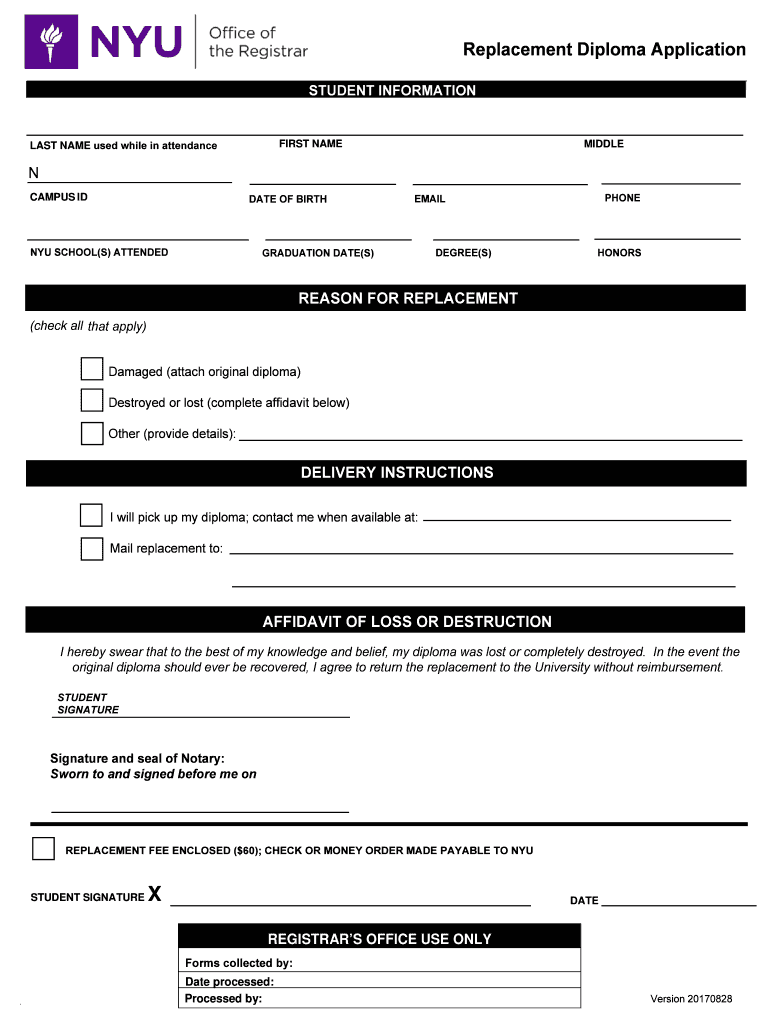
- Begin by entering your last name, first name, and middle initial as used during your attendance. Ensure accuracy for proper identification.
- Fill in your date of birth and campus ID to verify your student record.
- Provide the NYU school(s) you attended along with your graduation date(s) and degree(s) earned. If applicable, include any honors received.
- Indicate the reason for replacement by checking the appropriate box: damaged, destroyed/lost, or other. If lost or destroyed, complete the affidavit section.
- Specify delivery instructions—whether you will pick up the diploma or prefer it mailed to a specific address.
- Sign and date the form where indicated. Remember to include a check or money order for the $60 replacement fee made payable to NYU.
Start using our platform today to easily fill out your NYU diploma template online for free!
It's free
Got questions?
Can I complete and sign my nyu diploma online?
Sure, and it’s really straightforward! DocHub is a web-based PDF editor with advanced document processing capabilities that allow you promptly adjust your documents, complete empty fields and add new ones for other people to fill out, and create eSignatures in several ways. Upload your nyu diploma, provide information as required, and choose how you want to eSign your document - by typing your name, drawing your signature, uploading its picture, or utilizing a QR code.
How do you complete nyu diploma pdf on Android?
It is a no-brainer on a computer or via a mobile phone to fill out a nyu diploma pdf with DocHub. All you need to do is open any installed browser on your smartphone and proceed to the DocHub site. Once authenticated, add your file and open it in editing mode. Use our toolbar to make your edits and save changes. Optionally, keep your file in your files or send it to a recipient on the spot.
How can I create a diploma?
How big are NYU diplomas?
What is the wording on a diploma?
Security and compliance
At DocHub, your data security is our priority. We follow HIPAA, SOC2, GDPR, and other standards, so you can work on your documents with confidence.
Learn more


