ark drops clicks Preview on Page 1

ESD-ARK-223 2026

Here's how it works

  • 01. Edit your ark drops clicks online

    Type text, add images, blackout confidential details, add comments, highlights and more.

  • 02. Sign it in a few clicks

    Draw your signature, type it, upload its image, or use your mobile device as a signature pad.

  • 03. Share your form with others

    Send ark223 via email, link, or fax. You can also download it, export it or print it out.

How to use or fill out ESD-ARK-223 with our platform

Form edit decoration
9.5
Ease of Setup
DocHub User Ratings on G2
9.0
Ease of Use
DocHub User Ratings on G2
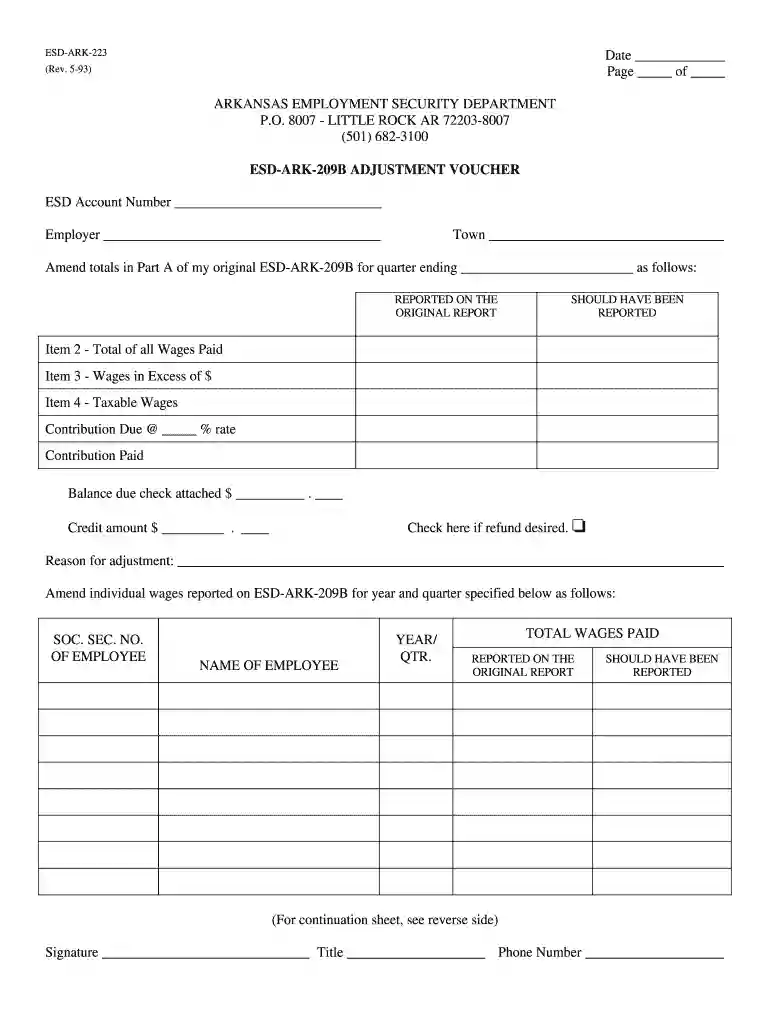
  1. Click ‘Get Form’ to open ESD-ARK-223 in the editor.
  2. Begin by entering the date at the top of the form. This is essential for record-keeping.
  3. Fill in your ESD Account Number and Employer name in the designated fields to ensure proper identification.
  4. In Part A, amend totals for the quarter ending by providing accurate figures for wages paid, taxable wages, and contributions due. Make sure to double-check these amounts.
  5. If applicable, indicate if a refund is desired by checking the appropriate box and entering any credit amount.
  6. Provide a reason for adjustment in the specified section to clarify your changes.
  7. Complete the continuation sheet if additional employee wage adjustments are necessary, ensuring all relevant details are filled out accurately.
  8. Finally, sign and date the form before submitting it to finalize your adjustments.

Start using our platform today to easily fill out and manage your ESD forms online for free!

See more ark drops clicks versions

We've got more versions of the ark drops clicks form. Select the right ark drops clicks version from the list and start editing it straight away!

VersionsForm popularityFillable & printable
20014.8 Satisfied (123 Votes)
19934.2 Satisfied (31 Votes)

be ready to get more

Complete this form in 5 minutes or less

Security and compliance

At DocHub, your data security is our priority. We follow HIPAA, SOC2, GDPR, and other standards, so you can work on your documents with confidence.

Related links

208.00.13 Ark. Code R. 001 - Temporary Assistance for Needy

The purpose of the employability assessment will be to determine the applicants abilities, talents, proficiencies/deficiencies, etc. The assessment is

Learn more
dws-ark-209b adjustment voucher

DWS Account Number. Employer. Town. Amend totals in Part A of my original DWS-ARK-209B for quarter ending. as follows: REPORTED ON THE. ORIGINAL REPORT.Read more

Learn more
If you believe that this page should be taken down, please follow our DMCA take down process here