




Here's how it works



How to use or fill out immigration quebec gouv with our platform

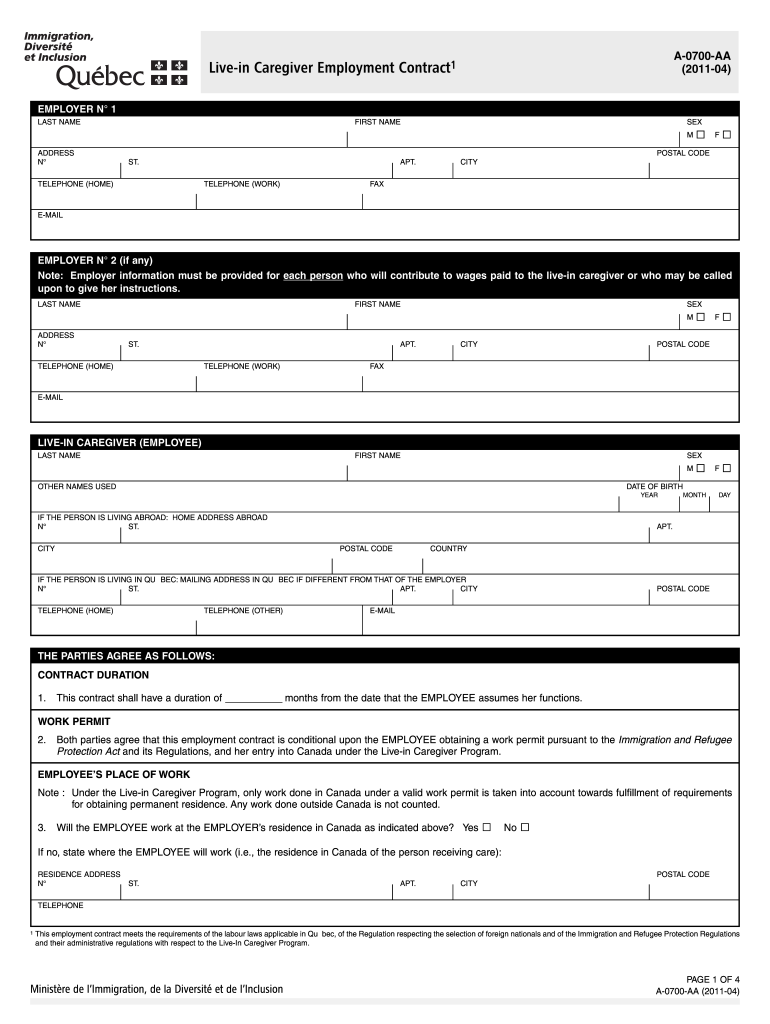
- Click ‘Get Form’ to open the immigration quebec gouv document in the editor.
- Begin by filling out the employer's information. Enter the last name, first name, sex, address, postal code, and contact details for each employer contributing to the caregiver's wages.
- Next, provide the live-in caregiver's details. Include their last name, first name, sex, date of birth, and any other names used. If applicable, enter their home address abroad and mailing address in Québec.
- Specify the contract duration and ensure both parties agree on the work permit conditions. Clearly indicate if the employee will work at the employer’s residence.
- Detail the job description including tasks involved in caregiving and specify work hours per week along with days off and vacation entitlements.
- Fill in wage details ensuring compliance with minimum wage laws. Include payment intervals and any deductions required by law.
- Review all sections for accuracy before signing. Utilize our platform’s features to save your progress or share it for collaboration.
Start using our platform today to simplify your form completion process for free!
It's free
See more immigration quebec gouv versions
Got questions?
How do I sign my arrima immigration quebec gouv qc ca fr information on iOS?
With DocHub, you can quickly sign your arrima immigration quebec gouv qc ca fr information or any other paperwork on iOS, even without setting up additional applications. You can access your DocHub account from any internet-connected browser and complete and sign your form in any preferred method with just a few clicks.
Can I edit arrima immigration quebec gouv on my phone?
As a comprehensive document modifying platform, DocHub is available on smart phones. Open DocHub in your choice of mobile browser and use our smart mobile-friendly toolset to complete your arrima immigration quebec gouv.
Security and compliance
At DocHub, your data security is our priority. We follow HIPAA, SOC2, GDPR, and other standards, so you can work on your documents with confidence.
Learn more


