



Here's how it works



How to use or fill out nras application form pdf with our platform

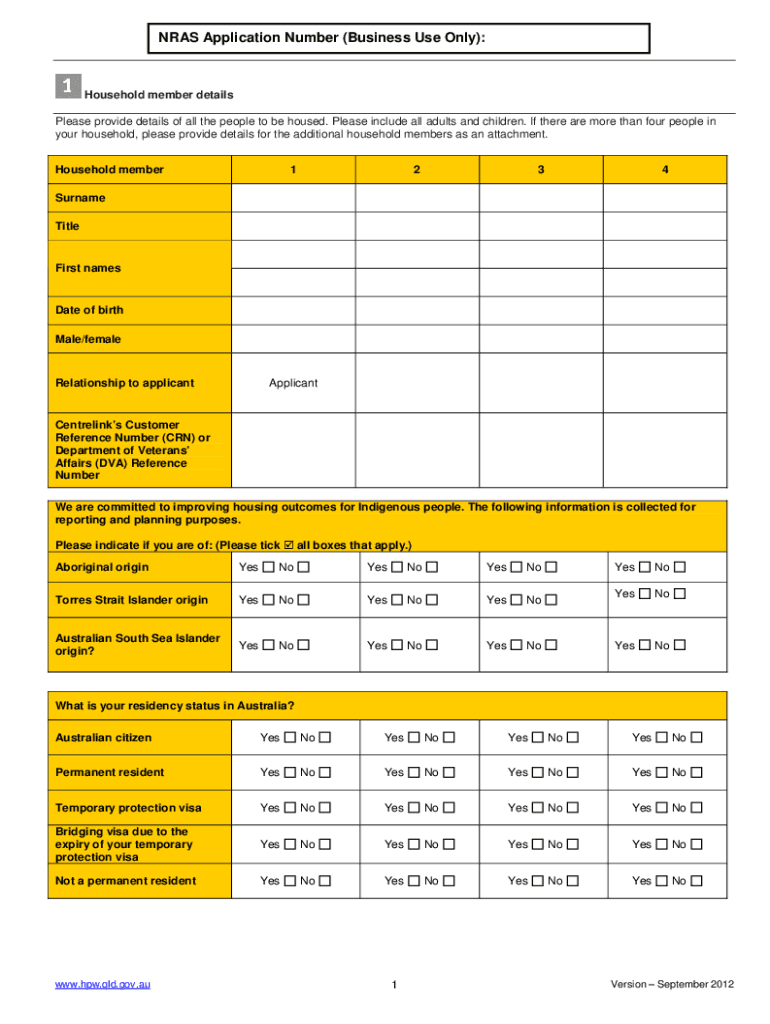
- Click ‘Get Form’ to open the NRAS Application Form in the editor.
- Begin by filling out the household member details. Include all adults and children, ensuring you provide their names, dates of birth, and relationships to the applicant.
- Next, indicate your residency status in Australia. Select the appropriate options for each household member regarding citizenship or visa status.
- Provide your current address and contact information. Specify how you prefer to be contacted by the department.
- Detail the income and asset information for each household member. Be thorough in listing gross yearly income and any other relevant financial details.
- Complete the declarations section at the end of the form, ensuring you understand all terms before signing.
Start using our platform today to easily fill out your NRAS application form for free!
It's free
See more nras application form pdf versions
Got questions?
How can I eSign my nras 2023 from Gmail?
With DocHub, it’s pretty simple. The editor offers users an add-on called DocHub for Gmail, which you can locate in the Google Workspace Marketplace free of charge. Set it up and give it access to your Google account. Open your email with your nras 2023 attached and click on the add-on button in the right-side panel. Sign in to your DocHub account, and import the form to our editor, where you can complete it and sign.
How do you edit nras application online on iOS?
You can easily edit fill out your nras application online on any iOS device. Open an internet browser of your choice, go to the DocHub website, authorize or create a new account, add your file for editing, and make your desired adjustments. Our service is mobile-friendly, so utilizing its functions on your smartphone will be a no-brainer, even on the first try.
How do I claim residential energy tax credit?
What does NRAS stand for?
How do I claim my house rent allowance?
Security and compliance
At DocHub, your data security is our priority. We follow HIPAA, SOC2, GDPR, and other standards, so you can work on your documents with confidence.
Learn more


Related forms