Type text, add images, blackout confidential details, add comments, highlights and more.
02. Sign it in a few clicks
Draw your signature, type it, upload its image, or use your mobile device as a signature pad.
03. Share your form with others
Send form 8a affidavit of service via email, link, or fax. You can also download it, export it or print it out.
How to use or fill out affidavit 8a with our platform
Ease of Setup
DocHub User Ratings on G2
Ease of Use
DocHub User Ratings on G2
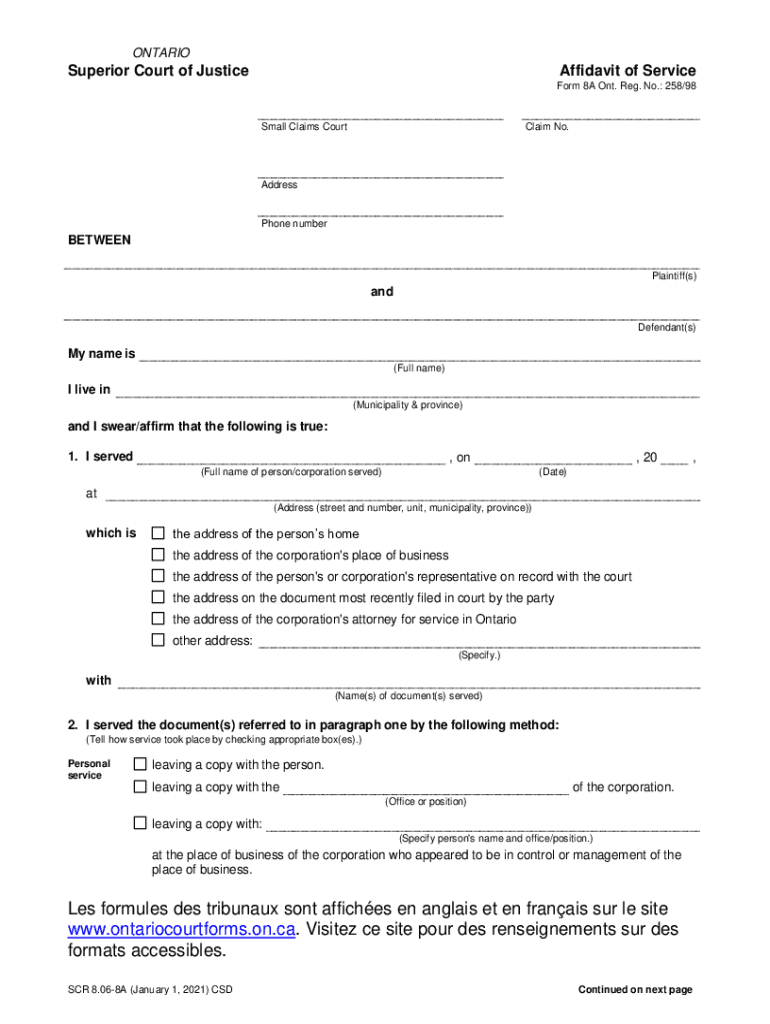
Click ‘Get Form’ to open the Affidavit of Service (Form 8A) in the editor.
Begin by entering the claim number at the top of the form. This is essential for identifying your case.
Fill in your full name, municipality, and province where indicated. This identifies you as the deponent.
In section one, provide the full name of the person or corporation served, along with the date and address where service occurred. Select the appropriate option that describes this address.
Next, indicate how you served the documents by checking the relevant boxes in section two. Be specific about whether it was personal service, mail, or another method.
If applicable, attach any required documentation such as delivery confirmations for registered mail or courier services directly within our platform.
Finally, ensure you sign and date the affidavit before a commissioner if required. You can do this easily using our platform’s signing feature.
Start filling out your Affidavit of Service today for free on our platform!
Affidavit of Service Form 8A fillableForm 8A Affidavit of Service Small Claims CourtForm 16B affidavit of serviceAffidavit of Service Superior Court of JusticeAffidavit of service OntarioAffidavit of Service example OntarioForm 8A divorceAffidavit of Service Word doc
Security and compliance
At DocHub, your data security is our priority. We follow HIPAA, SOC2, GDPR, and other standards, so you can work on your documents with confidence.
Sep 28, 2022 ➢Signs the Affidavit and Petition before an official authorized to administer oaths (notary),. ▫ Then petitioner may file the examination andRead more
Affidavits for the purposes of any cause, appeal or matter before the Court may be sworn before a Notary or any authority mentioned in section 139 of the. CodeRead more
Cookie consent notice
This site uses cookies to enhance site navigation and personalize your experience.
By using this site you agree to our use of cookies as described in our Privacy Notice.
You can modify your selections by visiting our Cookie and Advertising Notice.