Type text, add images, blackout confidential details, add comments, highlights and more.
02. Sign it in a few clicks
Draw your signature, type it, upload its image, or use your mobile device as a signature pad.
03. Share your form with others
Send it via email, link, or fax. You can also download it, export it or print it out.
How to use or fill out LLC Change with Our Platform
Ease of Setup
DocHub User Ratings on G2
Ease of Use
DocHub User Ratings on G2
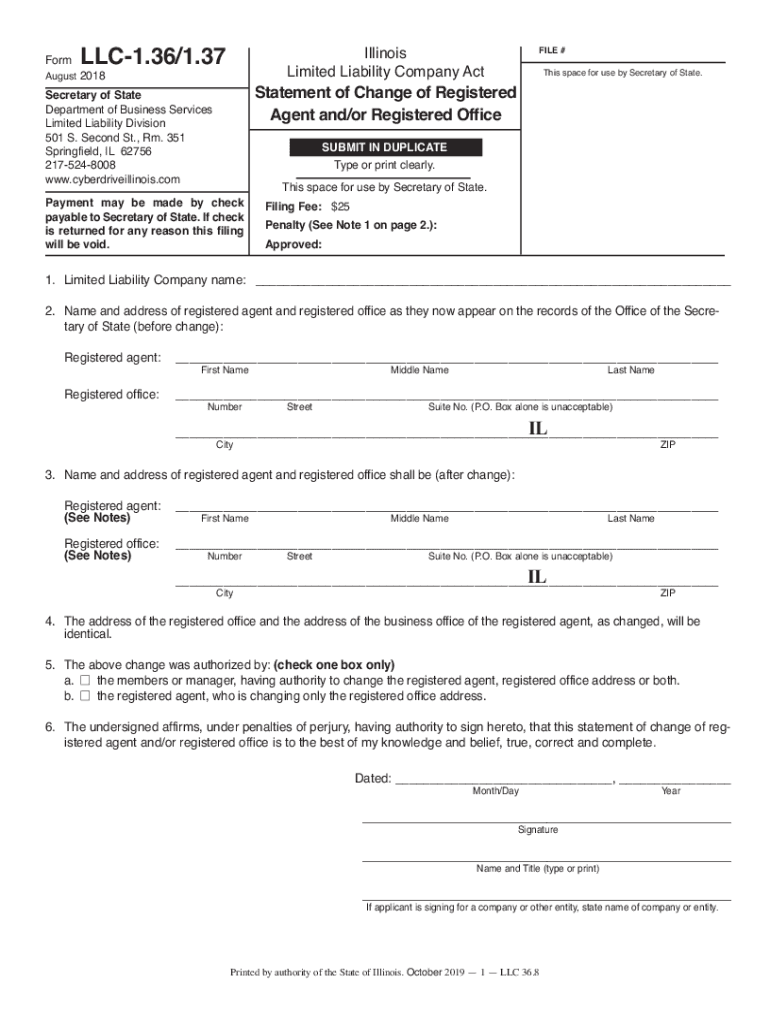
Click ‘Get Form’ to open the LLC Change document in the editor.
Begin by entering the Limited Liability Company name in the designated field. Ensure that it matches exactly as registered.
Fill in the current registered agent's name and address as it appears on file. This includes first name, middle name, last name, street number, street name, city, and ZIP code.
Next, provide the new registered agent's information and their new address. Again, ensure all details are accurate and complete.
Indicate whether the change was authorized by members or managers or solely by the registered agent by checking the appropriate box.
Finally, sign and date the form. Include your printed name and title if signing on behalf of a company.
Start using our platform today to easily manage your LLC changes online for free!
by JML Heminway 2015 Cited by 1 Moreover, the doctrinal rules relating to. LLCs have changed over the years, including in response to developing decisional law and federal income tax lawRead more
Cookie consent notice
This site uses cookies to enhance site navigation and personalize your experience.
By using this site you agree to our use of cookies as described in our Privacy Notice.
You can modify your selections by visiting our Cookie and Advertising Notice.