




Here's how it works

01. Edit your c9011 form online
Type text, add images, blackout confidential details, add comments, highlights and more.

02. Sign it in a few clicks
Draw your signature, type it, upload its image, or use your mobile device as a signature pad.

03. Share your form with others
Send suzuki dr 250 history via email, link, or fax. You can also download it, export it or print it out.
How to use or fill out dr 250 with our platform

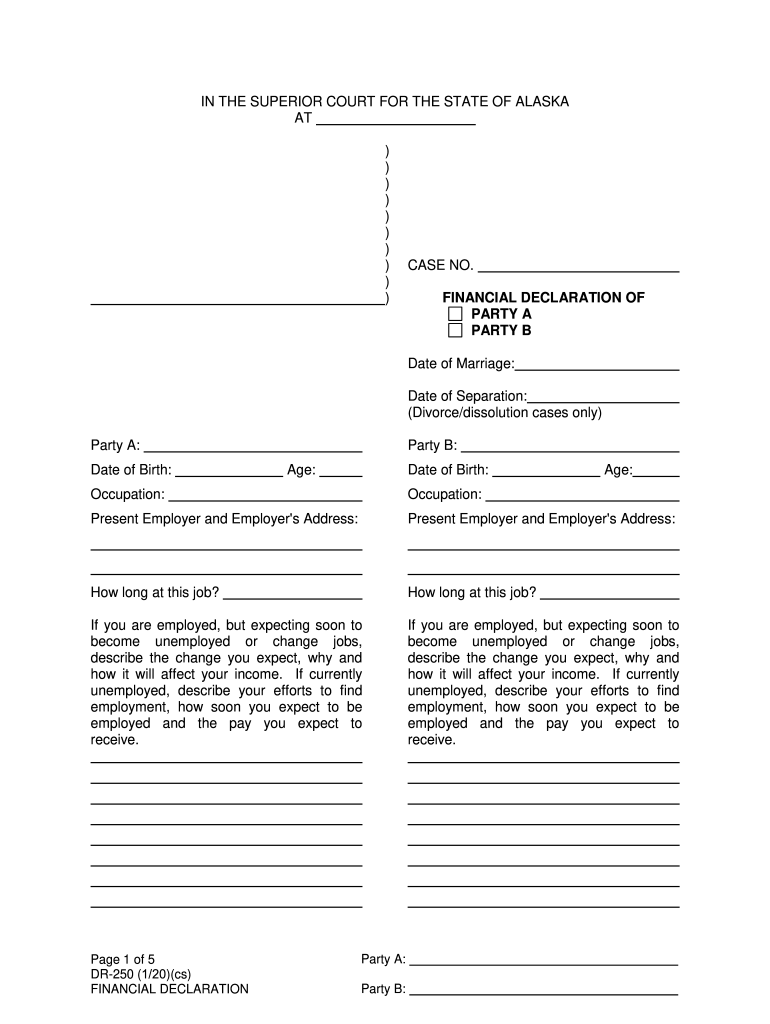
- Click ‘Get Form’ to open the dr 250 in the editor.
- Begin by entering the case number at the top of the form. This is essential for identifying your financial declaration.
- Fill in the personal details for Party A and Party B, including names, dates of birth, and occupations. Ensure accuracy as this information is crucial for your case.
- In Part A, provide a detailed income and expense statement. List all sources of income such as salary, pensions, and any other earnings. Be thorough to reflect your financial situation accurately.
- Itemize monthly deductions from gross income in the designated section. This includes taxes, insurance, and any other relevant deductions.
- Complete the total monthly expenses section by detailing all household costs. Specify which party is currently the custodial parent if applicable.
- If applicable, fill out Parts B and C regarding property statements and attorney fees. Ensure you provide accurate values for assets and obligations.
- Finally, review all entries for accuracy before signing at the bottom of the form to affirm that all information provided is true.
Start using our platform today to complete your dr 250 form easily and efficiently!
Fill out dr 250 online
It's free
It's free
Security and compliance
At DocHub, your data security is our priority. We follow HIPAA, SOC2, GDPR, and other standards, so you can work on your documents with confidence.
Learn more


