Type text, add images, blackout confidential details, add comments, highlights and more.
02. Sign it in a few clicks
Draw your signature, type it, upload its image, or use your mobile device as a signature pad.
03. Share your form with others
Send 129f instructions via email, link, or fax. You can also download it, export it or print it out.
How to use or fill out i 129f instructions with our platform
Ease of Setup
DocHub User Ratings on G2
Ease of Use
DocHub User Ratings on G2
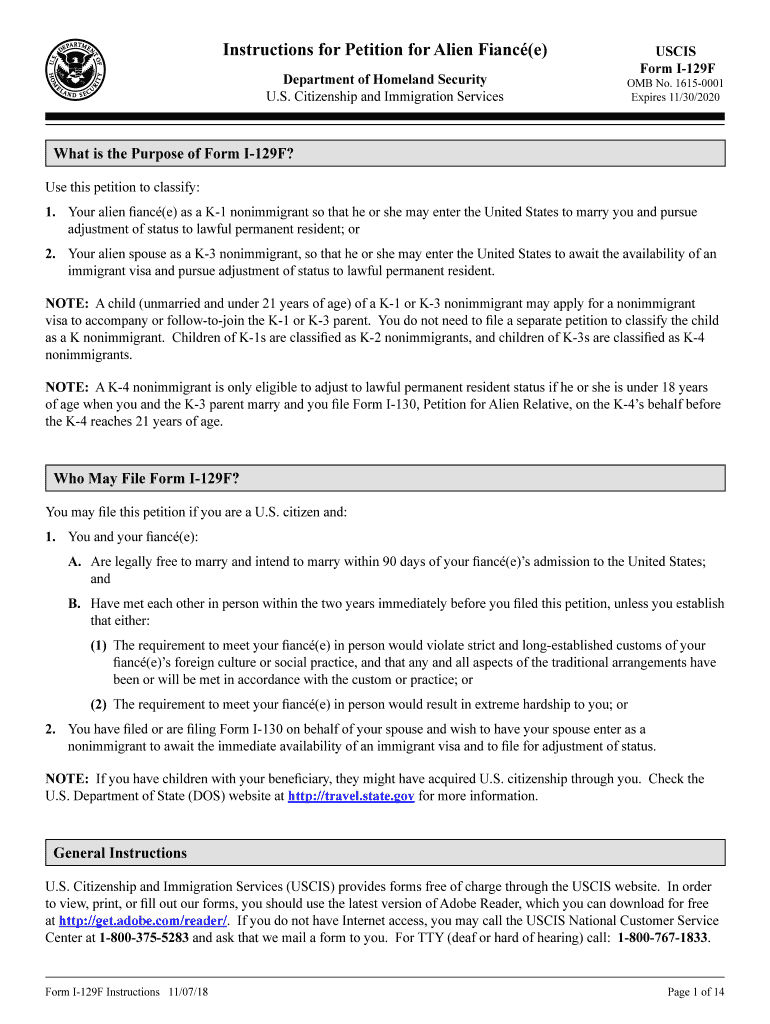
Click ‘Get Form’ to open the I-129F instructions in the editor.
Begin by filling out Part 1, which requires your personal information. Ensure you provide your Alien Registration Number (if applicable) and USCIS Online Account Number.
In Part 2, enter details about your beneficiary, including their full name, date of birth, and mailing address. Make sure all information is accurate and complete.
Proceed to Part 3 to disclose any criminal history. Be honest and thorough; if applicable, attach supporting documents using the additional space provided.
Complete Parts 4 through 7 by providing biographic information, signing the petition, and ensuring all required signatures are included.
Finally, review your completed form for accuracy before submitting it through our platform. Save a copy for your records.
Start using our platform today to streamline your I-129F form completion process for free!
We've got more versions of the i 129f instructions form. Select the right i 129f instructions version from the list and start editing it straight away!
I-129F instructions checklistI-129F Form PDFCan I file Form I-129F onlineI-129F processing timeI-129F feeI129f instructions pdfI-129F approval notice sampleI-129F cover letter
Security and compliance
At DocHub, your data security is our priority. We follow HIPAA, SOC2, GDPR, and other standards, so you can work on your documents with confidence.
Sep 24, 2021 They live as root spirits in the damp earth and carry the life ether to the plant. They are entirely sensory organs, but at the same time they absorb thoughtsRead more
Cookie consent notice
This site uses cookies to enhance site navigation and personalize your experience.
By using this site you agree to our use of cookies as described in our Privacy Notice.
You can modify your selections by visiting our Cookie and Advertising Notice.