




Here's how it works



How to use or fill out Seller's Property Disclosure Statement Form DSC-8000 with our platform

- Click ‘Get Form’ to open the Seller's Property Disclosure Statement Form DSC-8000 in the editor.
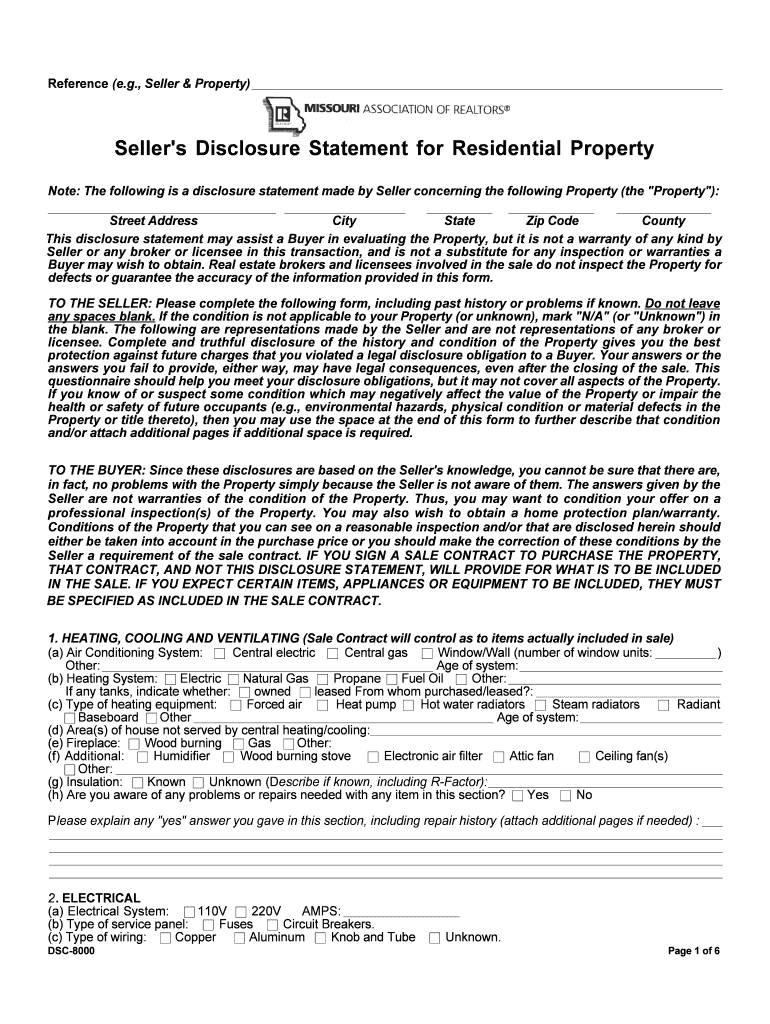
- Begin by entering the property details, including the street address, city, state, zip code, and county. Ensure all fields are filled accurately.
- Proceed to each section of the form, such as Heating, Cooling and Ventilating. Indicate the type of systems present and their conditions. If any issues are known, provide explanations in the designated areas.
- Continue through sections like Electrical, Appliances/Fixtures/Equipment, and Plumbing System. For each item listed, mark whether they are in good working order and provide additional comments if necessary.
- Complete all remaining sections regarding environmental concerns and insurance claims. Be thorough in your responses to ensure compliance with disclosure obligations.
- Once all fields are completed, review your entries for accuracy before saving or sharing the document directly from our platform.
Start filling out your Seller's Property Disclosure Statement Form DSC-8000 today for free!
It's free
See more Seller's Property Disclosure Statement Form DSC-8000 versions
Got questions?
What is the optimum way to electronically sign my missouri seller disclosure form?
A lot of software applications are available on the market for document editing and signing. DocHub is one of the most widely used online solutions that comply with all security and compliance requirements and ensures your electronically signed paperwork is legally enforceable. All you need to give it a try is to register an account, upload your missouri seller disclosure form, provide the requested details, and click Sign. Generate your eSignature by typing, drawing it, uploading its picture to your template, or scanning a unique QR code.
How do you get disclosure law for my state?
If you are looking for a state-specific disclosure law sample, you can find it in our DocHub Forms & Templates catalog. Use the search field, enter your form’s name, and search through the results for your state. You can also filter out irrelevant results while exploring our catalog by categories.
What does a seller's transfer disclosure statement indicate?
What is a seller's disclosure form in Florida?
Is a seller's disclosure required in Missouri?
Security and compliance
At DocHub, your data security is our priority. We follow HIPAA, SOC2, GDPR, and other standards, so you can work on your documents with confidence.
Learn more


