




Here's how it works



How to use or fill out Minnesota High School League with our platform

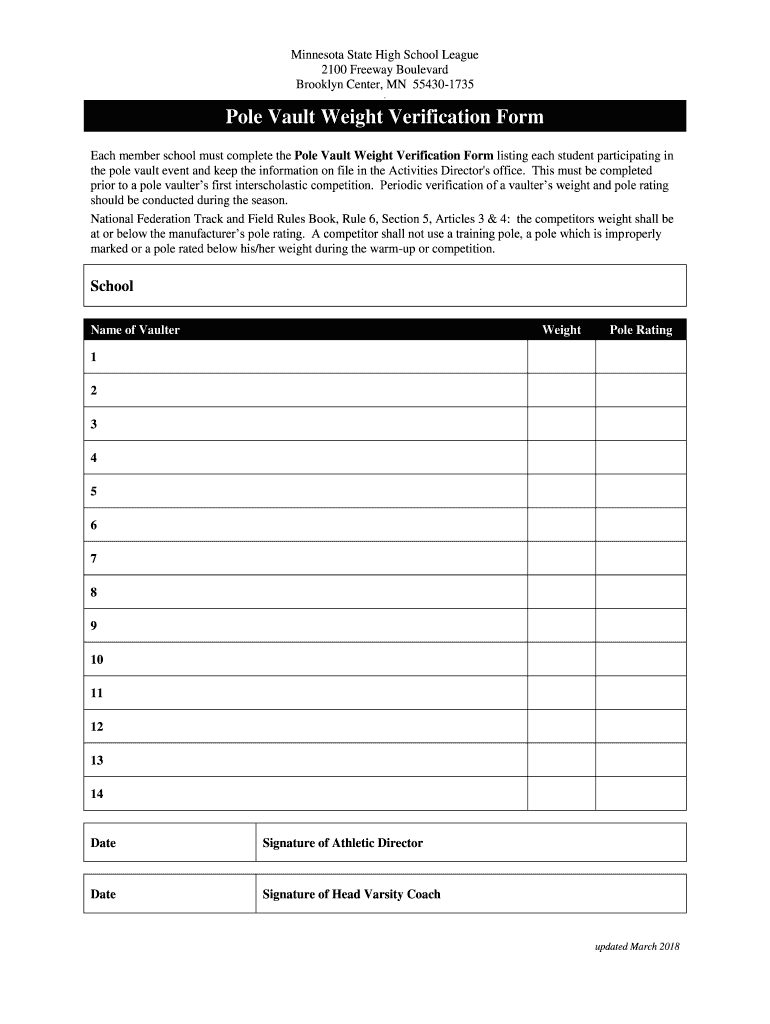
- Click ‘Get Form’ to open the Pole Vault Weight Verification Form in the editor.
- Begin by entering the name of your school in the designated field at the top of the form.
- List each student participating in the pole vault event by filling in their names under 'Name of Vaulter'.
- For each vaulter, input their weight in the corresponding 'Weight' field, ensuring it complies with the manufacturer's pole rating.
- Next, enter the pole rating for each vaulter in the 'Pole Rating' section. Make sure this is accurate as per National Federation Track and Field Rules.
- Once all fields are completed, add the date at the bottom of the form.
- Finally, ensure that both the Athletic Director and Head Varsity Coach sign and date where indicated to validate the form.
Start using our platform today to streamline your document editing and ensure compliance with ease!
It's free
See more minnesota high school league versions
| Versions | Form popularity | Fillable & printable |
|---|---|---|
| 2018 | 4.8 Satisfied (35 Votes) |
Got questions?
Can I sign my minnesota varsity league on a mobile?
Of course, you’ll find numerous apps for this on the web. However, if you need to eSign your minnesota varsity league without installing additional software, DocHub is the optimum choice you can make. This powerful editor works on mobile devices just like on desktops. Open our editor in any internet browser, register or sign in to your account, and start processing your forms.
Can I edit mshsl clipboard on my phone?
As a comprehensive document modifying service, DocHub is accessible on smart phones. Open DocHub in your choice of mobile browser and employ our intelligent mobile-friendly toolset to complete your mshsl clipboard.
What does Mshsl stand for?
How can I watch the Minnesota high school football state tournament?
What is the most popular high school sport in Minnesota?
Security and compliance
At DocHub, your data security is our priority. We follow HIPAA, SOC2, GDPR, and other standards, so you can work on your documents with confidence.
Learn more


