Type text, add images, blackout confidential details, add comments, highlights and more.
02. Sign it in a few clicks
Draw your signature, type it, upload its image, or use your mobile device as a signature pad.
03. Share your form with others
Send formulario i 821 via email, link, or fax. You can also download it, export it or print it out.
How to use or fill out i 821 with our platform
Ease of Setup
DocHub User Ratings on G2
Ease of Use
DocHub User Ratings on G2
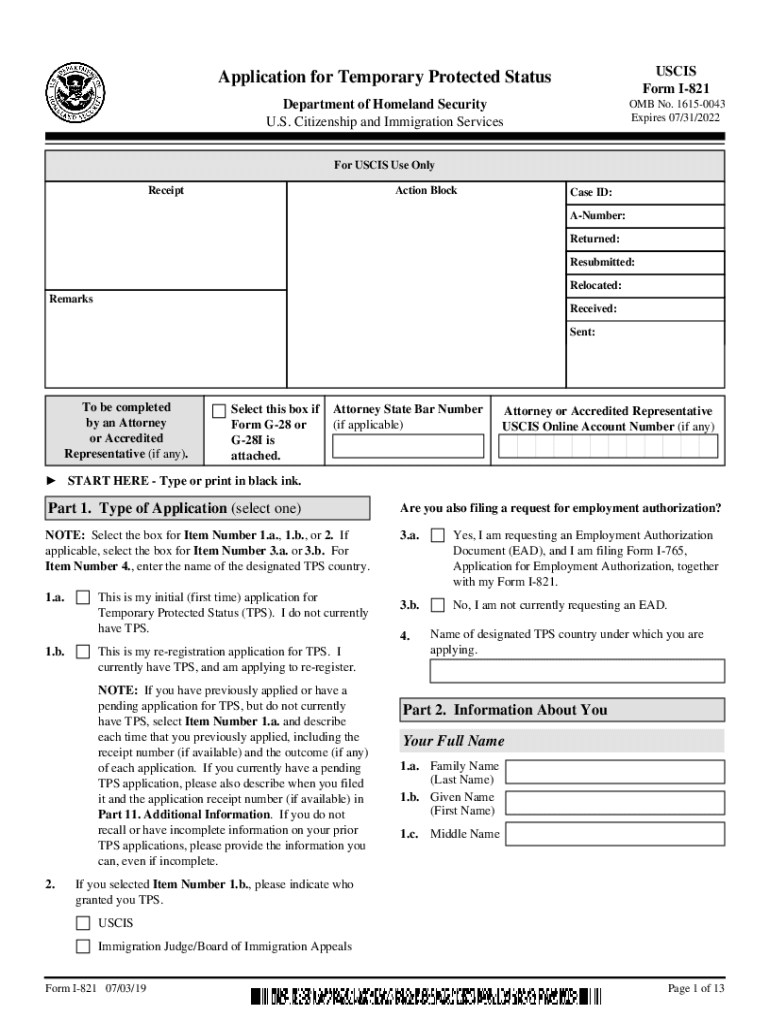
Click ‘Get Form’ to open the I-821 in the editor.
Begin with Part 1, selecting the type of application you are submitting. Choose between initial application or re-registration, and indicate if you are requesting employment authorization.
Proceed to Part 2, where you will enter your personal information. Fill in your full name, date of birth, and any other names used. Ensure accuracy as this information is crucial for processing.
In Part 3, provide biographic details such as ethnicity and physical characteristics. This section helps USCIS understand your background better.
Continue through Parts 4 to 7, detailing information about your spouse and children if applicable, along with eligibility standards related to your immigration status.
Finally, complete Parts 8 to 10 by signing the application and providing contact information for yourself and any preparers or interpreters involved.
Start using our platform today for free to streamline your I-821 form completion!
Form I-821, Application for Temporary Protected Status
Jan 20, 2025 Form I-821 Edition 01/20/25. Page 1 of 13 NOTE: Read the Penalties section of the Form I-821. Instructions before completing this part.Read more
Toxicological Review of Toluene (CAS No. 108-88-3) (PDF)
A higher proportion of participants was affected with acquired dyschromatopsia (type I, II, or III) in the exposed worker group (52% among exposed participantsRead more
Cookie consent notice
This site uses cookies to enhance site navigation and personalize your experience.
By using this site you agree to our use of cookies as described in our Privacy Notice.
You can modify your selections by visiting our Cookie and Advertising Notice.