Type text, add images, blackout confidential details, add comments, highlights and more.
02. Sign it in a few clicks
Draw your signature, type it, upload its image, or use your mobile device as a signature pad.
03. Share your form with others
Send it via email, link, or fax. You can also download it, export it or print it out.
How to use or fill out dor 5140 2007 form with our platform
Ease of Setup
DocHub User Ratings on G2
Ease of Use
DocHub User Ratings on G2
Click ‘Get Form’ to open the dor 5140 2007 form in the editor.
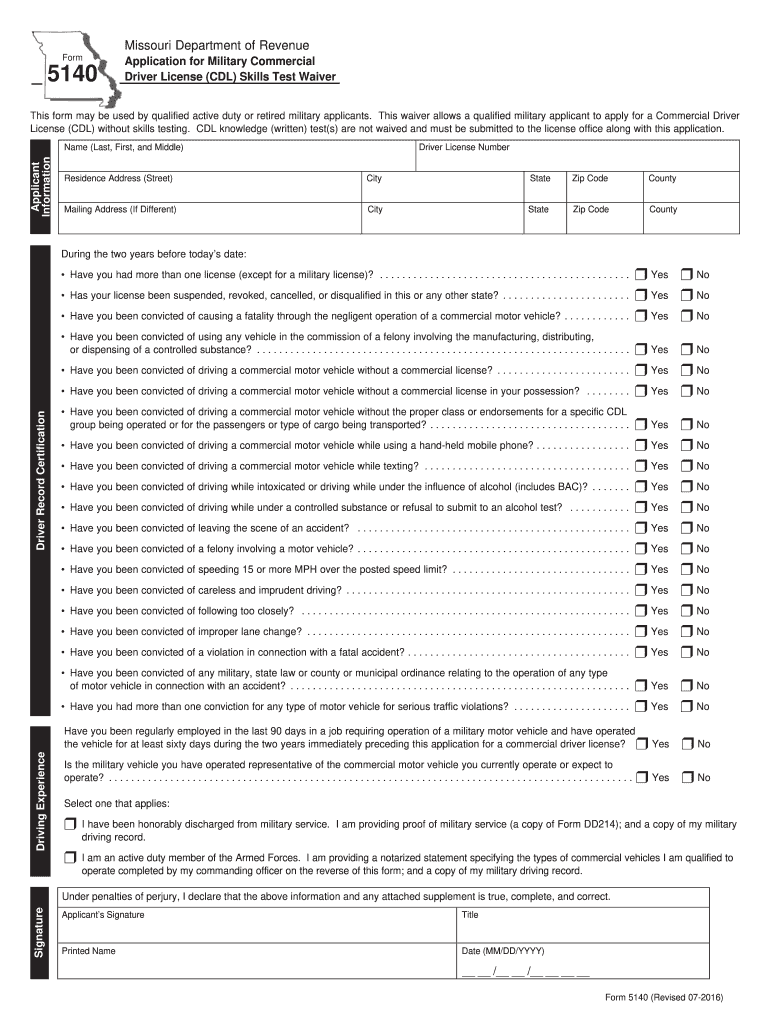
Begin by filling out the Applicant Information section. Enter your name, driver license number, and residence address. Ensure all details are accurate.
In the Driving Experience section, answer the questions regarding your driving record by selecting 'Yes' or 'No' for each item. This includes questions about previous licenses and any convictions.
Complete the Signature section by signing and dating the form. Make sure to provide your printed name and title if applicable.
If applicable, have your commanding officer complete their section, including their signature and certification of your driving experience.
Finally, review all entries for accuracy before saving or printing the completed form for submission.
Start using our platform today to fill out your dor 5140 2007 form online for free!
DL 965 formMilitary skills test waiver ProgramEven Exchange programCDL test waiver for militaryMilitary CDL waiver TexasFlorida CDL military WaiverMassachusetts military CDL WaiverVa military CDL waiver
Security and compliance
At DocHub, your data security is our priority. We follow HIPAA, SOC2, GDPR, and other standards, so you can work on your documents with confidence.
Waives CDL skills test for qualified active duty or retired military applicants. Detailed requirements are listed on Form DOR-5140PDF Document. Tow TruckRead more
Cookie consent notice
This site uses cookies to enhance site navigation and personalize your experience.
By using this site you agree to our use of cookies as described in our Privacy Notice.
You can modify your selections by visiting our Cookie and Advertising Notice.