




Here's how it works

01. Edit your form online
Type text, add images, blackout confidential details, add comments, highlights and more.

02. Sign it in a few clicks
Draw your signature, type it, upload its image, or use your mobile device as a signature pad.

03. Share your form with others
Send it via email, link, or fax. You can also download it, export it or print it out.
How to use or fill out FCC Form 854 with our platform

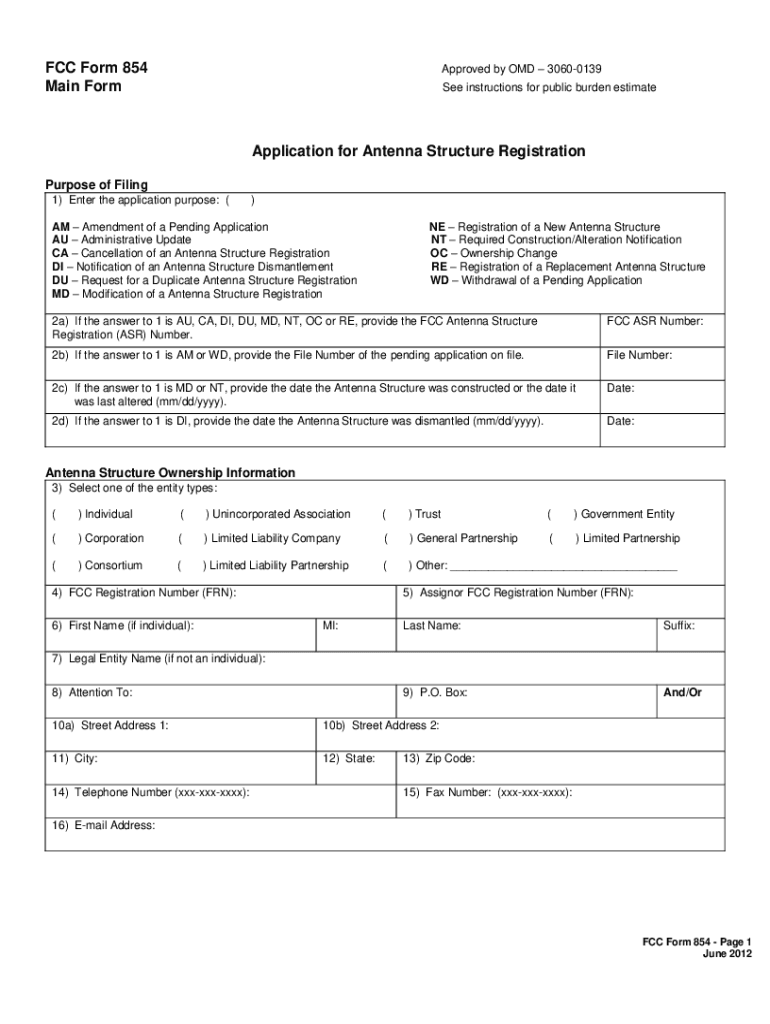
- Click 'Get Form' to open FCC Form 854 in the editor.
- In Item 1, select the appropriate purpose code for your application (e.g., NE for new registration).
- For Item 2A, enter the Antenna Structure Registration Number if applicable. If this is a new registration, leave it blank.
- Complete Items 3 to 16 with the ownership information, including the legal entity type and contact details.
- In Items 28 and 29, input the geographic coordinates of your antenna structure location accurately.
- Fill out Items 35 to 38 regarding the height and elevation of your structure, ensuring all measurements are in meters.
- Review all entries for accuracy before submitting. Use our platform's features to save and share your completed form easily.
Start filling out FCC Form 854 online for free today!
Fill out fcc form854 online
It's free
It's free
Got questions?
We have answers to the most popular questions from our customers. If you can't find an answer to your question, please contact us.
Contact us
What are the new FCC rules?
The Communications Act of 1934 combined and organized federal regulation of telephone, telegraph, and radio communications. The Act created the Federal Communications Commission (FCC) to oversee and regulate these industries.
What are ASR requirements?
Technical Rule Violations Antenna Structure Registration, Lighting and Marking Requirements. Unlicensed Operations. Wireless 911 and E911 Violations. Emergency Alert System (EAS) Violations. Cable Signal Leakage Enforcement. Interference Complaints.
What are the new rules of the FCC?
Form FCC 601 is a multi-purpose form. It is used to apply for an authorization to operate radio stations, amend pending applications, modify existing licenses, and perform a variety of other miscellaneous transactions in the Wireless Telecommunications Bureau (WTB) radio services.
Security and compliance
At DocHub, your data security is our priority. We follow HIPAA, SOC2, GDPR, and other standards, so you can work on your documents with confidence.
Learn more


