




Here's how it works



How to use or fill out Iowa Gambling License with our platform

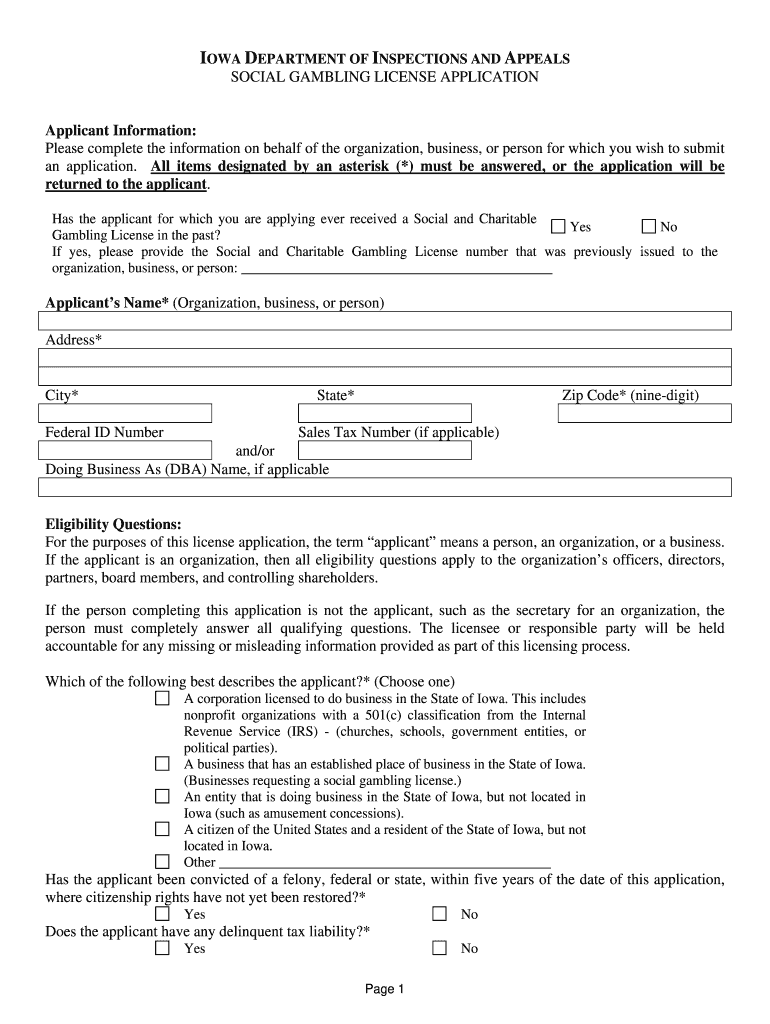
- Click ‘Get Form’ to open the Iowa Gambling License application in the editor.
- Begin by filling out the Applicant Information section. Ensure all fields marked with an asterisk (*) are completed, including the applicant's name, address, and zip code.
- Answer the eligibility questions carefully. If applicable, provide details about previous licenses and any felony convictions.
- Select the type of license you are applying for under Application Type. Make sure to indicate where the gambling activities will take place.
- Complete the Responsible Party section with accurate information about the individual authorized to sign for the applicant.
- In the Description of Gambling Activity section, provide a detailed account of your planned activities, including types of games and relevant dates.
- Fill in Location Information accurately to specify where events will be conducted.
- Finally, review your application for accuracy before signing and submitting it along with any required fees.
Start using our platform today to fill out your Iowa Gambling License application online for free!
It's free
Got questions?
How can I eSign my iowa charitable gaming application in Word?
Microsoft Word doesn’t have signing tools to generate valid eSignatures and enforceable forms. Fortunately, DocHub is an online eSignature-compliant editor that works with various document formats, such as .doc files. Log in to your account and add the Word version of your iowa charitable gaming application from your device and cloud, or URL - our editor will automatically convert it into an editable PDF. Make all essential alterations in your document and click Sign to generate your own legally-binding electronic signature. There are four signing options from which to choose.
How do you edit iowa charitable gambling license online?
With DocHub, there are several convenient methods to edit your iowa charitable gambling license online. You can drag and drop the form and edit it straight at the DocHub website or use our browser extension to fill out your form immediately. On top of that, you can edit your PDF on your phone, as DocHub is compatible with all the available mobile platforms.
Security and compliance
At DocHub, your data security is our priority. We follow HIPAA, SOC2, GDPR, and other standards, so you can work on your documents with confidence.
Learn more


