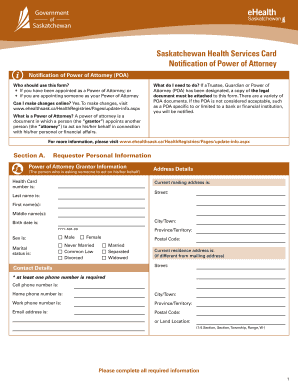
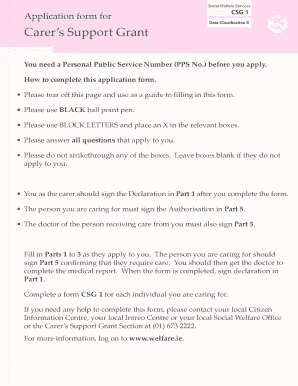
Rf application registered child 2026

Get Form
family register application Preview on Page 1

Here's how it works

01. Edit your family register application online
Type text, add images, blackout confidential details, add comments, highlights and more.
02. Sign it in a few clicks
Draw your signature, type it, upload its image, or use your mobile device as a signature pad.
03. Share your form with others
Send ucsd extension rf engineering via email, link, or fax. You can also download it, export it or print it out.

How to use or fill out rf application registered child with our platform

Form edit decoration
9.5
Ease of Setup
DocHub User Ratings on G2
9.0
Ease of Use
DocHub User Ratings on G2
  1. Click ‘Get Form’ to open the rf application registered child in the editor.
  2. Begin by entering the child's personal information in the designated fields, including their full name, date of birth, and address. Ensure accuracy for a smooth processing experience.
  3. Next, navigate to the section regarding parent or guardian details. Fill in the required information such as names, contact numbers, and relationship to the child.
  4. Review any additional sections that may require specific documentation or signatures. Use our platform's tools to easily add your signature where necessary.
  5. Once all fields are completed, utilize the ‘Save’ feature to ensure your progress is not lost. You can also share it directly from our editor for collaboration if needed.

Start using our platform today for free and simplify your document editing experience!

See more rf application registered child versions

We've got more versions of the rf application registered child form. Select the right rf application registered child version from the list and start editing it straight away!
Versions Form popularity Fillable & printable
2011 4.8 Satisfied (23 Votes)
be ready to get more

Complete this form in 5 minutes or less

Get form

Got questions?

We have answers to the most popular questions from our customers. If you can't find an answer to your question, please contact us.
Contact us
Step 1 Learn About the Different Types of Permits. Step 2 Attend a Child Care Home Orientation. Step 3 Become Familiar with Required Materials and Helpful Resources. Step 4 Create an Online Child Care Regulation Account. Step 5 Submit an Online Application and Fees.
If at any time care is provided to six or more children from more than one family, the law requires the provider to be licensed.
Oregon does not require some types of child care to be licensed by the Child Care Licensing Division. Child care is exempt from regulation if: Child care provider cares for three or fewer children, not including their own children.
Unlicensed child care programs can provide child care for up to 6 children not including their own at any given time.
Oregon law requires child-caring agencies to be licensed. The ODHS Childrens Care Licensing Program (CCLP) licenses and regulates child-caring agencies (CCAs) in Oregon.

Security and compliance

At DocHub, your data security is our priority. We follow HIPAA, SOC2, GDPR, and other standards, so you can work on your documents with confidence.

Learn more
ccpa2
pci-dss
gdpr-compliance
hipaa
soc-compliance
be ready to get more

Complete this form in 5 minutes or less

Get form

People also ask

Recommended Staff:Child Ratio and Group Size: Child Care Centers AgesStaff:Child Ratio Infants: Younger than 12 months old 1 adult should care for no more than 3 infants Toddlers: 1335 months old 1 adult should care for no more than 4 toddlers Preschoolers: 3 years old 1 adult should care for no more than 7 preschoolers4 more rows

Related links