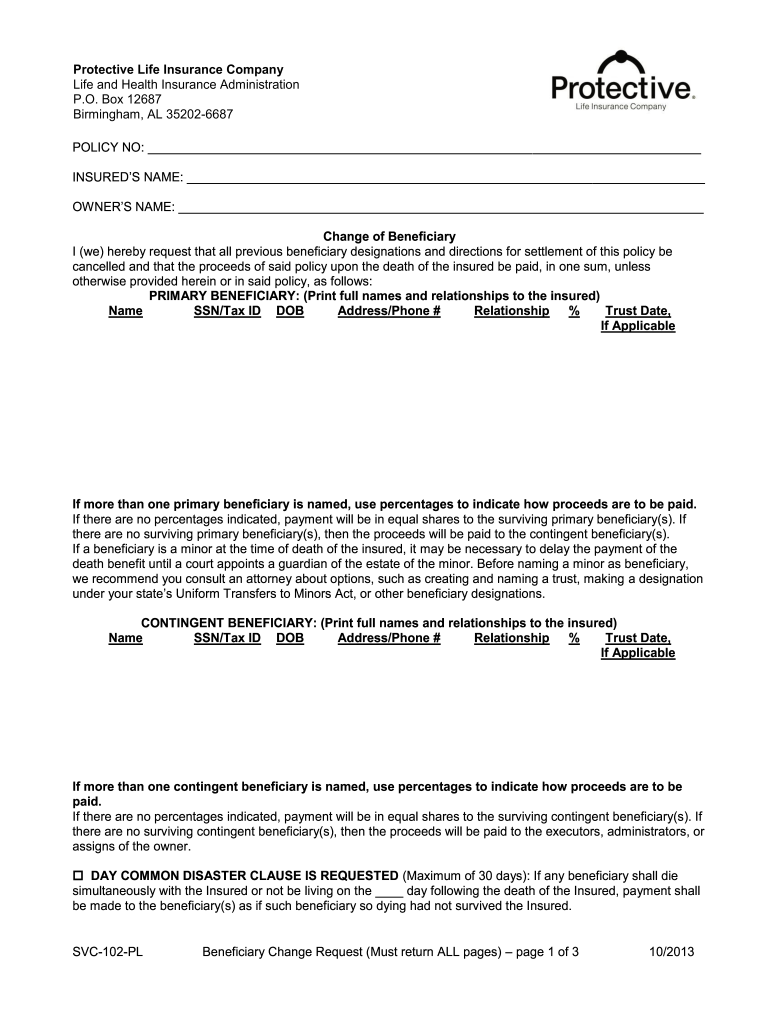
Svc 102 pl beneficiary form 2026

Get Form
svc 102 pl beneficiary form Preview on Page 1

Here's how it works

01. Edit your form online
Type text, add images, blackout confidential details, add comments, highlights and more.
02. Sign it in a few clicks
Draw your signature, type it, upload its image, or use your mobile device as a signature pad.
03. Share your form with others
Send it via email, link, or fax. You can also download it, export it or print it out.

How to use or fill out svc 102 pl beneficiary form with our platform

Form edit decoration
9.5
Ease of Setup
DocHub User Ratings on G2
9.0
Ease of Use
DocHub User Ratings on G2
  1. Click ‘Get Form’ to open the svc 102 pl beneficiary form in the editor.
  2. Begin by entering your POLICY NO and the INSURED’S NAME at the top of the form. This information is crucial for identifying the policy.
  3. In the 'Change of Beneficiary' section, list your PRIMARY BENEFICIARY's full name, relationship to the insured, SSN/Tax ID, date of birth, and contact details. If there are multiple beneficiaries, indicate their respective percentages.
  4. Next, fill out the CONTINGENT BENEFICIARY section similarly. Ensure you provide all required details for each individual listed.
  5. If applicable, complete the DAY COMMON DISASTER CLAUSE section by specifying any conditions regarding simultaneous death.
  6. Sign and date where indicated. Make sure to follow signature requirements carefully to avoid processing delays.
  7. Finally, choose your preferred delivery method for confirmation—either via secure email or fax—and provide necessary contact information.

Start using our platform today to easily fill out your svc 102 pl beneficiary form for free!

See more svc 102 pl beneficiary form versions

We've got more versions of the svc 102 pl beneficiary form form. Select the right svc 102 pl beneficiary form version from the list and start editing it straight away!
Versions Form popularity Fillable & printable
2013 4.8 Satisfied (72 Votes)
be ready to get more

Complete this form in 5 minutes or less

Get form

Got questions?

We have answers to the most popular questions from our customers. If you can't find an answer to your question, please contact us.
Contact us
Properly completed designations for CSRS employees and retirees are not valid unless the Office of Personnel Management (OPM) receives the form before the death of the designator. Mail both the completed Original and Employee copies of the SF 3102 to OPM, P.O. Box 45, Boyers, PA 16017.
spouse, partner, children, parents, brothers and sisters, business partner, key employee, trust and charitable organization.
Navigate to the Fund Transfer section, where you will typically find the option to add a new beneficiary. Select Add Payee and choose the type of their account (it can be own bank or other banks). Fill in the beneficiarys name, account number, bank name and IFSC accurately, and then click on Add and Confirm.

Security and compliance

At DocHub, your data security is our priority. We follow HIPAA, SOC2, GDPR, and other standards, so you can work on your documents with confidence.

Learn more
ccpa2
pci-dss
gdpr-compliance
hipaa
soc-compliance
be ready to get more

Complete this form in 5 minutes or less

Get form