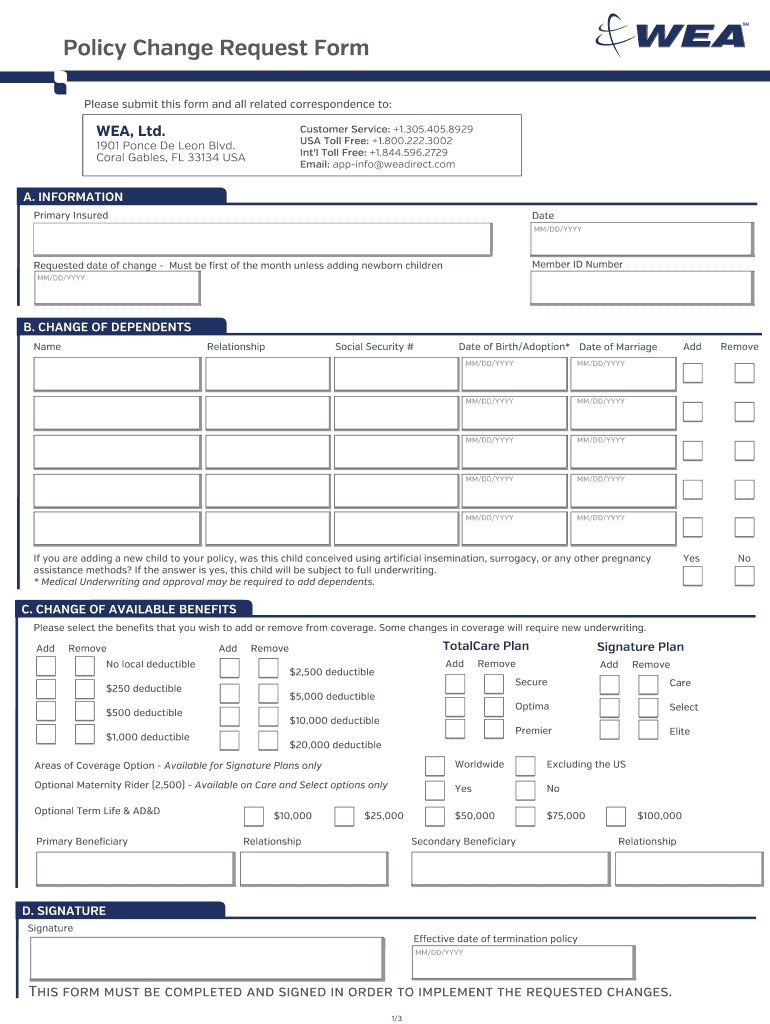
Wea change request form 2026

Get Form
wea form Preview on Page 1

Here's how it works

01. Edit your wea form online
Type text, add images, blackout confidential details, add comments, highlights and more.
02. Sign it in a few clicks
Draw your signature, type it, upload its image, or use your mobile device as a signature pad.
03. Share your form with others
Send change request form via email, link, or fax. You can also download it, export it or print it out.

How to use or fill out the WEA Change Request Form

Form edit decoration
9.5
Ease of Setup
DocHub User Ratings on G2
9.0
Ease of Use
DocHub User Ratings on G2
  1. Click ‘Get Form’ to open it in our platform's editor.
  2. Begin by filling out Section A, which requires your primary insured information, including the date, member ID number, and requested date of change. Ensure the requested date is the first of the month unless adding newborns.
  3. In Section B, provide details for any changes in dependents. Fill in their relationship, name, social security number, and dates of birth or marriage as applicable.
  4. Section C allows you to select benefits to add or remove. Carefully check the boxes next to your desired options and ensure you understand any underwriting requirements.
  5. Finally, complete Section D by signing and dating the form. This step is crucial for implementing your requested changes.

Start using our platform today to easily fill out your WEA Change Request Form for free!

See more wea change request form versions

We've got more versions of the wea change request form form. Select the right wea change request form version from the list and start editing it straight away!
Versions Form popularity Fillable & printable
2015 4.8 Satisfied (107 Votes)
be ready to get more

Complete this form in 5 minutes or less

Get form

Got questions?

We have answers to the most popular questions from our customers. If you can't find an answer to your question, please contact us.
Contact us
All change requests should include the same basic information, including the following: Title. ID number. Type of request. Source (whether internal or external) Short description of change request.
How to Create a Change Request Form Download the change request form template . Open the downloaded template file. Enter the Project Name, Requested by, Date, and Request No. Select the Priority level. Enter the Change Description and details about the Change Reason.
How to Establish a Change Request Process Create a Change Request Form for Your Organization. Assemble a Change Control Board. Establish a Chain of Communication Between Requestors and the Change Control Board. Create a Change Log to Register Change Requests. Assess the Potential Impact of Change Requests.
A team member planned to complete a task on Day 12 of a project. On Day 10, they realize that the previous task will take much longer than planned. They submit a change request to ask if its possible to reschedule the upcoming task from Day 12 to Day 20.
WEA Trust exited the health insurance market on December 31, 2022.

Security and compliance

At DocHub, your data security is our priority. We follow HIPAA, SOC2, GDPR, and other standards, so you can work on your documents with confidence.

Learn more
ccpa2
pci-dss
gdpr-compliance
hipaa
soc-compliance

People also ask

The elements in a change request form include the following: Project Name, Requested by, Contact Information, Date, Change Number, Change Name, Change Description, Change Reason, Date Needed, Priority, Impacts, Approval/Rejection, Reviewer Name, Reviewer Signature, and Date of Review.

straumann allograft tracking