Berth listing agreement.indd - Bayswater Marina 2025

Get Form
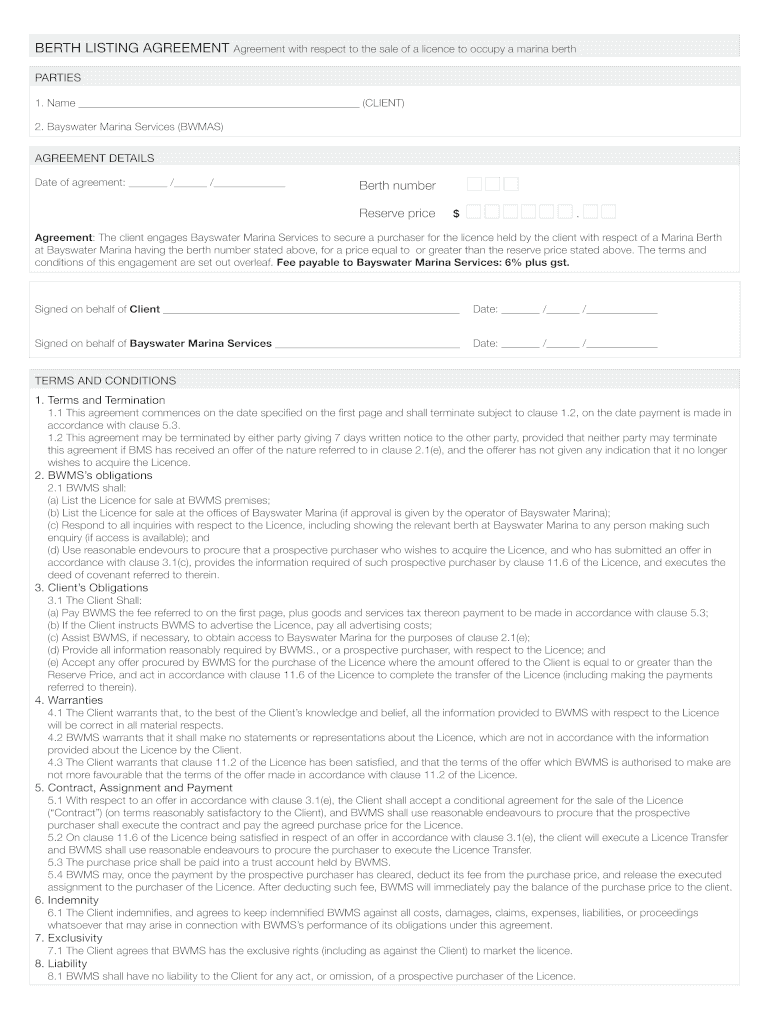
Berth listing agreement.indd - Bayswater Marina Preview on Page 1

Here's how it works

01. Edit your form online
Type text, add images, blackout confidential details, add comments, highlights and more.
02. Sign it in a few clicks
Draw your signature, type it, upload its image, or use your mobile device as a signature pad.
03. Share your form with others
Send it via email, link, or fax. You can also download it, export it or print it out.

How to use or fill out Berth listing agreement.indd - Bayswater Marina

Form edit decoration
9.5
Ease of Setup
DocHub User Ratings on G2
9.0
Ease of Use
DocHub User Ratings on G2
  1. Click ‘Get Form’ to open it in the editor.
  2. Begin by entering your name in the 'CLIENT' section. This identifies you as the party engaging Bayswater Marina Services.
  3. Fill in the date of the agreement, berth number, and reserve price. Ensure these details are accurate as they are crucial for the contract.
  4. Review the obligations outlined for both parties. Familiarize yourself with your responsibilities, such as payment of fees and providing necessary information.
  5. Sign on behalf of yourself and Bayswater Marina Services where indicated, ensuring to date your signatures appropriately.
  6. Finally, save your completed document. You can easily share or print it directly from our platform for free.

Start using our editor today to streamline your Berth listing agreement process!

See more Berth listing agreement.indd - Bayswater Marina versions

We've got more versions of the Berth listing agreement.indd - Bayswater Marina form. Select the right Berth listing agreement.indd - Bayswater Marina version from the list and start editing it straight away!
Versions Form popularity Fillable & printable
2009 4.6 Satisfied (65 Votes)
be ready to get more

Complete this form in 5 minutes or less

Get form

Got questions?

We have answers to the most popular questions from our customers. If you can't find an answer to your question, please contact us.
Contact us

Yes, you can utilize DocHub for signing any business and personal paperwork, including your Berth listing agreement.indd - Bayswater Marina. All eSignatures you generate with our service are legally binding and court-admissible, as DocHub complies with standards required by ESIGN and UETA. Save your completed form with a detailed Audit Trail if needed.

As a comprehensive document editing platform, DocHub is available on smart phones. Open DocHub in your choice of mobile internet browser and employ our intelligent mobile-friendly toolset to complete your Berth listing agreement.indd - Bayswater Marina.

Bayswater Marina owner Simon Herbert says: Our desire is to transform Bayswater Marina into a space that all Aucklanders can access and enjoy a world-class transit oriented design which will epitomise the Councils vision to create the Worlds Most Liveable City.
Phone: (08) 92720622 Monday to Friday 8.30am to 5pm. Email: mail@bayswater.wa.gov.au. Write to us: City of Bayswater P O Box 467 Morley 6943.
What is an exclusive right to rent agreement? In this type of agreement, you as a landlord give exclusive rights to one agent or company to rent your property during a specified period of time. Whats unique in this arrangement, is that it entitles the agency to be the exclusive listing agent for that property.
be ready to get more

Complete this form in 5 minutes or less

Get form

People also ask

Please contact us office@bayswater.co.nz or phone 09 446 1600 to apply now! *Cost of living aboard is in addition to your berth rental. #bayswatermarina #haurakigulf #waitamataharbour #liveaboard #liveaboardnz.

Related links