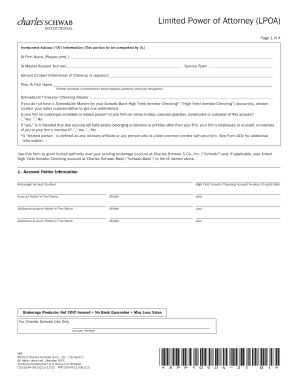
MBFSa4letters.dot - mercedes-benz 2026

Get Form
cerere eliberare imputernicire Preview on Page 1

Here's how it works

01. Edit your cerere eliberare imputernicire online
Type text, add images, blackout confidential details, add comments, highlights and more.
02. Sign it in a few clicks
Draw your signature, type it, upload its image, or use your mobile device as a signature pad.
03. Share your form with others
Send mary kay tax worksheet via email, link, or fax. You can also download it, export it or print it out.

How to use or fill out MBFSa4letters.dot - mercedes-benz with our platform

Form edit decoration
9.5
Ease of Setup
DocHub User Ratings on G2
9.0
Ease of Use
DocHub User Ratings on G2
  1. Click ‘Get Form’ to open the MBFSa4letters.dot document in the editor.
  2. Begin by filling in your name and address at the top of the form. Ensure that all details are accurate for proper identification.
  3. In the section labeled 'De la', enter your name and contact information, followed by the recipient's details under 'Catre'.
  4. Complete the leasing contract number and fiscal code fields accurately to avoid processing delays.
  5. Specify the vehicle details, including make, model, and registration number. This is crucial for identifying the vehicle involved in the claim.
  6. Indicate how you would like to receive the authorization by checking your preferred method (fax, email, courier).
  7. Fill out any additional repair type options as applicable, ensuring you select all relevant services needed.
  8. Finally, sign and date the document at the bottom before submitting it through your chosen method.

Start using our platform today to streamline your document editing and signing process for free!

See more MBFSa4letters.dot - mercedes-benz versions

We've got more versions of the MBFSa4letters.dot - mercedes-benz form. Select the right MBFSa4letters.dot - mercedes-benz version from the list and start editing it straight away!
Versions Form popularity Fillable & printable
2015 4.6 Satisfied (65 Votes)
be ready to get more

Complete this form in 5 minutes or less

Get form

Got questions?

We have answers to the most popular questions from our customers. If you can't find an answer to your question, please contact us.
Contact us
What Model is My Mercedes-Benz? 1st-3rd Character: World Manufacturer Identification. 4th8th Characters: Vehicle Descriptor Section. 9th Character: Security Number. 10th Character: Model Year. 11th Character: Production Plant / Assembly Location. 12th17th Characters: Vehicle Serial Number.
Blind spot monitoring systems can range from $200 - $395 and lane change assists systems including lane departure warning functions cost approximately $1,400 per vehicle identified in an analysis of Lane Departure Warning (LDW) and Lane Change Assist (LCA) systems.
Reset the System. After addressing any physical or wiring issues, use the diagnostic tool to clear any stored fault codes. This can often reset the system and clear the Blind Spot Assist Inoperative warning.
Check for Dirt or Obstructions One of the most common causes of a blind spot sensor malfunction is surprisingly simple: dirt, grime, or debris covering the sensor. Road salt, mud, or even heavy rain can block the sensors field of vision, making it unable to detect nearby objects.
The Blind Spot Assist Unavailable warning usually indicates rear sensor malfunction. After a rear-end impact, sensors may be misaligned, damaged, or have wiring issues despite appearing connected. Start by thoroughly cleaning the sensors to remove dirt or debris.

Security and compliance

At DocHub, your data security is our priority. We follow HIPAA, SOC2, GDPR, and other standards, so you can work on your documents with confidence.

Learn more
ccpa2
pci-dss
gdpr-compliance
hipaa
soc-compliance
be ready to get more

Complete this form in 5 minutes or less

Get form

People also ask

Start by visually inspecting the service side blind spot sensor located behind the rear bumper. Dirt, debris, or damage can cause errors. Clean the sensor surface gently and check for loose or corroded wiring connectors. If accessible, disconnect and reconnect the sensor to reset it.