




Here's how it works



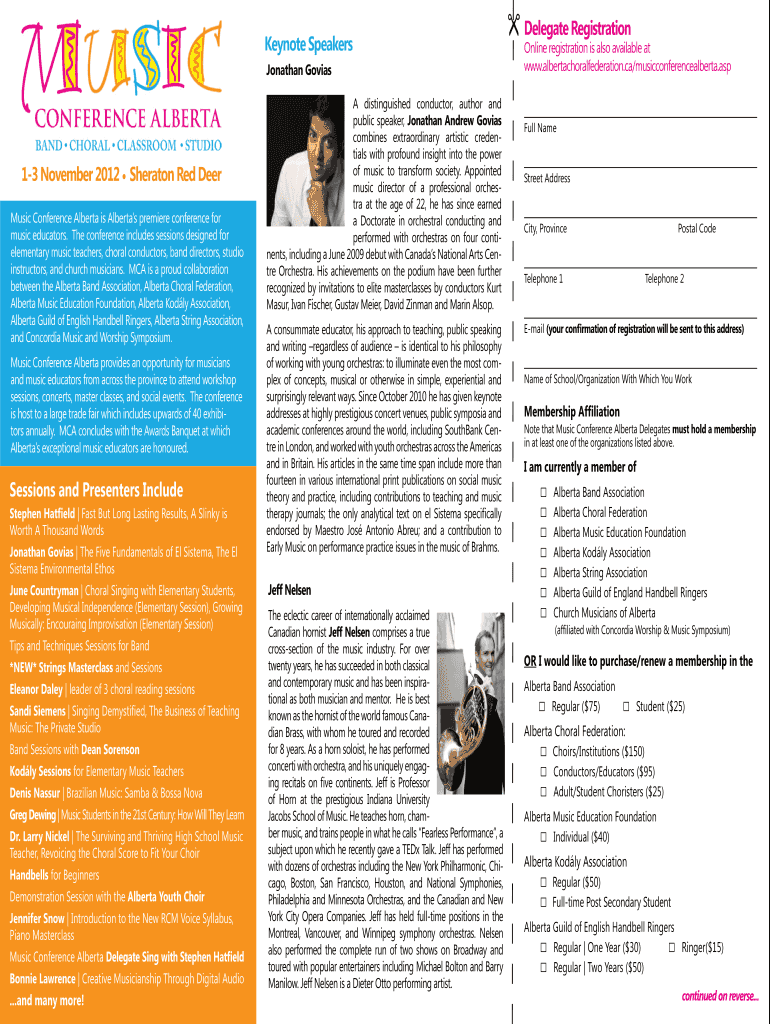
How to use or fill out Jonathan Govias - albertachoralfederation

- Click ‘Get Form’ to open it in the editor.
- Begin by entering your Full Name in the designated field. This is essential for your registration confirmation.
- Fill in your Street Address, City, Province, and Postal Code to ensure accurate correspondence.
- Provide both Telephone numbers and your E-mail address. The confirmation of registration will be sent to this email.
- Indicate the Name of School/Organization you are affiliated with, as well as your Membership Affiliation from the provided options.
- Select your current membership status by checking the appropriate boxes for organizations you belong to or choose to purchase/renew a membership.
- Choose your Registration Type based on your attendance preference and complete any additional fields required for first-time attendees.
- Review all entered information for accuracy before submitting the form online or mailing it to the Alberta Choral Federation.
Start filling out your registration form today and experience the convenience of our platform!
It's free
See more Jonathan Govias - albertachoralfederation versions
Got questions?
What is the optimum way to electronically sign my Jonathan Govias - albertachoralfederation?
A lot of software solutions are available out there for document modifying and signing. DocHub is one of the most widely used online solutions that comply with all data protection and compliance requirements and ensures your eSigned paperwork is legally enforceable. All you need to try it out is to register an account, add your Jonathan Govias - albertachoralfederation, provide the required information, and click Sign. Create your eSignature by typing, drawing it, uploading its image to your form, or scanning a unique QR code.
How do you create an e-signature for the Jonathan Govias - albertachoralfederation on iOS?
In addition to an extensive toolset for editing PDFs on mobile phones, DocHub allows you to sign your Jonathan Govias - albertachoralfederation along the way. Open our editor in your internet browser, make changes using DocHub’s toolset, and complete your editing by eSigning the completed form.
Security and compliance
At DocHub, your data security is our priority. We follow HIPAA, SOC2, GDPR, and other standards, so you can work on your documents with confidence.
Learn more


