




Here's how it works

01. Edit your parelli level 1 checklist online
Type text, add images, blackout confidential details, add comments, highlights and more.

02. Sign it in a few clicks
Draw your signature, type it, upload its image, or use your mobile device as a signature pad.

03. Share your form with others
Send parelli 7 games pdf via email, link, or fax. You can also download it, export it or print it out.
How to use or fill out parelli packet create with our platform

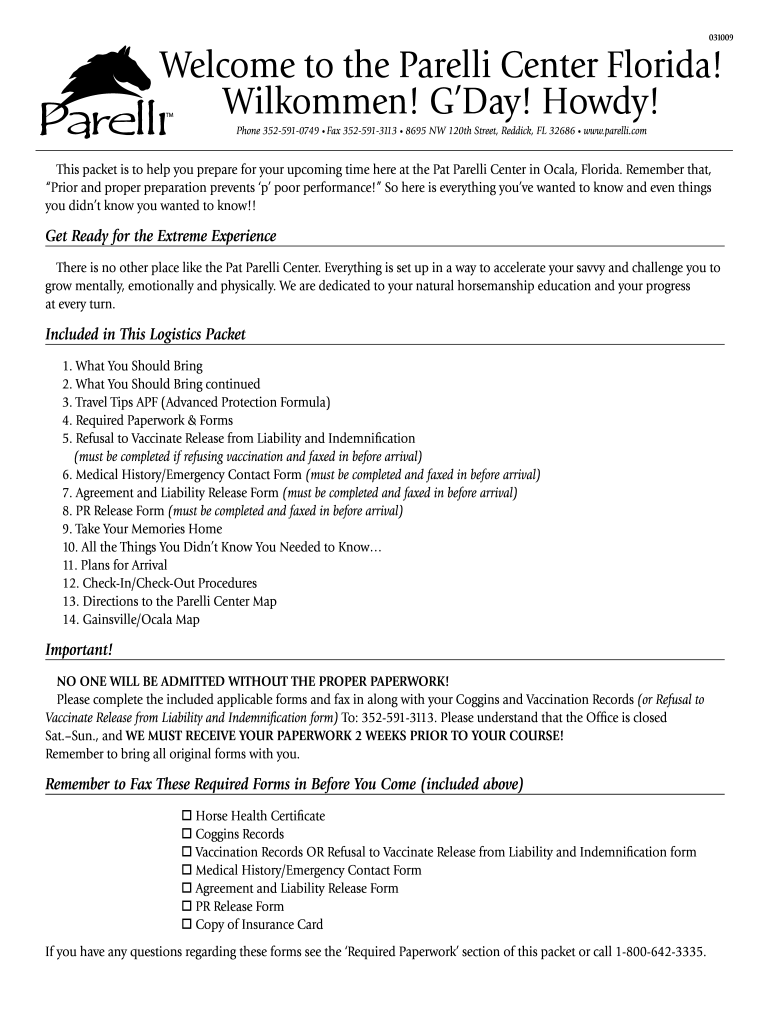
- Click ‘Get Form’ to open the parelli packet create in the editor.
- Begin with the 'What You Should Bring' section. List all personal items and horse equipment as specified, ensuring you have everything needed for your stay.
- Move to the 'Required Paperwork & Forms' section. Carefully fill out each form, including the Medical History/Emergency Contact Form and Agreement and Liability Release Form. Ensure all required fields are completed accurately.
- For the 'Refusal to Vaccinate Release from Liability and Indemnification', if applicable, initial each vaccine you choose not to administer and provide your veterinarian's certification.
- Review all sections for completeness. Once satisfied, use our platform’s tools to save your changes and prepare for faxing the documents as instructed.
Start using our platform today for free to streamline your document editing and ensure a smooth experience at the Parelli Center!
Fill out parelli packet create online
It's free
It's free
See more parelli packet create versions
We've got more versions of the parelli packet create form. Select the right parelli packet create version from the list and start editing it straight away!
| Versions | Form popularity | Fillable & printable |
|---|---|---|
| 2009 | 4.8 Satisfied (109 Votes) |
Security and compliance
At DocHub, your data security is our priority. We follow HIPAA, SOC2, GDPR, and other standards, so you can work on your documents with confidence.
Learn more


