Ot1673 2026

Get Form
ot1673 Preview on Page 1

Here's how it works

01. Edit your form online
Type text, add images, blackout confidential details, add comments, highlights and more.
02. Sign it in a few clicks
Draw your signature, type it, upload its image, or use your mobile device as a signature pad.
03. Share your form with others
Send it via email, link, or fax. You can also download it, export it or print it out.

How to use or fill out ot1673 with our platform

Form edit decoration
9.5
Ease of Setup
DocHub User Ratings on G2
9.0
Ease of Use
DocHub User Ratings on G2
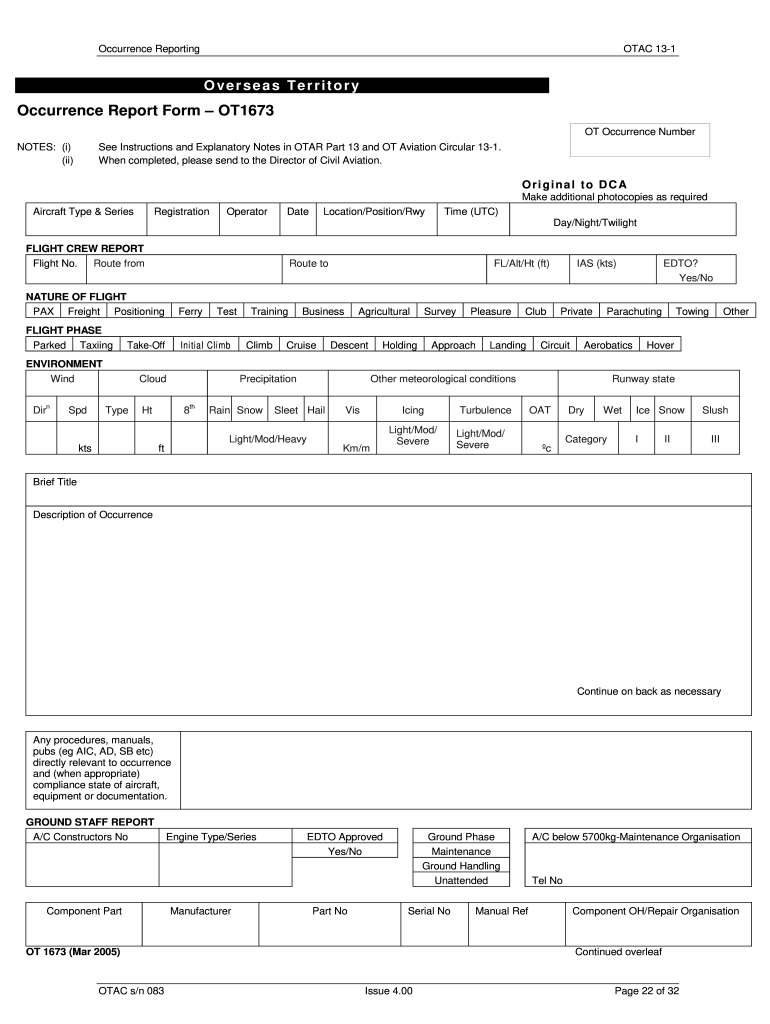
  1. Click ‘Get Form’ to open the OT1673 in the editor.
  2. Begin by filling in the 'OT Occurrence Number' and 'Aircraft Type & Series'. This information is crucial for identifying the specific occurrence.
  3. Next, provide details about the flight, including 'Flight No.', 'Route from', and 'Route to'. Ensure you select the appropriate 'Nature of Flight' from the provided options.
  4. In the 'Environment' section, accurately describe weather conditions such as wind speed and visibility. This data is essential for understanding any external factors affecting the occurrence.
  5. Proceed to describe the occurrence in detail. Use a clear title and provide a concise narrative of what happened, including any immediate actions taken.
  6. Complete the 'Ground Staff Report' section with relevant maintenance data if applicable. Include details like component part numbers and maintenance organization contact information.
  7. Finally, review all entries for accuracy before submitting your report. If necessary, utilize our platform's features to save or print your completed form.

Start using our platform today to streamline your document editing and reporting process for free!

See more ot1673 versions

We've got more versions of the ot1673 form. Select the right ot1673 version from the list and start editing it straight away!
Versions Form popularity Fillable & printable
2005 4.8 Satisfied (51 Votes)
be ready to get more

Complete this form in 5 minutes or less

Get form

Got questions?

We have answers to the most popular questions from our customers. If you can't find an answer to your question, please contact us.
Contact us

Sign in to your DocHub account and import your ot1673 to our editor using one of its upload options - from your device, cloud storage, secure URL, or your DocHub folders if you have already processed your form before. Open our editor, click the Sign button in the upper toolbar, and decide on your signing method. You can upload a picture of your handwritten signature, draw it, enter your name, or utilize a QR code as an alternative.

As a comprehensive document editing service, DocHub is accessible on smart phones. Open DocHub in your choice of mobile internet browser and use our smart mobile-friendly toolset to complete your ot1673.

Security and compliance

At DocHub, your data security is our priority. We follow HIPAA, SOC2, GDPR, and other standards, so you can work on your documents with confidence.

Learn more
ccpa2
pci-dss
gdpr-compliance
hipaa
soc-compliance
be ready to get more

Complete this form in 5 minutes or less

Get form