




Here's how it works



How to use or fill out District 15 Nomination Form - zonta15 with our platform

- Click ‘Get Form’ to open the District 15 Nomination Form in the editor.
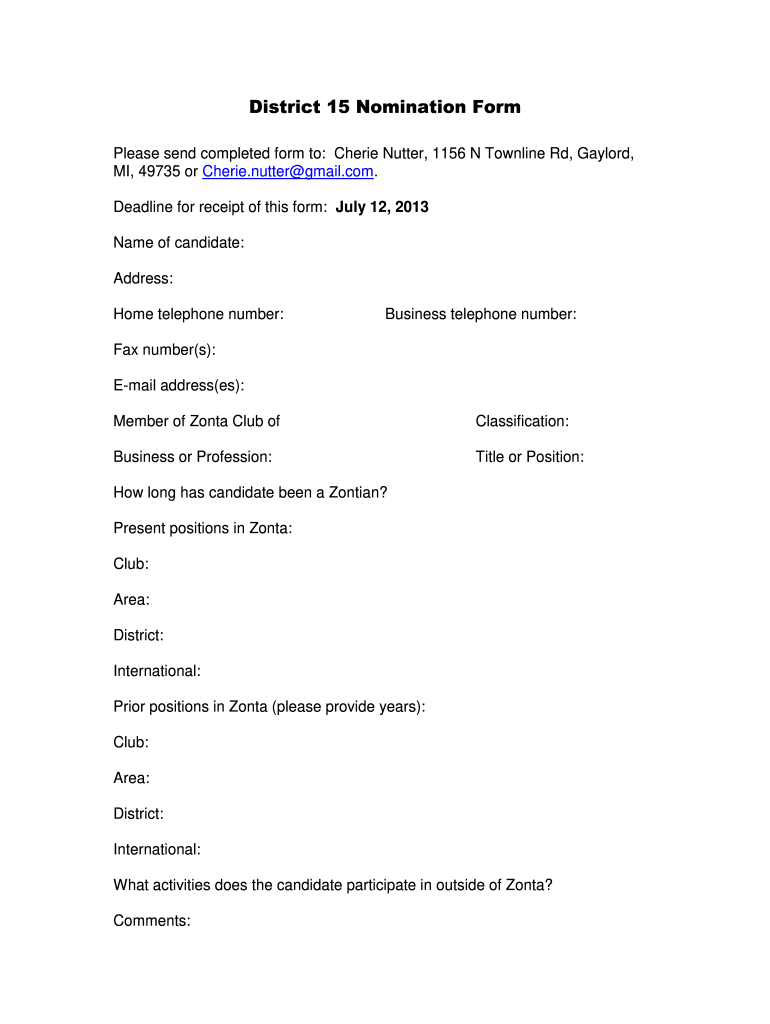
- Begin by entering the candidate's name in the designated field, followed by their address, home telephone number, business telephone number, and fax number(s). Ensure all contact information is accurate for effective communication.
- Fill in the email address(es) and specify the Zonta Club membership. Next, indicate the candidate's classification, business or profession, and title or position.
- Provide details on how long the candidate has been a Zontian and list their present positions within Zonta, including club, area, district, and international roles.
- Document prior positions held in Zonta along with corresponding years. Include any activities outside of Zonta that the candidate participates in.
- Ensure that both the nominator’s signature and date are filled out correctly. The nominator should print their name clearly as well.
- The nominee must sign and print their name along with the date to confirm consent for nomination. Review all entries for accuracy before submission.
Start filling out your District 15 Nomination Form today for free using our platform!
It's free
See more District 15 Nomination Form - zonta15 versions
| Versions | Form popularity | Fillable & printable |
|---|---|---|
| 2013 | 4.8 Satisfied (232 Votes) |
Got questions?
How do I sign my District 15 Nomination Form - zonta15 on iOS?
With DocHub, you can quickly approve your District 15 Nomination Form - zonta15 or any other document on iOS, even without installing additional programs. You can access your DocHub account from any web-connected browser and fill out and sign your form in any preferred method with just a couple of clicks.
Can I sign my District 15 Nomination Form - zonta15 while I edit it?
If you edit your District 15 Nomination Form - zonta15 with DocHub, you will not need to look for other applications or solutions to sign it. An electronic signature is part of DocHub’s comprehensive editing toolset, which allows you to implement changes in your form without jumping between platforms. Just complete your form, double-check the correctness of your information and place your electronic signature at the end to make it submission-ready quickly.
Security and compliance
At DocHub, your data security is our priority. We follow HIPAA, SOC2, GDPR, and other standards, so you can work on your documents with confidence.
Learn more


