




Here's how it works



How to use or fill out Notice of Intent to Operate - Ottawa County Michigan - miottawa

- Click ‘Get Form’ to open it in the editor.
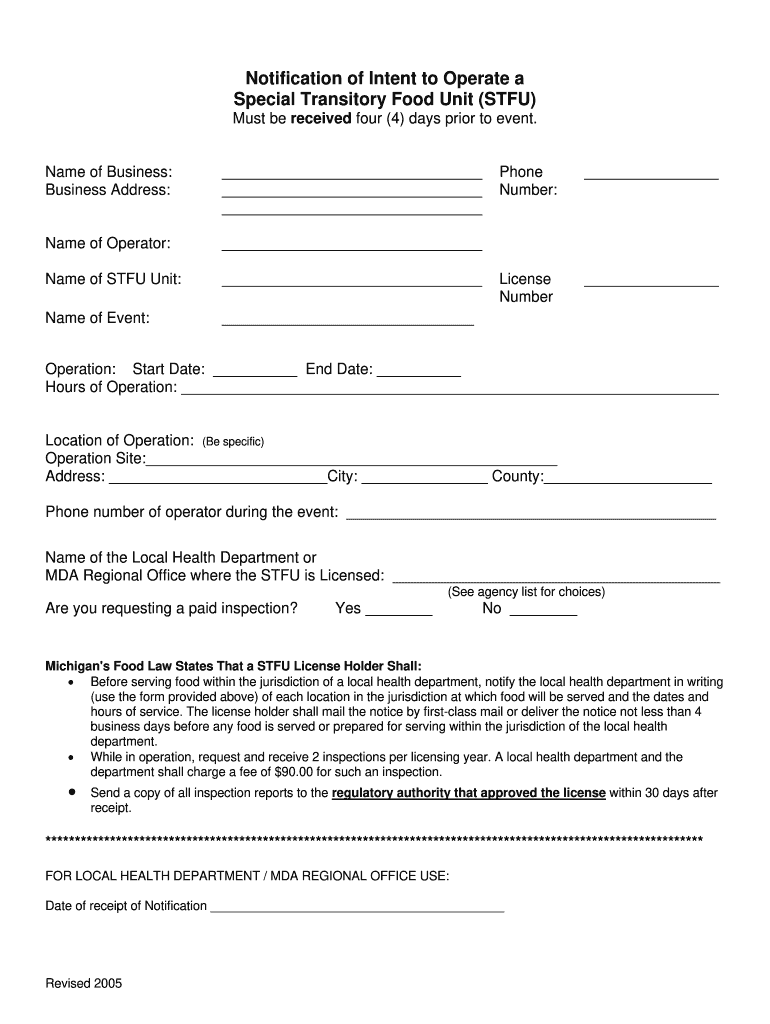
- Begin by entering the 'Name of Business' and 'Business Address' in the designated fields. Ensure that all information is accurate and complete.
- Fill in the 'Name of Operator' and 'Name of STFU Unit'. This identifies who will be responsible for operations.
- Specify the 'Name of Event', along with your contact details, including 'Phone Number' and 'License Number'.
- Indicate the operational dates by filling out the 'Start Date' and 'End Date', along with your hours of operation.
- Provide a detailed description of the location where you will operate, including specific site address, city, and county.
- Select whether you are requesting a paid inspection by marking ‘Yes’ or ‘No’.
- Review all entries for accuracy before submitting. Save your completed form using our platform's export feature for easy sharing.
Start using our platform today to streamline your form completion process for free!
It's free
See more Notice of Intent to Operate - Ottawa County Michigan - miottawa versions
Got questions?
Can I complete and sign my Notice of Intent to Operate - Ottawa County Michigan - miottawa online?
Sure, and it’s really easy! DocHub is a web-based PDF editor with advanced document processing features that allow you rapidly adjust your forms, complete empty fields and drop new ones for other people to fill out, and create eSignatures in several ways. Upload your Notice of Intent to Operate - Ottawa County Michigan - miottawa, provide information as requested, and select how you want to eSign your template - by typing your name, drawing your signature, uploading its picture, or using a QR code.
Can I print my Notice of Intent to Operate - Ottawa County Michigan - miottawa and complete it by myself?
When you go for analog methods of completing your Notice of Intent to Operate - Ottawa County Michigan - miottawa, you can easily download your file for printing. Search DocHub’s Forms & Templates catalog to locate the exact document template you need and open it for editing or download it on your gadget in the format of your liking. It is possible to complete your form electronically and put your handwritten signature on it after printing or eSign your document with DocHub.
Security and compliance
At DocHub, your data security is our priority. We follow HIPAA, SOC2, GDPR, and other standards, so you can work on your documents with confidence.
Learn more


