



Here's how it works



How to use or fill out DHS 3531 with our platform

- Click ‘Get Form’ to open the DHS 3531 in the editor.
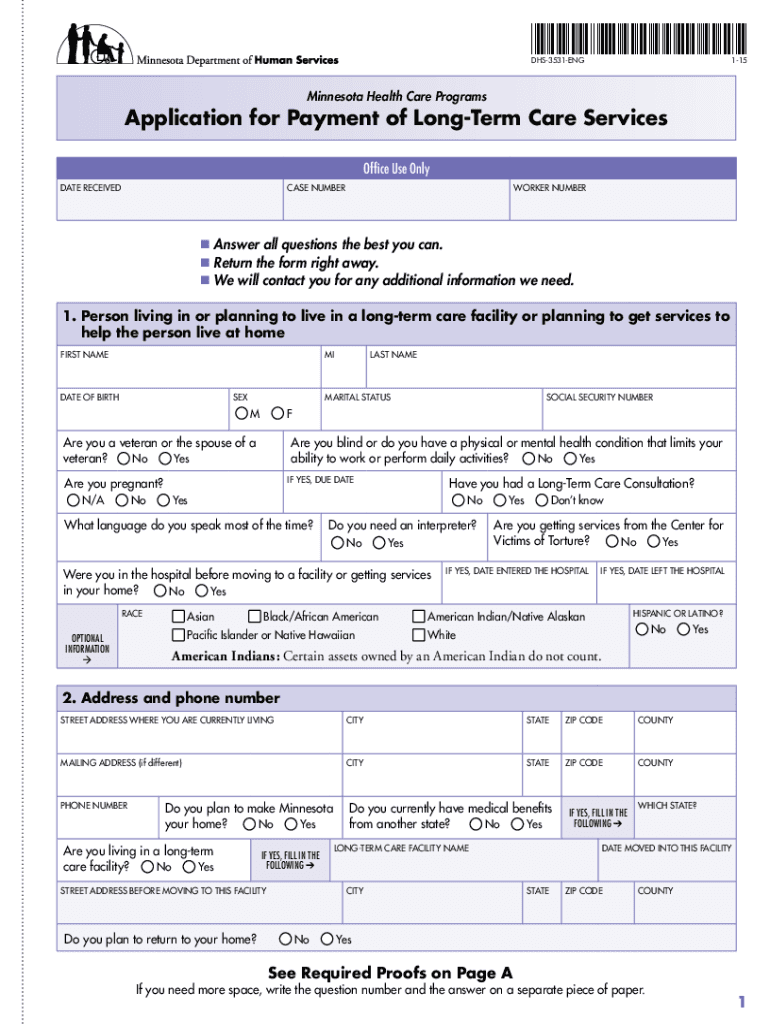
- Begin by filling out your personal information in Section 1, including your first name, last name, date of birth, and social security number. Ensure accuracy as this information is crucial for processing your application.
- In Section 2, provide your current address and contact details. If you have a different mailing address, include that as well.
- Proceed to Section 3 to indicate your citizenship status. If you are not a U.S. citizen, fill in the required immigration details.
- Complete Sections 4 through 24 by answering all questions regarding your financial situation and medical history. Use additional paper if necessary for longer responses.
- Review the Signature Page carefully. Sign and date the application to confirm that all information provided is accurate.
- Attach any required proofs listed on Page A of the form before submitting it to your county agency either by mail or in person.
Start using our platform today for free to streamline your DHS 3531 application process!
It's free
Got questions?
How do I sign my mn dhs 3531 online?
Log in to your DocHub account and add your mn dhs 3531 to our editor using one of its upload methods - from your device, cloud storage, secure URL, or your DocHub folders if you have already processed your document before. Open our editor, click the Sign key in the top toolbar, and decide on your signing method. You can upload an image of your handwritten signature, draw it, type in your name, or utilize a QR code instead.
How do you fill out dhs 3531 online?
You can find and edit your dhs 3531 online with the help of DocHub. Its simple yet feature-rich design enables you to start productive work right after you sign up your account. Create your profile and add your document, then our user interface will guide you through our stress-free form completion experience.
What is the maximum income to qualify for MinnesotaCare?
How do you qualify for Mncare?
What is the maximum income to qualify for medical assistance in MN?
Security and compliance
At DocHub, your data security is our priority. We follow HIPAA, SOC2, GDPR, and other standards, so you can work on your documents with confidence.
Learn more