Type text, add images, blackout confidential details, add comments, highlights and more.
02. Sign it in a few clicks
Draw your signature, type it, upload its image, or use your mobile device as a signature pad.
03. Share your form with others
Send form 918 via email, link, or fax. You can also download it, export it or print it out.
How to use or fill out Form I-918 Supplement A, Petition for Qualifying Family Member of ... - uscis with our platform
Ease of Setup
DocHub User Ratings on G2
Ease of Use
DocHub User Ratings on G2
Click ‘Get Form’ to open it in the editor.
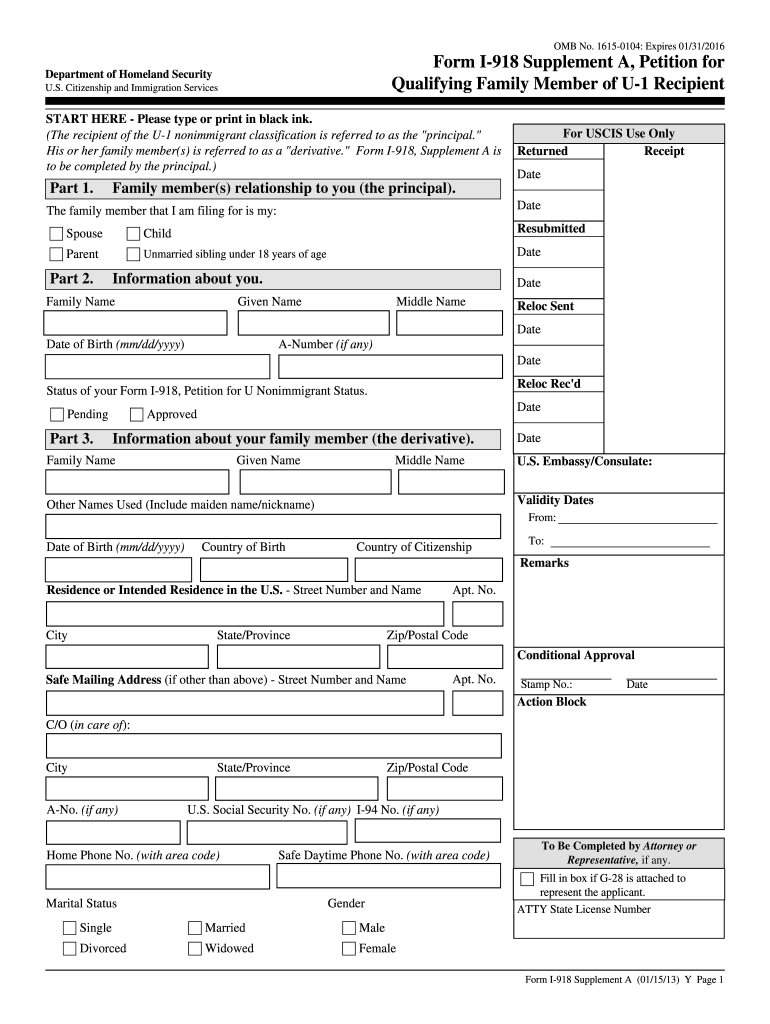
Begin with Part 1, where you will indicate the relationship of the family member to you, the principal. Select from options such as Spouse, Child, Parent, or Unmarried sibling under 18 years of age.
In Part 2, provide your personal information including Family Name, Given Name, Middle Name, Date of Birth, and A-Number if applicable. Ensure all details are accurate.
Proceed to Part 3 to fill in information about your family member (the derivative). Include their names, date of birth, country of birth and citizenship.
In Part 4, answer additional questions regarding your family member's immigration status and history. Be thorough and honest in your responses.
Finally, complete Part 5 by signing and dating the form. If your family member is present in the U.S., they must also sign.
Start using our platform today for free to streamline your form completion process!
Fill out Form I-918 Supplement A, Petition for Qualifying Family Member of ... - uscis online It's free
See more Form I-918 Supplement A, Petition for Qualifying Family Member of ... - uscis versions
We've got more versions of the Form I-918 Supplement A, Petition for Qualifying Family Member of ... - uscis form. Select the right Form I-918 Supplement A, Petition for Qualifying Family Member of ... - uscis version from the list and start editing it straight away!
Supplement A, Petition for qualifying family member of U 1 RecipientWho can sign Form I-918 Supplement BI-918 Form pdfI 918 Supplement A instructionsI-918 Supplement B sampleI-918, Supplement B InstructionsI-918 InstructionsI-918 processing times
Security and compliance
At DocHub, your data security is our priority. We follow HIPAA, SOC2, GDPR, and other standards, so you can work on your documents with confidence.
Supplement A, Petition for Qualifying Family Member of U-
Form I-918 Supplement A 02/07/17 N. Page 1 of 12. To be completed by an attorney or accredited representative (if any). For. USCIS. Use. Only. Action Block.Read more
Form I-918, Supplement A, Petition for Qualifying Family
Your family member was or is in immigration proceedings. 8. Yes. No. Your family member would like an Employment. Authorization Document. Other Information.Read more
Cookie consent notice
This site uses cookies to enhance site navigation and personalize your experience.
By using this site you agree to our use of cookies as described in our Privacy Notice.
You can modify your selections by visiting our Cookie and Advertising Notice.