




Here's how it works



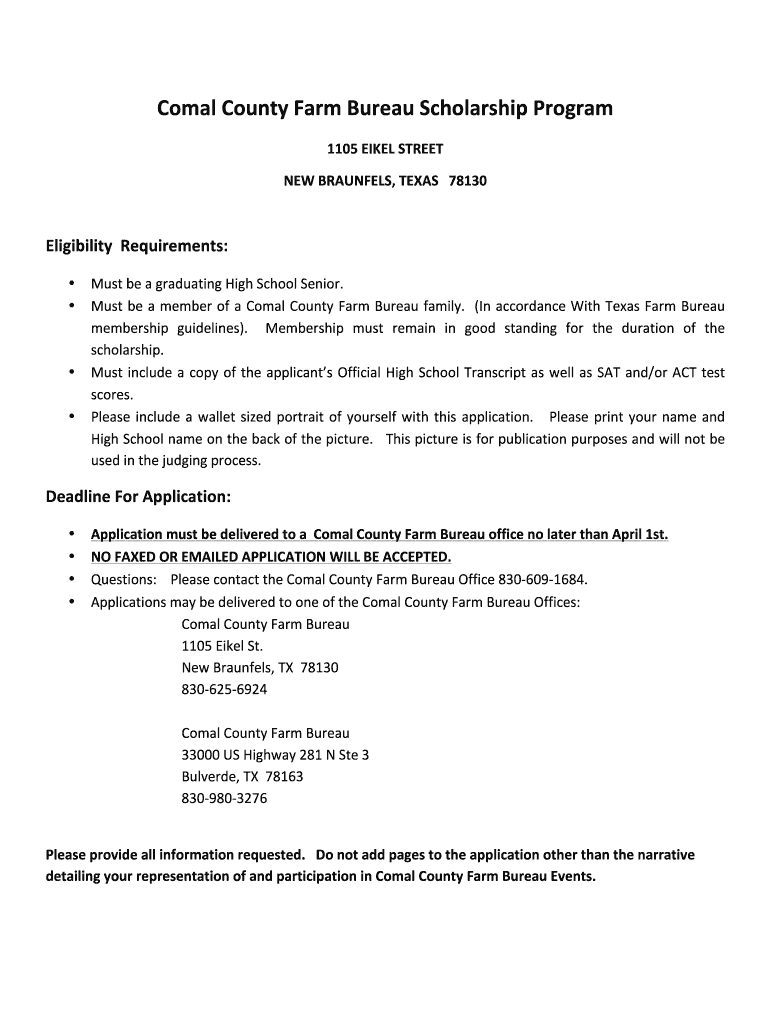
How to use or fill out CC Farm Bureau - nbisd with our platform

- Click ‘Get Form’ to open the CC Farm Bureau - nbisd application in the editor.
- Begin by filling in your personal information, including your name, address, and email. Ensure that all details are accurate and clearly legible.
- Next, provide your parent or guardian's Comal County Farm Bureau membership number. This is essential for verifying eligibility.
- Complete the family information section by detailing your parents' names, employers, and occupations. If their address differs from yours, please specify.
- In the academic section, enter your high school GPA and rank. Include your SAT and/or ACT scores as required.
- For collegiate information, list the college or trade school you plan to attend along with your chosen major and career goals.
- Finally, complete the narrative section detailing your involvement with the Comal County Farm Bureau. This is an opportunity to showcase your leadership activities and community engagement.
Start using our platform today to easily fill out and submit your CC Farm Bureau application for free!
It's free
See more CC Farm Bureau - nbisd versions
| Versions | Form popularity | Fillable & printable |
|---|---|---|
| 2015 | 4.8 Satisfied (33 Votes) |
Got questions?
How can I send my scholarship program requirements from Google Drive for signing?
If you often work with documents stored in your Google Drive, DocHub is an excellent solution for you to easily and quickly complete, adjust, and approve them. This editor integrates properly with Google apps, so you can export your scholarship program requirements from your Google Drive to the editor without downloading and re-uploading it. Right-click on your file, select Open With → DocHub PDF Sign and Edit. In our editor, add and assign Signature Fields for all people involved, then click on the Menu button above → Send → select how you want to share your paperwork.
How do you modify scholarship program eligibility from Google Drive?
If you store your documents in Google Drive, there is no need to download your scholarship program eligibility on the computer and upload it back to our editor. A significantly easier way is to set up a browser extension developed by DocHub to simplify this flow. The extension allows editing PDFs right in your browser. Alternatively, you can integrate your DocHub and Gmail accounts for more efficient editing.
Are Farm Bureau and Texas Farm Bureau the same company?
Is Farm Bureau membership worth it?
Why does Farm Bureau charge a membership fee?
Security and compliance
At DocHub, your data security is our priority. We follow HIPAA, SOC2, GDPR, and other standards, so you can work on your documents with confidence.
Learn more


