Atf form 1 pdf fillable 2026

Get Form
atf form 1 pdf Preview on Page 1

Here's how it works

01. Edit your atf form 1 pdf online
Type text, add images, blackout confidential details, add comments, highlights and more.

02. Sign it in a few clicks
Draw your signature, type it, upload its image, or use your mobile device as a signature pad.

03. Share your form with others
Send atf eforms via email, link, or fax. You can also download it, export it or print it out.

How to use or fill out ATF Form 1 PDF Fillable with Our Platform

Form edit decoration
9.5
Ease of Setup
DocHub User Ratings on G2
9.0
Ease of Use
DocHub User Ratings on G2
  1. Click ‘Get Form’ to open the ATF Form 1 PDF fillable in our editor.
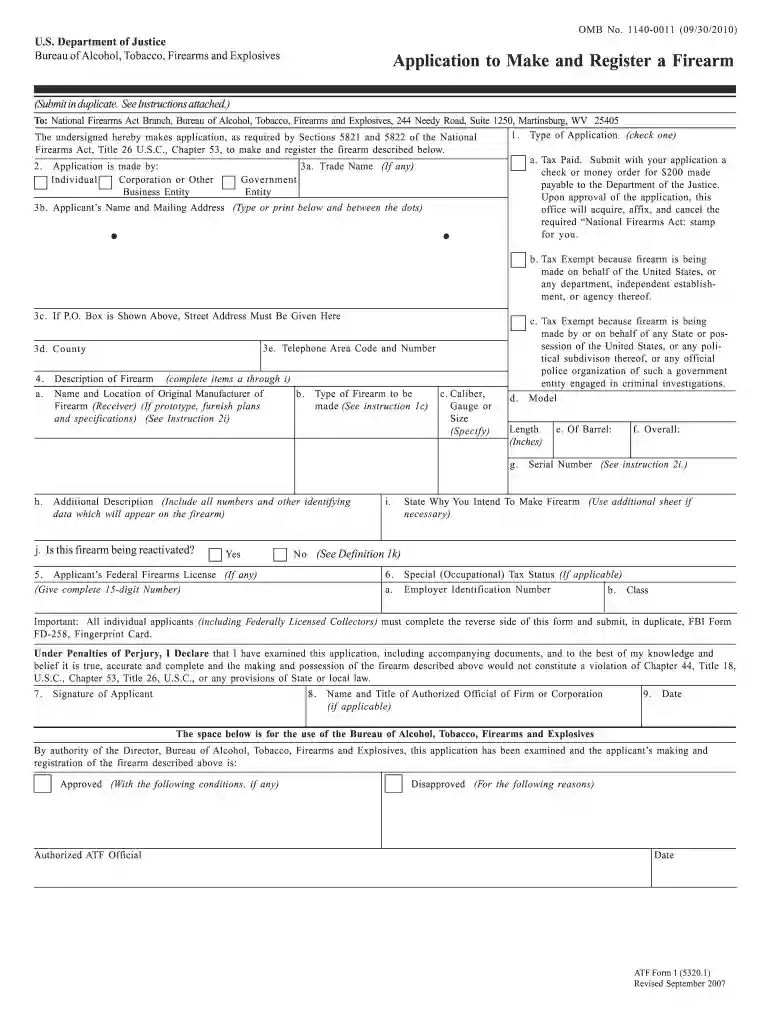
  2. Begin by selecting the type of application you are submitting. Check either 'Tax Paid' or 'Tax Exempt' based on your situation.
  3. Fill in your personal information in section 3, including your name, mailing address, and telephone number. Ensure that all details are accurate and legible.
  4. In section 4, provide a detailed description of the firearm you intend to make. Include specifics such as type, caliber, length, and any identifying numbers.
  5. Complete sections regarding your Federal Firearms License (if applicable) and any special tax status in section 5.
  6. Sign the application at the bottom of the form and ensure all required signatures are original and in ink.
  7. Review all entries for accuracy before submitting both copies of the form along with any required attachments to the specified address.

Start filling out your ATF Form 1 today using our platform for free!

be ready to get more

Complete this form in 5 minutes or less

Get form

Got questions?

We have answers to the most popular questions from our customers. If you can't find an answer to your question, please contact us.
Contact us
On December 23, 2021, the Bureau of Alcohol, Tobacco, Firearms and Explosives updated their online electronic submission portal for eForms to support Forms 1, 2, 3, 4, 5, 6, and 9. Prior to this date, the eForms of the ATF did not support the Form 4, which had to be filed via a physical, paper submission.
A rejected form is often met with the requirement to start the process over with a new form and possibly a new $200 fee. ANY NFA item in the design phase must have an approved form before it is manufactured.
When submitting the eForm 1, Application to Make and Register a Firearm through the ATF eForm system, the Maker is required to submit two (2) fingerprint cards for each Responsible Person, within 10 days of eForm submission. The Maker has two options to submit the fingerprints cards (see below).
Common Errors associated with ATF Form 1: Fingerprint Cards incomplete (Often missing biometric information) Responsible Person Questionnaires (RPQs) - none submitted, too many submitted, insufficient number submitted (Must be one RPQ for each RP) Trust/Individual names do not match on forms.
ATF Form 1 application may take from 60 days to up to 5 months to process, depending on how you are going to apply.

Security and compliance

At DocHub, your data security is our priority. We follow HIPAA, SOC2, GDPR, and other standards, so you can work on your documents with confidence.

Learn more