




Here's how it works

01. Edit your completion form in college online
Type text, add images, blackout confidential details, add comments, highlights and more.

02. Sign it in a few clicks
Draw your signature, type it, upload its image, or use your mobile device as a signature pad.

03. Share your form with others
Send completion form in college sample via email, link, or fax. You can also download it, export it or print it out.
How to use or fill out Graduate Certificate Completion Form - USF College of Education - coedu usf with our platform

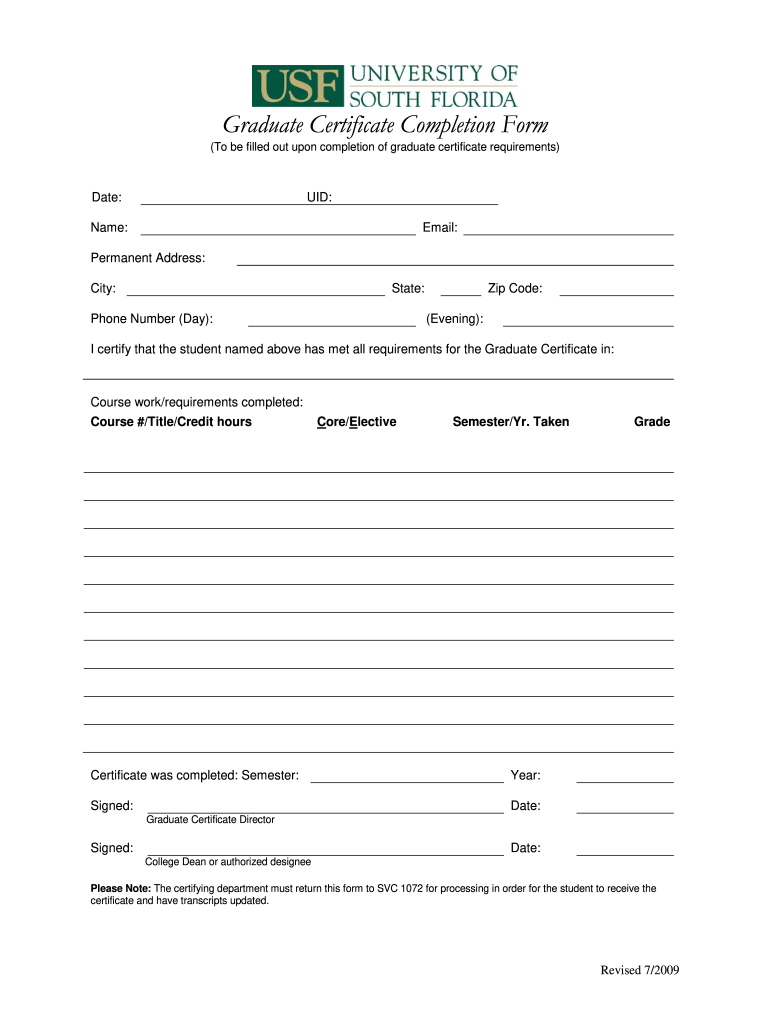
- Click ‘Get Form’ to open the Graduate Certificate Completion Form in the editor.
- Begin by entering the date at the top of the form. This helps establish when the certificate requirements were completed.
- Fill in your UID, name, and email address accurately to ensure proper identification and communication.
- Provide your permanent address, including city, state, and zip code. This information is essential for official records.
- Enter your phone number for daytime contact and an evening number if applicable. This ensures you can be reached if there are any questions regarding your submission.
- In the certification section, indicate that all requirements for the Graduate Certificate have been met. Specify the course work completed by listing course numbers, titles, credit hours, and whether they are core or elective courses along with the semester and year taken.
- Indicate when the certificate was completed by filling in both semester and year fields.
- Ensure that both the Graduate Certificate Director and College Dean or authorized designee sign and date the form before submission.
- Finally, remember to return this form to SVC 1072 for processing so that you can receive your certificate and have your transcripts updated.
Start using our platform today to easily complete your Graduate Certificate Completion Form online for free!
Fill out Graduate Certificate Completion Form - USF College of Education - coedu usf online
It's free
It's free
See more Graduate Certificate Completion Form - USF College of Education - coedu usf versions
We've got more versions of the Graduate Certificate Completion Form - USF College of Education - coedu usf form. Select the right Graduate Certificate Completion Form - USF College of Education - coedu usf version from the list and start editing it straight away!
Security and compliance
At DocHub, your data security is our priority. We follow HIPAA, SOC2, GDPR, and other standards, so you can work on your documents with confidence.
Learn more


