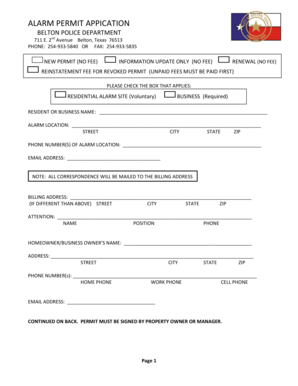
Workplace self certification form 2026

Get Form
nors database Preview on Page 1

Here's how it works

01. Edit your nors database online
Type text, add images, blackout confidential details, add comments, highlights and more.
02. Sign it in a few clicks
Draw your signature, type it, upload its image, or use your mobile device as a signature pad.
03. Share your form with others
Send rtitb nors via email, link, or fax. You can also download it, export it or print it out.

How to use or fill out workplace self certification form with our platform

Form edit decoration
9.5
Ease of Setup
DocHub User Ratings on G2
9.0
Ease of Use
DocHub User Ratings on G2
  1. Click 'Get Form' to open the workplace self certification form in the editor.
  2. Begin by filling out your personal information in the designated fields, including your name, address, and contact details. Ensure accuracy as this information is crucial for verification.
  3. Proceed to the section regarding your employment status. Select the appropriate options that reflect your current role and responsibilities within the organization.
  4. In the next section, provide details about your training and qualifications. This may include dates of completion and any relevant certifications you hold.
  5. Review all entries carefully. If any fields are incomplete, they will be highlighted in red. Make sure to address these before submission.
  6. Once satisfied with your entries, click 'Submit' to finalize your application. You will receive a confirmation email shortly after.

Start using our platform today for free to streamline your document editing and form completion!

See more workplace self certification form versions

We've got more versions of the workplace self certification form form. Select the right workplace self certification form version from the list and start editing it straight away!
Versions Form popularity Fillable & printable
2010 4.7 Satisfied (91 Votes)
be ready to get more

Complete this form in 5 minutes or less

Get form

Got questions?

We have answers to the most popular questions from our customers. If you can't find an answer to your question, please contact us.
Contact us
If your employer hasnt told you how to get sick pay You need to confirm your illness in writing - this is called self-certification. Youll need to do this within 7 days of telling your employer youre sick.
An example of a resume self-certification form clause Heres how a resume self-certification form clause might appear in a hiring agreement or job application: By signing this form, I docHub that the information provided in my resume and job application is true, complete, and accurate to the best of my knowledge.
Self-certification forms usually include details such as: information about your sickness or illness. the date your sickness started. the date your sickness ended.
You can complete a Self-Certification form yourself. Many employers have their own self-certification forms. If your employer doesnt have its own form you can download the Self Certification Form. Please print it, fill it in and hand it in to your employer.

Security and compliance

At DocHub, your data security is our priority. We follow HIPAA, SOC2, GDPR, and other standards, so you can work on your documents with confidence.

Learn more
ccpa2
pci-dss
gdpr-compliance
hipaa
soc-compliance
be ready to get more

Complete this form in 5 minutes or less

Get form