




Here's how it works



How to use or fill out sds 0654 form with our platform

- Click ‘Get Form’ to open the sds 0654 form in the editor.
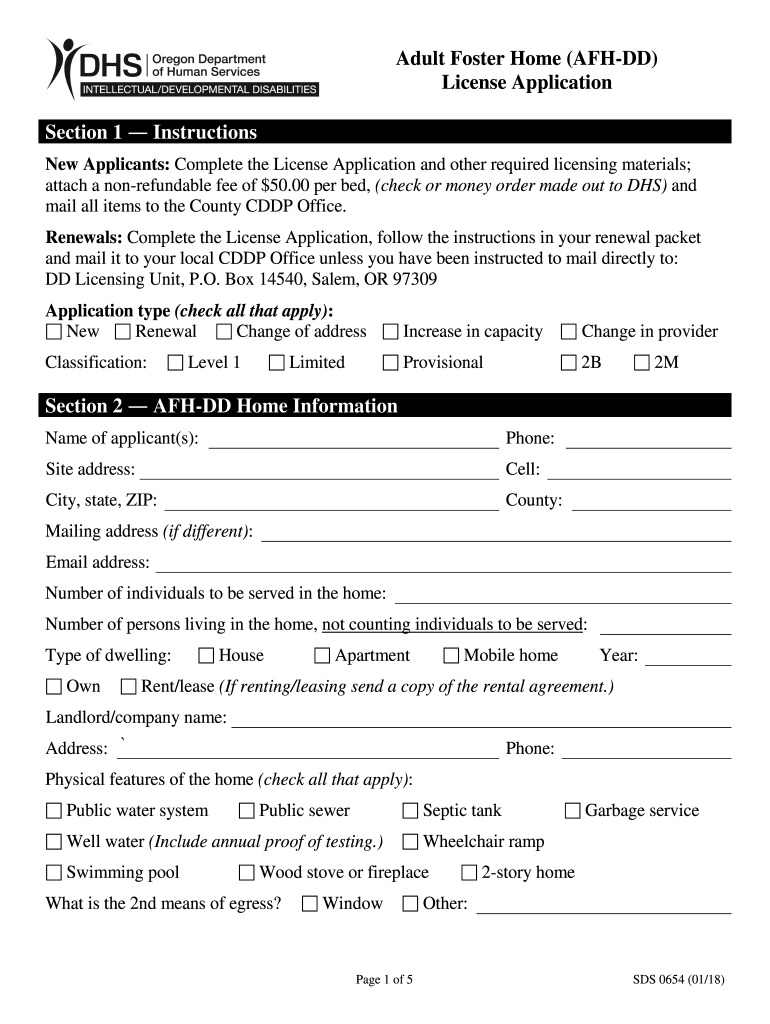
- Begin with Section 1, where you will select your application type. Check all that apply: New, Renewal, Change of address, Increase in capacity, or Change in provider.
- Proceed to Section 2 and fill in your AFH-DD Home Information. Include your name, contact details, and the number of individuals to be served. Specify the type of dwelling and any physical features of the home.
- In the Occupants section, list all individuals living in the home. Ensure you include their full names, relationships, Social Security numbers, and dates of birth.
- Move to Section 3 for Provider information. Document your education and employment history related to working with individuals with developmental disabilities.
- Complete Section 4 by listing all caregivers along with their positions and relevant details. Ensure compliance with required approvals.
Start filling out your sds 0654 form online for free today!
It's free
Got questions?
How can I send my sds 0654 form from Google Drive for signing?
If you often deal with documents stored in your Google Drive, DocHub is a superb solution for you to easily and quickly complete, modify, and approve them. This editor integrates well with Google apps, so you can export your sds 0654 form from your Google Drive to the editor without the need of downloading and re-uploading it. Right-click on your file, select Open With → DocHub PDF Sign and Edit. In our editor, add and assign Signature Fields for all parties involved, then click on the Menu option above → Send → choose how you want to share your paperwork.
What browser do I need to edit sds 0654 form online?
If you want to edit your sds 0654 form on the internet quickly, it does not matter what internet browser you employ. DocHub’s straightforward editing tools are available using any internet browser. Simply open the appropriate tab within our editor, add your file, and fill it out without stress.
Security and compliance
At DocHub, your data security is our priority. We follow HIPAA, SOC2, GDPR, and other standards, so you can work on your documents with confidence.
Learn more


