




Here's how it works



How to use or fill out sample tn visa letter for engineer with our platform

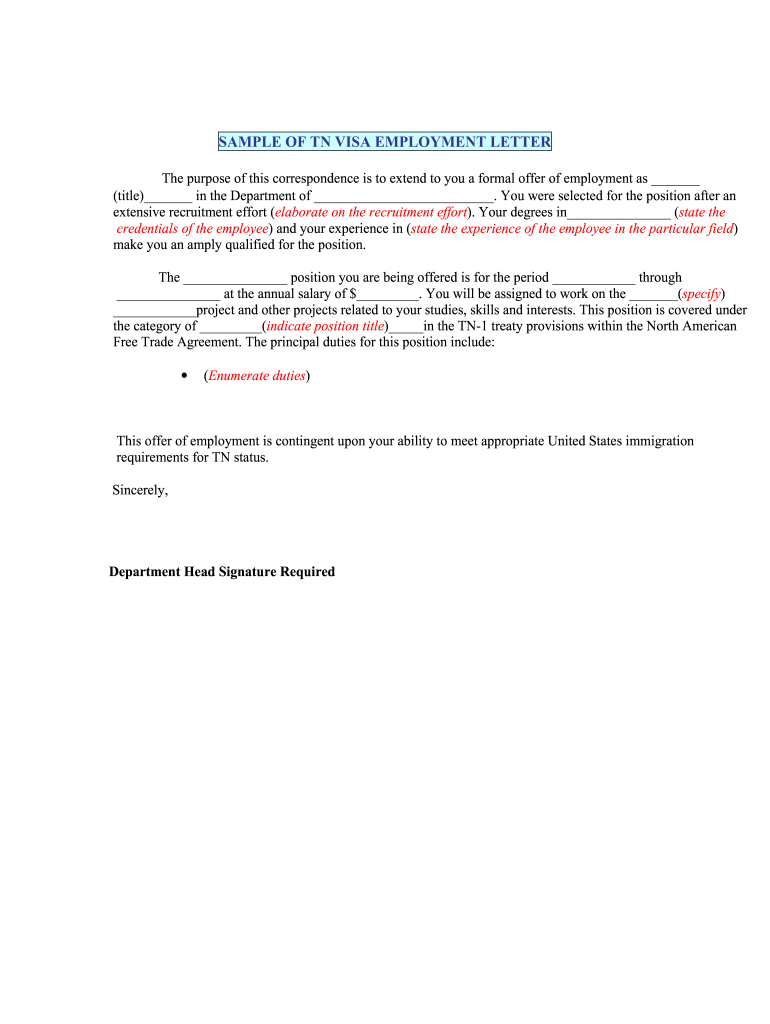
- Click ‘Get Form’ to open the sample tn visa letter for engineer in the editor.
- Begin by filling in the title of the position you are offering in the designated field. This should reflect the specific role of the engineer.
- In the section regarding recruitment efforts, provide a brief overview of how the candidate was selected, emphasizing any unique qualifications or experiences that set them apart.
- State the candidate's degrees and credentials clearly, ensuring they align with the requirements of the TN visa.
- Indicate the employment period by entering start and end dates in their respective fields.
- Fill in the annual salary offered to the candidate, ensuring it meets industry standards for transparency.
- Specify the project name where the engineer will be assigned, along with any additional projects relevant to their skills.
- List out principal duties associated with this position, making sure they are clear and concise for better understanding.
- Finally, ensure that all information is accurate before signing off on behalf of your department head.
Start using our platform today to streamline your document editing and form completion process for free!
It's free
See more sample tn visa letter for engineer versions
| Versions | Form popularity | Fillable & printable |
|---|---|---|
| 2002 | 4 Satisfied (24 Votes) |
Got questions?
What do I need to sign my sample tn visa letter for engineer electronically?
Electronic document signing demands a software solution that complies with data protection and eSignature standards. DocHub is a perfect tool for that, since it fulfills all the previously mentioned requirements. Whatever method you like to sign your sample tn visa letter for engineer in DocHub, your eSignature will be legally binding and court-admissible.
How do you modify tn visa support letter sample from Google Drive?
If you store your papers in Google Drive, there is no need to download your tn visa support letter sample on the computer and upload it back to our editor. A much easier way is to set up a browser extension created by DocHub to streamline this flow. The extension allows editing PDFs in your browser. Alternatively, you can integrate your DocHub and Gmail accounts for more efficient modifying.
Can you write your own TN letter?
How do I write a support letter for visa?
Is TN visa just a stamp?
Security and compliance
At DocHub, your data security is our priority. We follow HIPAA, SOC2, GDPR, and other standards, so you can work on your documents with confidence.
Learn more


