




Here's how it works

01. Edit your form online
Type text, add images, blackout confidential details, add comments, highlights and more.

02. Sign it in a few clicks
Draw your signature, type it, upload its image, or use your mobile device as a signature pad.

03. Share your form with others
Send it via email, link, or fax. You can also download it, export it or print it out.
How to use or fill out Prevailing Wage Report back older version - TheContractorsGroup bb with our platform

- Click ‘Get Form’ to open it in the editor.
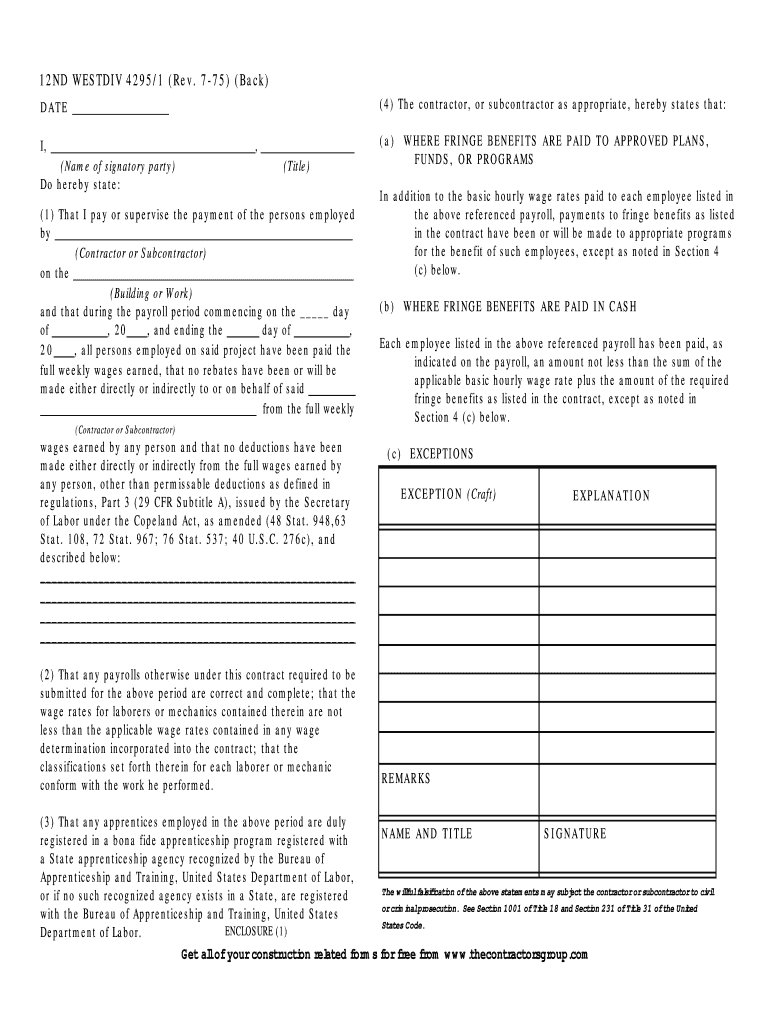
- Begin by entering the date at the top of the form. This is crucial for record-keeping.
- In the first section, provide your name and title as the signatory party responsible for payroll.
- Fill in the contractor or subcontractor's name and specify the building or work associated with this report.
- Indicate the payroll period by filling in the start and end dates, ensuring accuracy for compliance.
- Detail any permissible deductions made from wages, if applicable, in the designated area.
- Confirm that all payrolls submitted are correct and complete, ensuring wage rates meet contract requirements.
- If applicable, verify that apprentices are registered with a recognized program and note any exceptions regarding fringe benefits.
- Finally, sign and date the form to validate your statements, understanding that falsification may lead to legal consequences.
Start using our platform today to easily fill out your Prevailing Wage Report for free!
Fill out Prevailing Wage Report back older version - TheContractorsGroup bb online
It's free
It's free
See more Prevailing Wage Report back older version - TheContractorsGroup bb versions
We've got more versions of the Prevailing Wage Report back older version - TheContractorsGroup bb form. Select the right Prevailing Wage Report back older version - TheContractorsGroup bb version from the list and start editing it straight away!
| Versions | Form popularity | Fillable & printable |
|---|---|---|
| 1975 | 4 Satisfied (52 Votes) |
Security and compliance
At DocHub, your data security is our priority. We follow HIPAA, SOC2, GDPR, and other standards, so you can work on your documents with confidence.
Learn more


