




Here's how it works



How to use or fill out Unlicensed Practice of Law Complaint Form - The Florida Bar - floridabar with DocHub

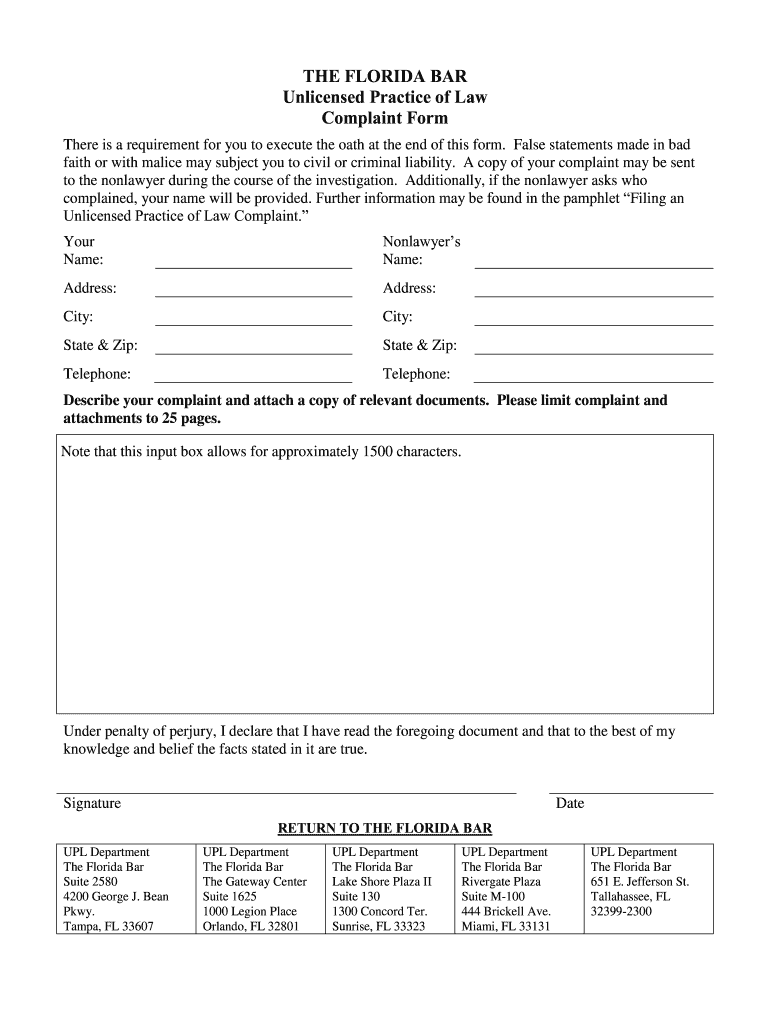
- Click ‘Get Form’ to open it in the editor.
- Begin by entering your name in the designated field. This is essential for identifying you as the complainant.
- Next, fill in the nonlawyer’s name and address. Ensure accuracy, as this information is crucial for the investigation process.
- Provide your contact telephone number. This allows The Florida Bar to reach you if further information is needed.
- In the complaint description box, clearly outline your concerns regarding the nonlawyer's actions. Remember to limit your text to approximately 1500 characters.
- Attach any relevant documents that support your complaint, ensuring that all attachments do not exceed 25 pages.
- Finally, execute the oath at the end of the form by signing and dating it. This confirms that all information provided is true to the best of your knowledge.
Start using our platform today to easily complete and submit your Unlicensed Practice of Law Complaint Form!
It's free
See more Unlicensed Practice of Law Complaint Form - The Florida Bar - floridabar versions
Got questions?
What is the simplest way to electronically sign my Unlicensed Practice of Law Complaint Form - The Florida Bar - floridabar?
A lot of software solutions are available out there for document editing and signing. DocHub is one of the most in-demand online solutions that comply with all security and compliance requirements and guarantees your electronically signed documentation is legally enforceable. All you need to give it a try is to sign up for an account, add your Unlicensed Practice of Law Complaint Form - The Florida Bar - floridabar, fill out the necessary details, and click Sign. Generate your eSignature by typing, drawing it, uploading its image to your document, or scanning a unique QR code.
How do you edit Unlicensed Practice of Law Complaint Form - The Florida Bar - floridabar from Google Drive?
If you store your papers in Google Drive, there is no need to download your Unlicensed Practice of Law Complaint Form - The Florida Bar - floridabar on your computer and upload it back to our editor. A much simpler way is to set up a browser extension developed by DocHub to streamline this flow. The extension allows editing PDFs right in your internet browser. Alternatively, you may integrate your DocHub and Gmail accounts for more efficient editing.
Are Florida Bar complaints public?
Is the practice of law without a license a crime in Florida?
Is the practice of law without a license a crime in Florida?
Security and compliance
At DocHub, your data security is our priority. We follow HIPAA, SOC2, GDPR, and other standards, so you can work on your documents with confidence.
Learn more


