Fro online 2026

Get Form
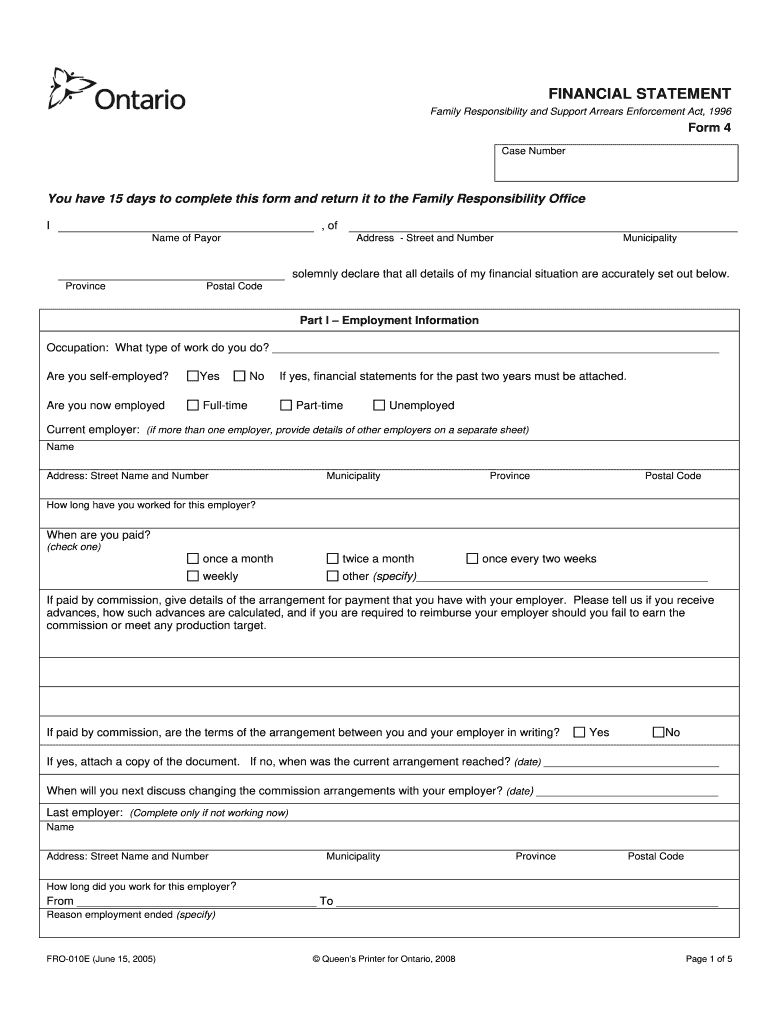
fro online Preview on Page 1

Here's how it works

01. Edit your fro online online
Type text, add images, blackout confidential details, add comments, highlights and more.
02. Sign it in a few clicks
Draw your signature, type it, upload its image, or use your mobile device as a signature pad.
03. Share your form with others
Send fro online login via email, link, or fax. You can also download it, export it or print it out.

How to use or fill out fro online with our platform

Form edit decoration
9.5
Ease of Setup
DocHub User Ratings on G2
9.0
Ease of Use
DocHub User Ratings on G2
  1. Click ‘Get Form’ to open the fro online document in the editor.
  2. Begin with Part I – Employment Information. Fill in your occupation and indicate if you are self-employed or currently employed. If employed, provide details of your current employer and payment frequency.
  3. Move to Part II – Income Information. Accurately report your income sources and deductions, ensuring you only fill in either the weekly or monthly income column as instructed.
  4. In Part III – Expenses Information, list all relevant expenses under both weekly and monthly categories. Be thorough to ensure a complete financial picture.
  5. Proceed to Part IV – Debt Information. Document any outstanding debts, including details about lenders and payment statuses.
  6. Complete Part V – Assets Information by detailing your assets, including real estate and vehicles, along with their estimated values.
  7. Finally, review Part VI for any additional information required before signing the form before a legal authority.

Start filling out your fro online form today for free using our platform!

be ready to get more

Complete this form in 5 minutes or less

Get form

Got questions?

We have answers to the most popular questions from our customers. If you can't find an answer to your question, please contact us.
Contact us

Most eSignature solutions require users to have a paid subscription. With DocHub, there are two options for you to create an electronic signature to your fro login free of charge:

  • You can do it during a 7-day trial period;
  • You can sign up for a free plan.

The second option, though, has restrictions on the number of signatures, sign requests, emails, and documents for editing available per month. You can check for full information here.

You can easily edit and complete your fro online forms on any iOS device. Open an internet browser of your liking, go to the DocHub website, authorize or create a new account, add your file for editing, and make your required adjustments. Our service is mobile-friendly, so utilizing its features on your phone will be a no-brainer, even on the first try.

It is against public policy and contrary to Indiana Law for the court to approve any agreement eliminating child support based upon promises in other areas. For example, a mother cannot tell the biological father of a child that she will waive child support if he promises to stay away from the child.
FOAEA Diversion represents a payment received from the federal government. Payments made through online banking display as Telebanking. \u2756 Payment Amount displays the total amount of the payment.
If you have shared care for at least 52 nights a year, you don't need to pay any child maintenance.

Security and compliance

At DocHub, your data security is our priority. We follow HIPAA, SOC2, GDPR, and other standards, so you can work on your documents with confidence.

Learn more
be ready to get more

Complete this form in 5 minutes or less

Get form

People also ask

FRO's automated information line Toronto: 416-326-1817. Toll-free: 1-800-267-4330.
FRO helps families get the support they are entitled to by collecting, distributing and enforcing child and spousal support payments. We do this under the authority of the Family Responsibility and Support Arrears Enforcement Act, 1996 and the Interjurisdictional Support Orders Act, 2002 .
Parents are required to pay maintenance until a child is self-supporting. The court determines how much a child needs. If maintenance isn't paid, the court can take the money from the maintenance payer's salary, their investment account, auction their property or issue a warrant of arrest.
The Family Responsibility Office (FRO) is a program of the Ministry of Community and Social Services that collects and distributes court-ordered child and spousal support payments. If the person paying support fails to do so, FRO can enforce the court order in a number of ways.
No matter how you proceed, whether through the court system or by mediation, you must have a plan for child support if you have kids. In shared parenting, both parents now have an obligation to pay child support. Table Support covers essential expenses like food, shelter and clothing.

fro registration package