




Here's how it works



How to use or fill out fc 2444 with our platform

- Click ‘Get Form’ to open the fc 2444 in the editor.
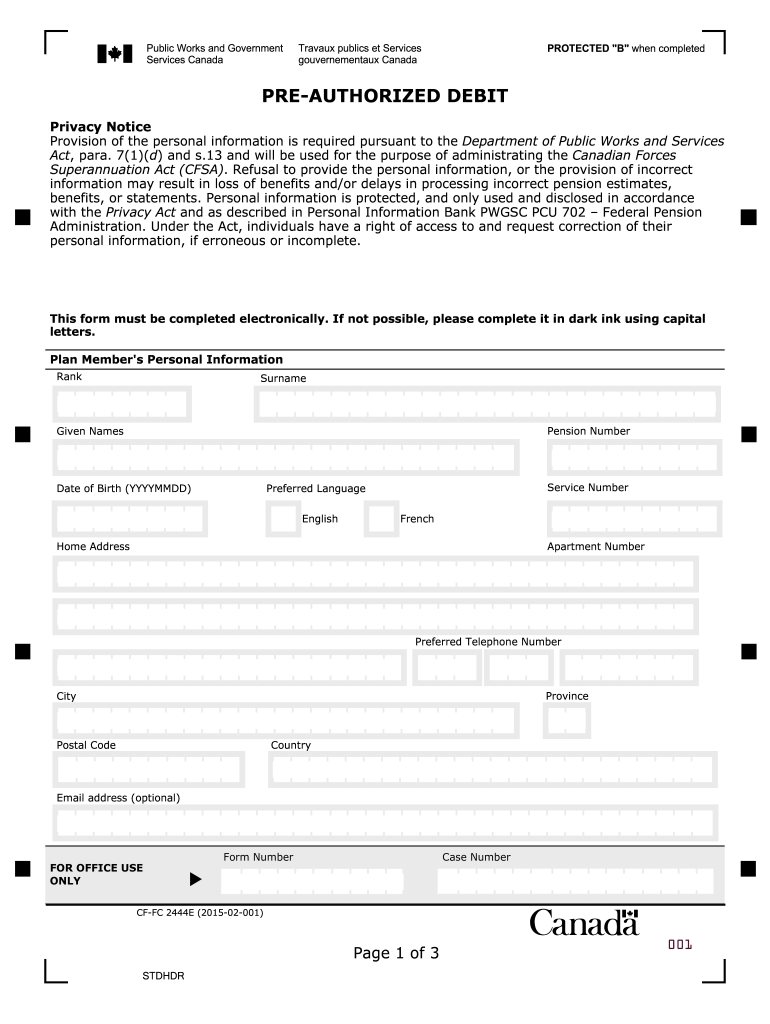
- Begin by filling out the Plan Member's Personal Information section. Enter your Rank, Surname, Given Names, Date of Birth (YYYYMMDD), Service Number, and Preferred Language. Ensure all details are accurate.
- Next, provide your Home Address including Apartment Number, City, Province, Postal Code, and Country. Optionally include your Email address for further communication.
- In the authorization section, select the purpose of the Pre-Authorized Debit by checking one of the options provided. Specify the amount to be debited monthly.
- Fill in your Financial Institution details: Name, Institution Number, Transit Number, and Account Number. Make sure these are correct to avoid processing issues.
- Finally, ensure all required signatures are included at the bottom of the form along with dates. Review all entries for accuracy before submitting.
Start using our platform today to complete your fc 2444 form easily and for free!
It's free
See more fc 2444 versions
| Versions | Form popularity | Fillable & printable |
|---|---|---|
| 2015 | 4.8 Satisfied (80 Votes) |
Got questions?
Can I use DocHub to create legal eSignatures on my fc 2444?
Yes, you can use DocHub for signing any business and personal paperwork, including your fc 2444. All eSignatures you generate with our tool are legally binding and court-admissible, as DocHub complies with standards required by ESIGN and UETA. Save your completed document with a detailed Audit Trail if needed.
How do you create an e-signature for the fc 2444 on iOS?
In addition to a comprehensive toolset for editing PDFs on mobile phones, DocHub allows you to sign your fc 2444 along the way. Open our editor in your internet browser, make modifications using DocHub’s toolset, and finish your editing by eSigning the completed form.
Security and compliance
At DocHub, your data security is our priority. We follow HIPAA, SOC2, GDPR, and other standards, so you can work on your documents with confidence.
Learn more


